

Define Start and End Point NC sequence CREO 9.0.9.0
When creating an NC sequence (Surface Milling), users can more or less control the Start Point of this sequence by changing the [Cut Angle] under [Define Cut].
Changing the angle from 0 degrees to 180 degrees, changes the Start Point and cutting direction into the opposite direction.
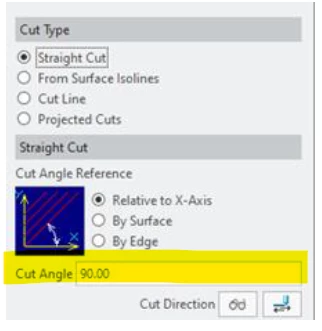
The created start point is ad random within the set boundaries (Cut Angle), so with a new sequence the Start Point could be different.
I know there is an option to define a new Start Point, but it immediately goes to the initial Start Point of the sequence.
So X1,Y1,Z1 (A) is the initial Start Point.
A new Start Point, X0,Y0,Z0 (N) will be defined.
The sequence starts at N and then goes to A.
This is not what I want.
It is possible to start the sequence from Point N without going to Point A?
The main goal is to have the same Start Point (lower left bottom corner for example) for every NC sequence.
Thanks