

Flat pattern export drawing units set to inch instead of mm
Using CREO 13. I always design in mm, all my files are set up like that.
When I export a sheet metal flat pattern however (via the new direct export feature in CREO 13), the resulting DXF is inches (and the part is huge).
I noticed the DXF contains the following string:
$INSUNITS
70
1
0
The “1” is the file setting to inches. Should not be like that.
I don’t know where it comes from.
I have my config.pro set up as following:
pro_unit_length unit_mm
dxf_out_scale_views yes
dxf_out_drawing_scale yes
I also noticed I have a dxf_template.drw. When I open it I notice drawing_units is set to “inch *”, but when I change it it immediately goes back to “inch” when I recheck, so I can’t set it. Not even sure if that file has any relevance.
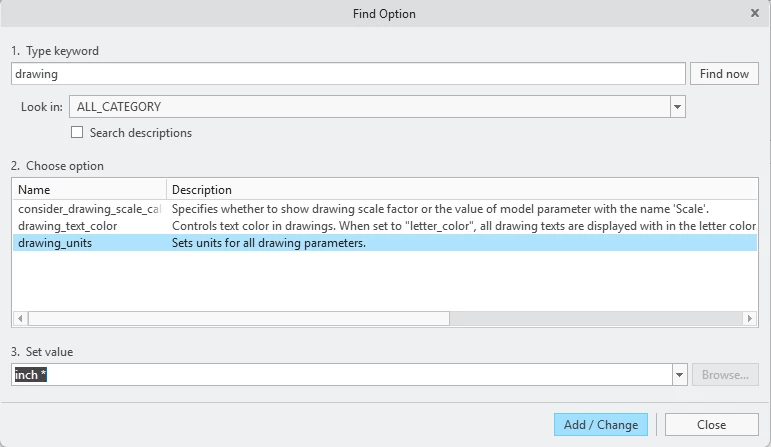
Also checked some iso.dtl file, which is has drawing_units set to MM
I’m out of options right now. Any ideas?