
1-Visitor
May 13, 2024
Solved

Issue creating a mould parting surface due to an open silhouette curve

  • May 13, 2024
  • 1 reply
  • 1402 views

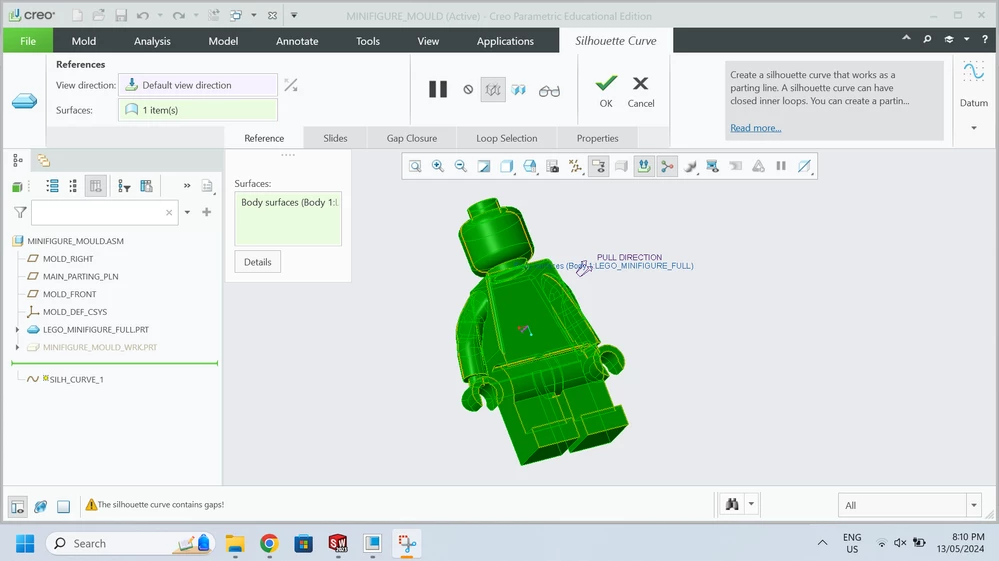
Hi, I'm creating a mould of a lego minifigure for a school project. I created a silhouette curve to define the split line on the model but then when I tried to create a skirt surface it came up with a lot of errors because I don't think the silhouette curve has complete loops. Is there any simple way of fixing this? Maybe using a different operation to achieve the same result?lego issue.png
Best answer by tbraxton

This may not matter for your project; Lego figures are not molded in the configuration you have shown. They are assembled from multiple parts molded individually, the head, hands, etc. are molded as parts and then assembled.


I would suggest creating the silhouette curve on each individual part and taking note of the geometry. This should provide insight into what the split line would have to look like for your assembled figure as shown above. 


You can manually create the split curve/surfaces as well. 

1 reply

tbraxton
22-Sapphire II
tbraxton22-Sapphire IIAnswer
22-Sapphire II
May 13, 2024

This may not matter for your project; Lego figures are not molded in the configuration you have shown. They are assembled from multiple parts molded individually, the head, hands, etc. are molded as parts and then assembled.


I would suggest creating the silhouette curve on each individual part and taking note of the geometry. This should provide insight into what the split line would have to look like for your assembled figure as shown above. 


You can manually create the split curve/surfaces as well. 

1-Visitor
May 13, 2024

Yes, I'm aware lego figures are made of multiple parts. This one just happens to be one combined piece for simplicity with a few changes made for it to work in a two part mould. How can I manually create a split curve?

tbraxton
22-Sapphire II
22-Sapphire II
May 13, 2024

I would start by performing a draft analysis of the full minifig part geometry in part mode. Use the desired pull direction in this analysis and then you can see where the draft split would need to be. You can then create a surface manually in your part model and use this to split the mold. Us the link below if you are not familiar with this analysis.


To Perform a Draft Check on a Part (ptc.com)


Creo Parametric - Draft Check | Analysis Tools (youtube.com)
