Solved
Machine play not working
having a hard time making the machine play option working
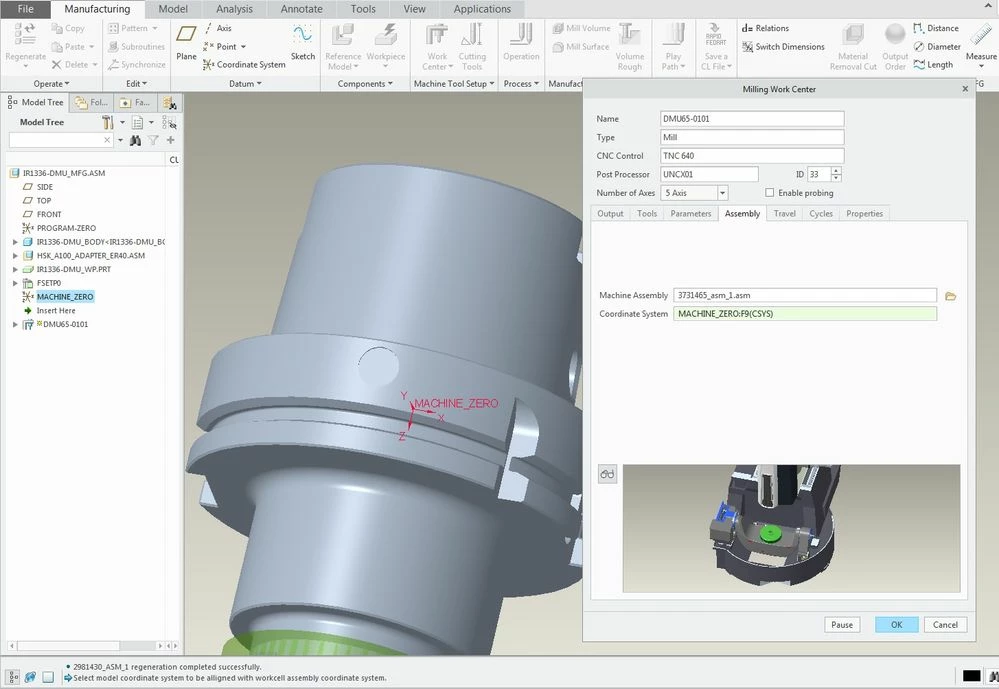
I have a models for DMG 5-axis machine which I assembled kinematically using slide & pin options. Have a mach_zero coordinate at the table center & tool_point coordinate at the spindle center. Have saved it in my workcell directory & am able to see the preview in my workcenter/assembly tab also in the nc manufacturing assembly. Have defined the coordinate system also in the nc assembly
Have the machine play option working in the right click mouse button on the operation. But as soon as I click it, it opens a second window with the machine & closes it immediately just giving me a glimpse of the machine
Does anybody know what could be wrong or what am I missing ??
Thanks for the help