

Problems when editing EMX Parameters manually
Many EMX users show the BOM Parameters in their modeltree for easy editing. This can cause troubles as EMX does not consider manually overwritten parameters. So the internal EMX parameter values will be used to overwrite such modified parameters when using EMX BOM functionality. Here is the best practice tipp to avoid such problems:
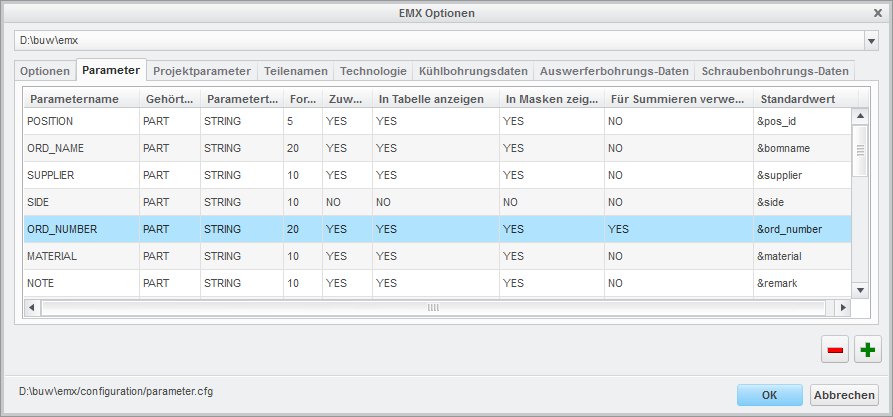
As an example the odering number of a Meusburger guide bushing will be used. The parameter name ORD_NUMBER for this ordering number is specified in EMX Options > Parameter:
Here you see the paramerter ORD_NUMBER and the component parameter BUW_ORD_NUMBER displayed as extra columns in the modeltree.
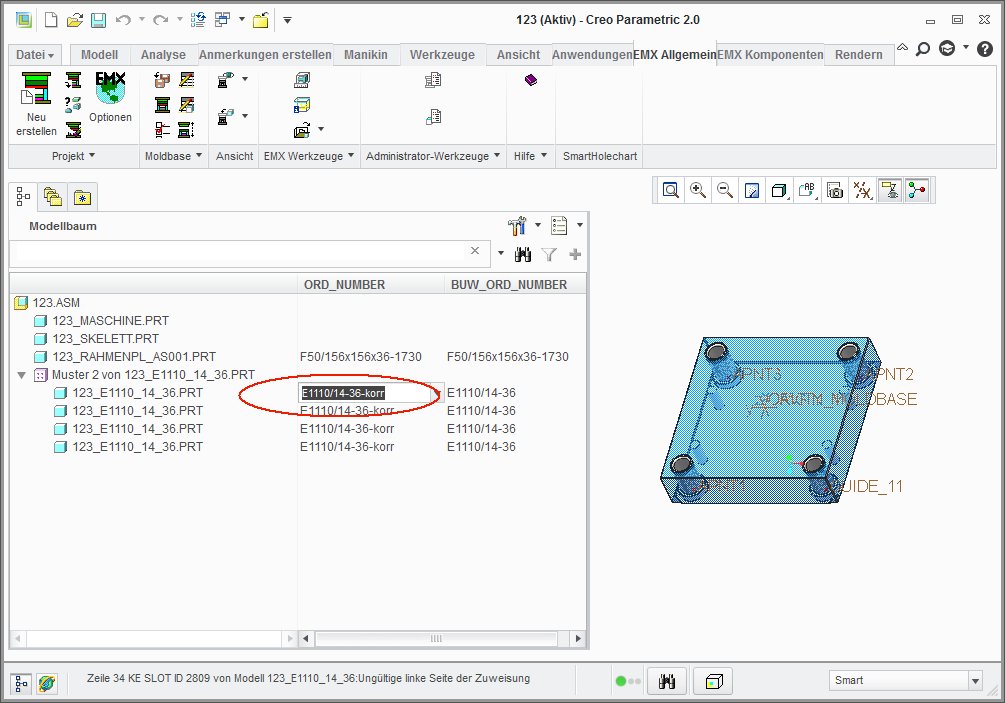
The content of BUW_ORD_NUMBER is maintained by EMX and must not be modified. If you edit the content of ORD_NUMBER now, EMX does not know baout it and will reset the value to the content of BUW_ORD_NUMBER automatically. To avoid this ... use Edit BOM Entry-function instead:
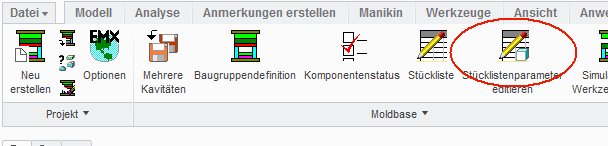
and enter the desired new value in this dialog box:
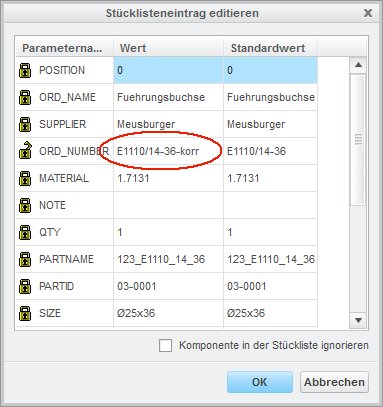
Doing so, the manually overwritten value will remain during the entire design process!
Hannes