
10-Marble
November 3, 2014
Solved

Ptc Creo and embeded basic Moldex 3d capabilities in every seat

  • November 3, 2014
  • 3 replies
  • 5977 views

Dear All,

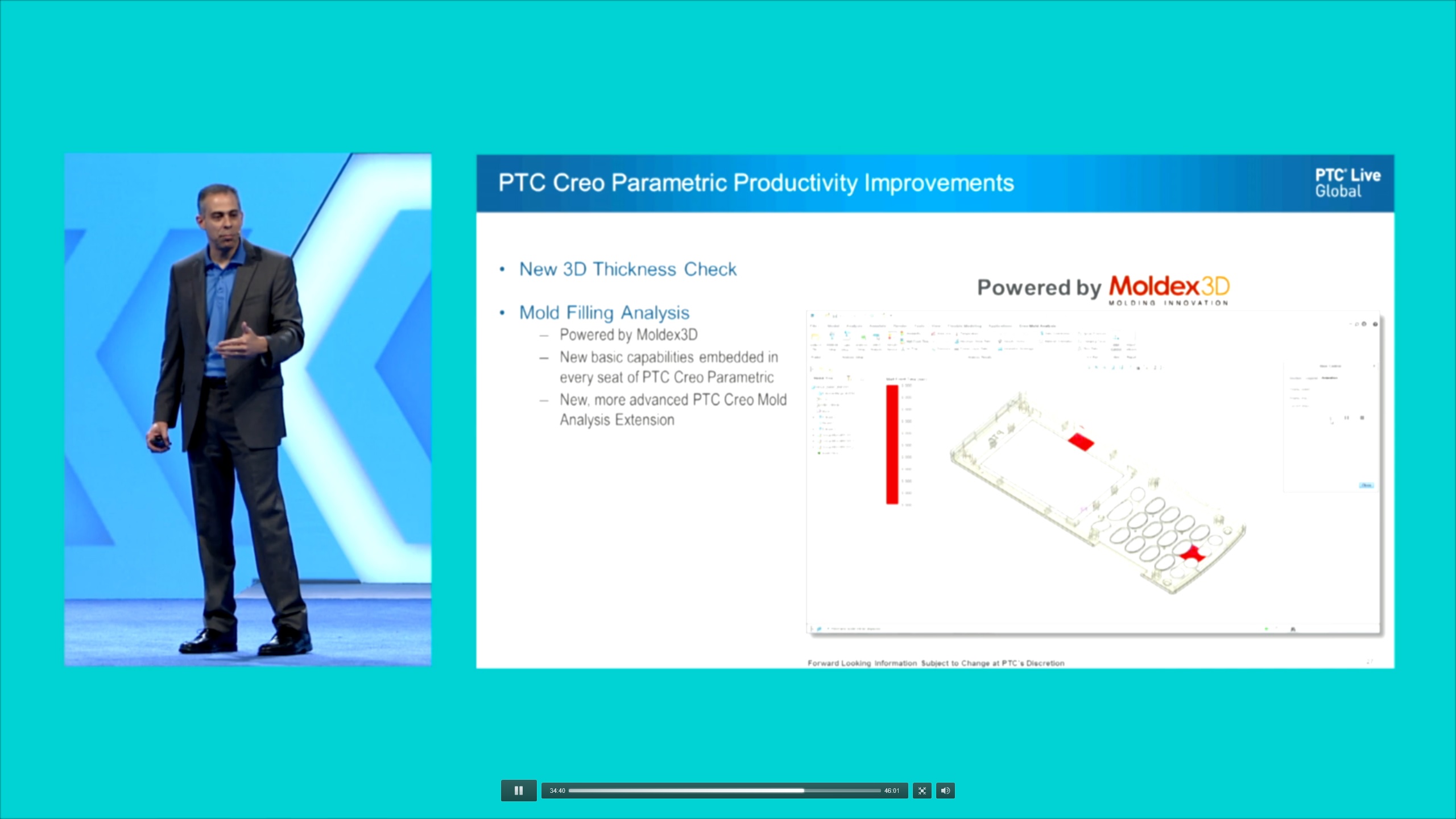
In PTC Creo 3.0 Launch Presentation from June 17, 2014 Brian Thomson announced that New basic capabilities from Moldex 3d will be embedded in every seat of Creo Parametric. I have installed Creo 3.0 M10 and there is no such analysis. Only what i can access is 3d thickness Check. I was told that i need to buy PTC Creo Mold Analysis Extension, why if they said in every seat?. Please check PTC Creo 3.0 Launch Presentation at time 34:28 Where Brian Thomson said " every body gets it". I was rely looking forward of this functionality. Did i missed something? Can someone give me answer please.
A1.jpg

Best Regards

Klemen

Best answer by kerzen

Hi, there is some update on this issue

First; You need to upgrade your licence for free to enable Mold Analysis Lite.

Second; When you do that you get enabled Mold Analysis Lite

Third; What is enabled in Mold Analysis Lite is useless.

Hope that in future Lite versions will be more useful.

Best Regards

Klemen

3 replies

1-Visitor
November 3, 2014

If it is installed you may need to enable the lite version extension by turning it on in the config.pro file like some of the other light extensions (simulate lite, human factors, etc) It may not be implemented yet in Creo 3 ?

kerzen10-MarbleAuthor
10-Marble
November 4, 2014

Hi Don,

No there is no such config pro. I ve checked.

It is implemented in 3.0 in M10.

Best Regards

Klemen

16-Pearl
November 4, 2014

Hi Klemen,

Yes, this became available with Creo 3.0 M010, but there is an additional requirement that you need to update your license pack.

There is a new license pack line item called Mold Analysis Lite that PTC should be adding to every customer's license pack automatically (for those on support).

All the details are here: https://support.ptc.com/appserver/cs/view/solution.jsp?n=CS187881

Regards,

Allan

17-Peridot
November 5, 2014

I wonder if that is why I cannot find the Manufacturing Lite module in my Creo 2.0.

kerzen10-MarbleAuthorAnswer
10-Marble
November 7, 2014

Hi, there is some update on this issue

First; You need to upgrade your licence for free to enable Mold Analysis Lite.

Second; When you do that you get enabled Mold Analysis Lite

Third; What is enabled in Mold Analysis Lite is useless.

Hope that in future Lite versions will be more useful.

Best Regards

Klemen

15-Moonstone
November 26, 2014

Isn't it supposed to be available via Applications- Mold Analysis? Mine is still greyed out even though the Mold Anaysis Lite is shown in System information under configured license options.

Mold+Analysis+Lite.jpg

kerzen10-MarbleAuthor
10-Marble
November 27, 2014

Hi Magnus,

Did you install it?