
10-Marble
November 10, 2016
Solved

Where is Custom Trajectory in Creo 3.0?

  • November 10, 2016
  • 5 replies
  • 5403 views

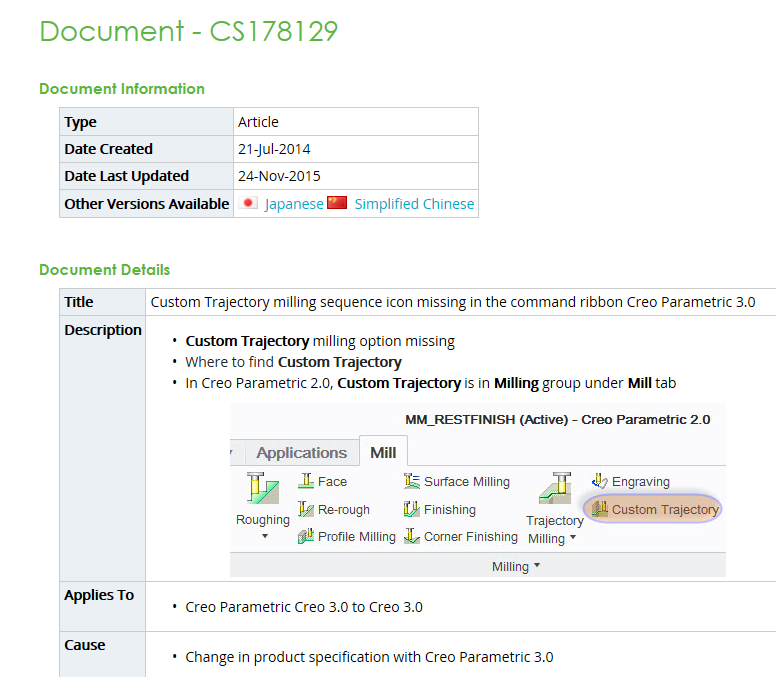
In previous Creo versions there was a cutom trajectory button that is no longer visible in Creo 3.0.  We use custom trajectory with curves to drive toolpath and take multiple depths of cuts.


This thread is inactive and closed by the PTC Community Management Team. If you would like to provide a reply and re-open this thread, please notify the moderator and reference the thread. You may also use "Start a topic" button to ask a new question. Please be sure to include what version of the PTC product you are using so another community member knowledgeable about your version may be able to assist.
Best answer by rcordova

Ok folks I found the solution at PTC tech support.

5 replies

21-Topaz II
November 10, 2016

I hadn't heard of this, but this would be a lethal reason for us to never switch up to Creo 3. I use custom trajectories driven along surfaces for at least 70% of the parts we do. And even for roughing out contoured parts, it's the most efficient way I've found to do some things.

I can't imagine this, the most powerful toolpath available (albeit requiring more work to define) being eliminated, but then again...

rcordova10-MarbleAuthor
10-Marble
November 10, 2016

We use it a lot too!

10-Marble
November 11, 2016

Its described in the Help Center: Creo Parametric Help Center

21-Topaz II
November 11, 2016

So, this looks like the same set of clicks I currently make in Creo 2.0. Maybe the original poster had something wrong with their ribbon buttons? We haven't moved to Creo 3.0, so I'm not familiar with the layout and how much it differs from 2.0.

2-Explorer
November 11, 2016

Hello Rick Cordova

when the "icon" had not be placed in any of your ribbons, than search tool doesn´t work. Try use following method to make you sure, that desired icon is still present in Creo version you are using.

1. Go to "ribbons edit mode"

01.jpg

2. Search for desired icon/function and add it to desired ribbon

02.jpg

Hope you will find what you want...

Regards

Milan Bonka

rcordova10-MarbleAuthor
10-Marble
November 11, 2016

Milan, great Illustration, however this method still does not show "custom trajectory" button that the help center talks about.

Thank you.

rcordova10-MarbleAuthorAnswer
10-Marble
November 11, 2016

Ok folks I found the solution at PTC tech support.

2-Explorer
November 14, 2016

Great!!!

Mark your asnwer CORRECT in order to help others in future...

Regards

Milan

5-Regular Member
November 15, 2016

Thank you for asking for this action Milan - marking answers correct makes the information easy to find.

Best,

Toby

14-Alexandrite
November 14, 2016

hi

You must add config.pro option: classic_milling yes

Bez tytułu.jpg