1-Visitor
February 8, 2021
Solved

3D Plot animation in Mathcad

  • February 8, 2021
  • 3 replies
  • 5312 views

I am a wxMaxima user and shifted to Mathcad recently on the suggestion of my friend. I am testing the software and am being amazed by the easiness. But I found its symbolic engine not up to the mark (let's delay this discussion for some other post).

Currently, I am testing the plotting feature of Mathcad. It has become my habit to test every new software I use with these commands just to see the beauty of math and the power of that software.  I am not able to figure out the way from the online help available about this topic and therefore am asking in this community forum.


The first animated plot that I want to create is of a spring moving. The wxMaxima code for this is shown below.

spring code maxima.png

This creates a 3D plot of a spring that is stretching and expanding.


The second animated plot that I want to create is a vibrating sheet. The wxMaxima code for this is shown below.
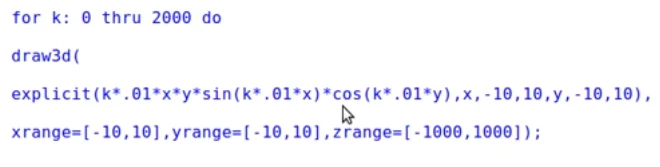
sheet vibrating maxima.png

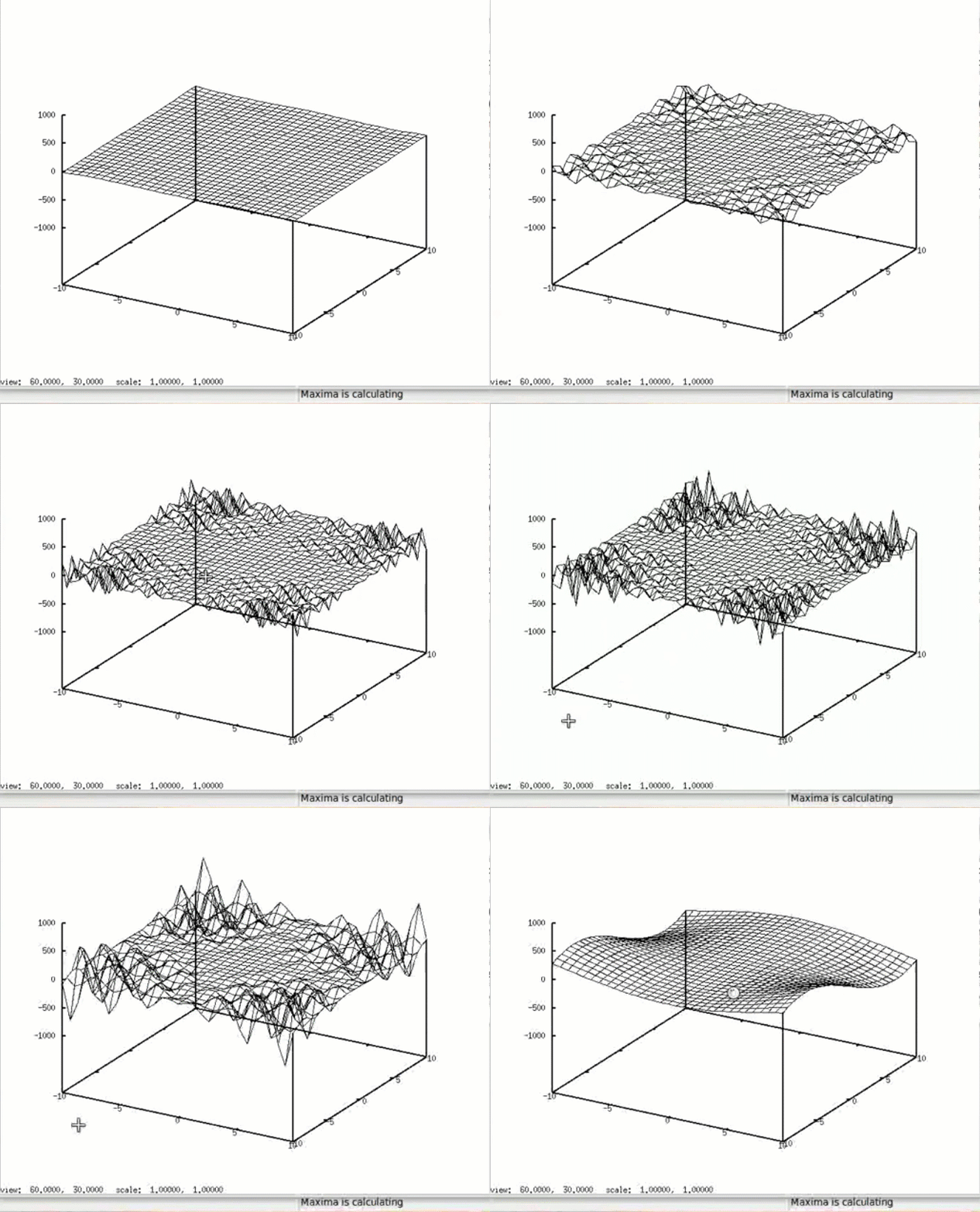
The animated gif is shown below.

Untitled Project.gif

Please also mention the method in which 2D plots can be animated.

Also, there is a command in wxMaxima that can convert the plot in jpg or gif file format. Is there any way in Mathcad that we can convert the file into respective formats?

As I have Mathcad prime only so if please the final worksheet be given to me in Mathcad prime only I will be very much obliged. 
Best answer by LucMeekes

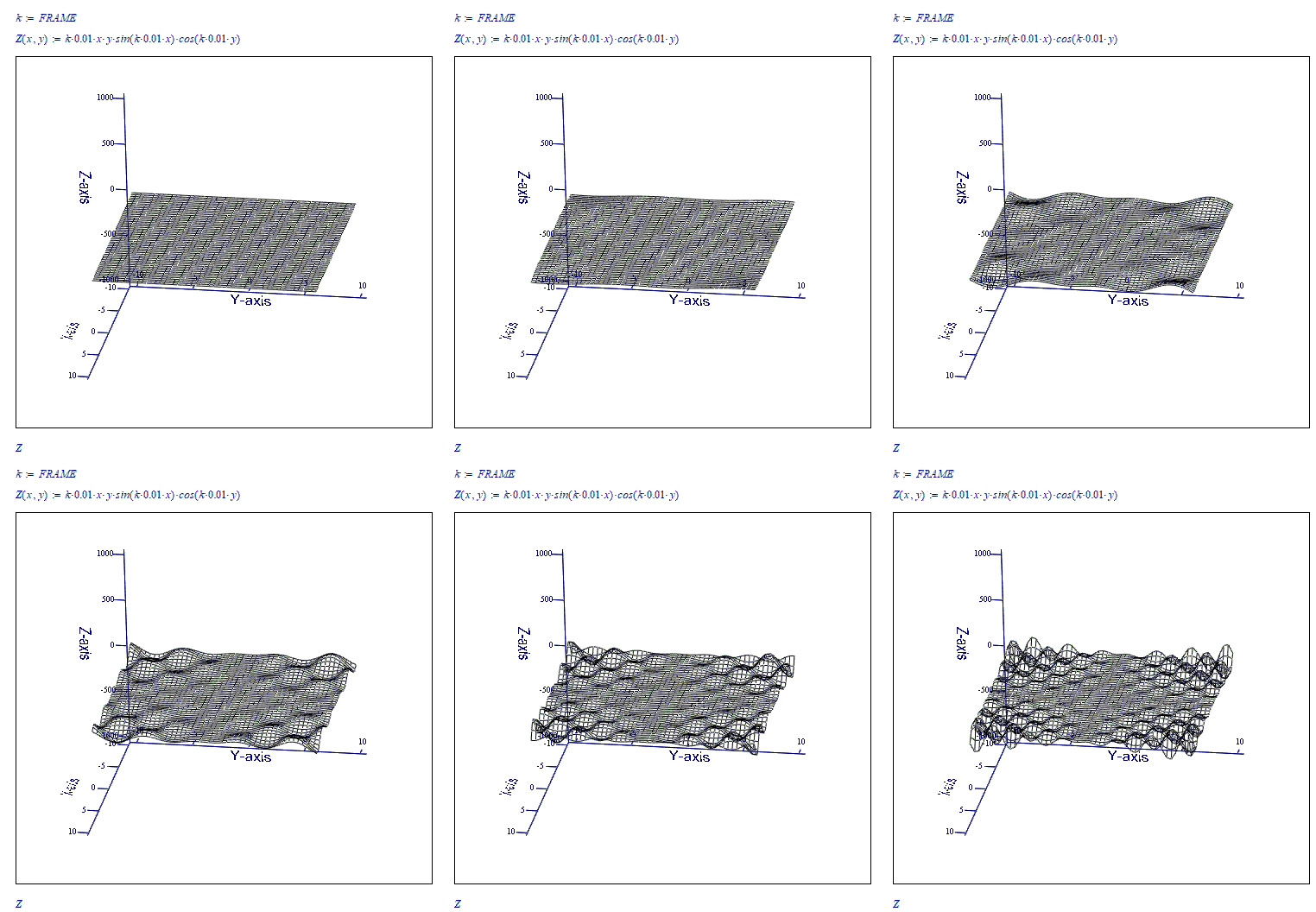
Here's your second animation with k running from 0 to 200, repeating:

LM_20210208_SheetVibration.gif

The above shows the entire contents of the Mathcad sheet. When selecting Animation from the menu, I chose FRAME to run from 0 to 200, at 10 frames per second.

The resulting animation was saved as an .avi file (the only option) , which was then converted to an animated gif using external software.


Success!

Luc

3 replies

25-Diamond I
February 8, 2021

On contrary to real Mathcad, hich has limited possibilities to create animations (max. 1000 frames) , Prime does not offer any way to animate 2D or 3D plots. One of the many missing features in Prime compared to Mathcad (an other math software).

You are right concerning the symbolic calculations. Mathcad started in the DOS era as a number cruncher and scored immediately with its white board interface and its ability to deal with units. The symbolics were added later and up to version 13, Mathcad had integrated the Maple core for symbolic calculations, which was state of the art. Then Mathsoft (the former owners of Mathcad) integrated muPad (originally developed by university of Paderborn and now owned by Mathworks, the owners of MatLab) instead. Beginning with version 6 of Prime, PTC (the current owner of Mathcad and "developer" of Prime) added another symbolic engine (a free one, to save license fee, I guess) which seems to be inferior even compared to MuPad. In Version 6 of Prime you can switch between the new and the old symbolic, but in later versions Mupad will not be available any more.


MUFASA1-VisitorAuthor
1-Visitor
February 8, 2021

But @Werner_E  I have seen some posts on this community where Plots are being animated e.g this post in which you have provided a 3D animated video in avi format. 


My question is how those files are created if Mathcad does not support this feature.

23-Emerald IV
February 8, 2021

Mathcad does support animation, but Prime, the new (I'm hesitating to call it 'development') by PTC doesn't.

The good thing is, if you buy (a license subscription to) Prime, you get (real) Mathcad 15 for free (You can install it on the very same PC using the very same license file.


Luc

LucMeekes23-Emerald IVAnswer
23-Emerald IV
February 8, 2021

Here's your second animation with k running from 0 to 200, repeating:

LM_20210208_SheetVibration.gif

The above shows the entire contents of the Mathcad sheet. When selecting Animation from the menu, I chose FRAME to run from 0 to 200, at 10 frames per second.

The resulting animation was saved as an .avi file (the only option) , which was then converted to an animated gif using external software.


Success!

Luc

23-Emerald IV
February 8, 2021

There's another type of animation possible with (real) Mathcad: you can rotate a 3D plot:

LM_20210208_SpringRotate.gif   LM_20210208_SpringRotate2.gif   LM_20210208_SpringRotate3.gif

To show it here, I had to capture a screen-video, and convert that to an animated gif. Both with other software.


Enjoy!

Luc