21-Topaz II
December 17, 2016
Solved

About an example concerning PDE written in the help of MATHCAD 15 : unexplainable error.

  • December 17, 2016
  • 5 replies
  • 2546 views

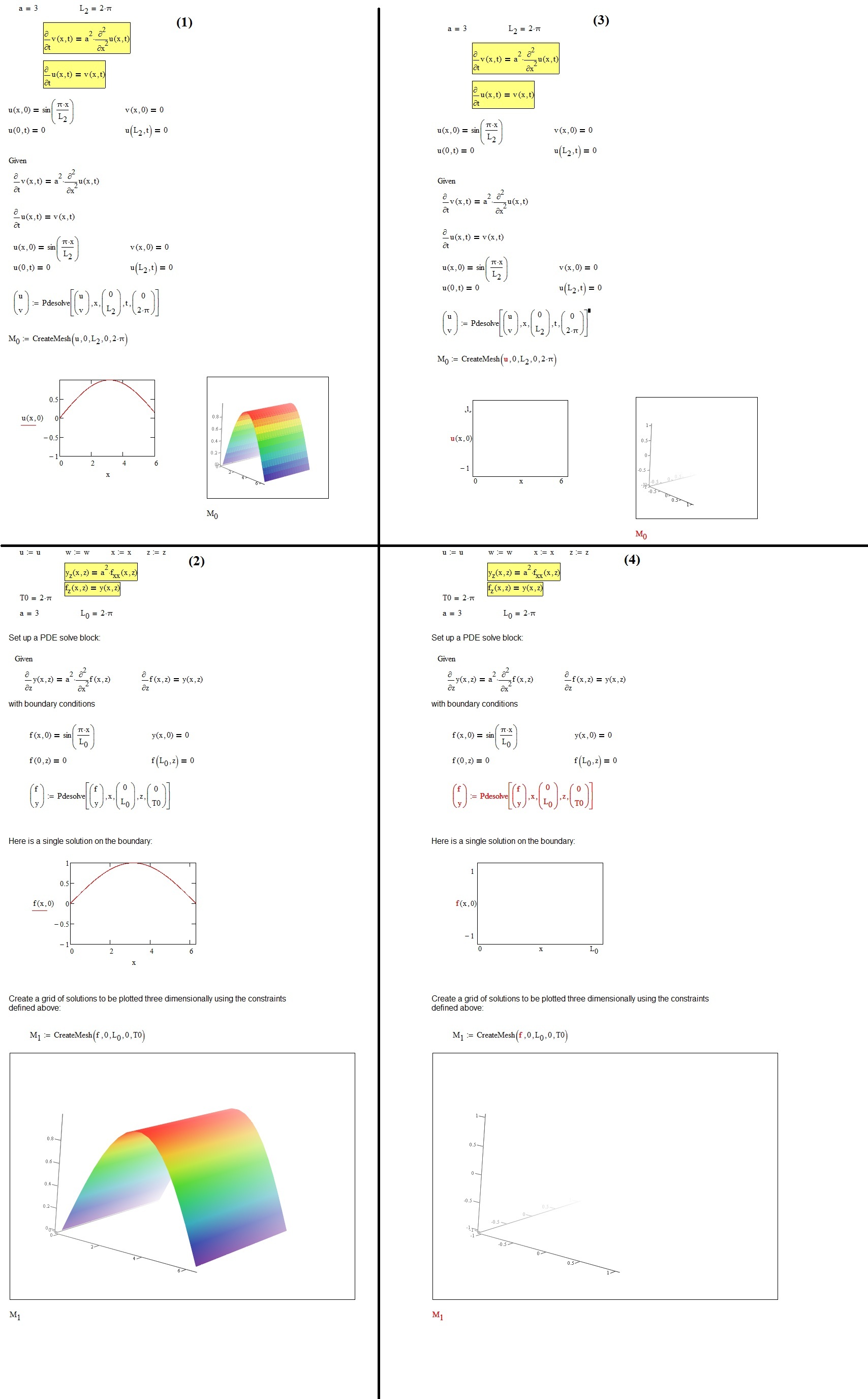
Why [cases (3) and (4)] disabling the Pdesolve operator in the first example,  will fault the second example as well? If, instead, [cases (1) and (2)], the first one is active, then all is ok?

mathcad help examples.jpg

Best answer by Werner_E

seems you discovered another "nice feature", or is this really wanted ? I don't know.

While I was playing with your file I found out that this is not

only restricted to "pdesolve", but also to "odesolve" and" Find",

maybe to other equation solvers as well (haven't tried yet).

Sure! As already written above, is a solve block opened with "Given" and closed with "Pdesolve" or something else (Find, OdeSolve, Minimize, MinErr,,)

If you want to disable a solve block, you have to disable both, not just the closing command! If you delete parentheses in an expression you would also get an error if you would just delete the closing one.

After the second solve block fails (because od the duplicate "Given") the next solve block will work OK. Thats the reason your "workaround" works OK.


5 replies

25-Diamond I
December 17, 2016

Funny that the error message tells you the opposite from whats the cause:

Actually  you don't miss a "Given" - on contrary - if you disable the closing "Pdesolve" line of a solve block, you would also have to disable the corresponding opening "Given". Otherwise you end up with a giant solve block with probably conflicting equations, constraints and conditions and a second "Given" in the middle, which Mathcad chokes on.

This can't happen with the ugly solve blocks in Prime but of course they have other limitations.

BTW - you don't use any symbolical evaluations, so the expressions u:=u, etc. will have no effect at all! There is no way to clear variables (other than for the symbolics) in Mathcad 15 and below.

1-Visitor
December 17, 2016

Hi F.M.,

seems you discovered another "nice feature", or is this really wanted ? I don't know.

While I was playing with your file I found out that this is not

only restricted to "pdesolve", but also to "odesolve" and" Find",

maybe to other equation solvers as well (haven't tried yet).

You can overcome this, if you copy the second solve block and paste it

just below, so that you would have actually three solve blocks :

The disabled one, and the other two that are enabled.  The third block will work then.

Of course,this is not an acceptable workaround.

If you would  also disable the second solve block the third will generate an error message, too,

so that you would have to copy the second solve block below the third.

This would lead to four blocks a. s. o.

This seems to be independent on either you try to solve for different equations,

or if you try to solve for the same equation.

As already said before, I have no idea, if this is wanted or not,

Regards

hfeith

Werner_E25-Diamond IAnswer
25-Diamond I
December 17, 2016

seems you discovered another "nice feature", or is this really wanted ? I don't know.

While I was playing with your file I found out that this is not

only restricted to "pdesolve", but also to "odesolve" and" Find",

maybe to other equation solvers as well (haven't tried yet).

Sure! As already written above, is a solve block opened with "Given" and closed with "Pdesolve" or something else (Find, OdeSolve, Minimize, MinErr,,)

If you want to disable a solve block, you have to disable both, not just the closing command! If you delete parentheses in an expression you would also get an error if you would just delete the closing one.

After the second solve block fails (because od the duplicate "Given") the next solve block will work OK. Thats the reason your "workaround" works OK.

1-Visitor
December 17, 2016

I think this not quite correct. The error occurs for the same solving function, but not for different ones, e. g.

Given                                             Given

Minimize  -> disabled                      Minimize  -> disabled

Given                                             Given

Maximize -> works                          Minimize -> doesn't work

Don't ask me why, but this is what I observed.