1-Visitor
May 26, 2015
Solved

Automatic pulling of answers from a solver block

  • May 26, 2015
  • 4 replies
  • 2056 views

Hi

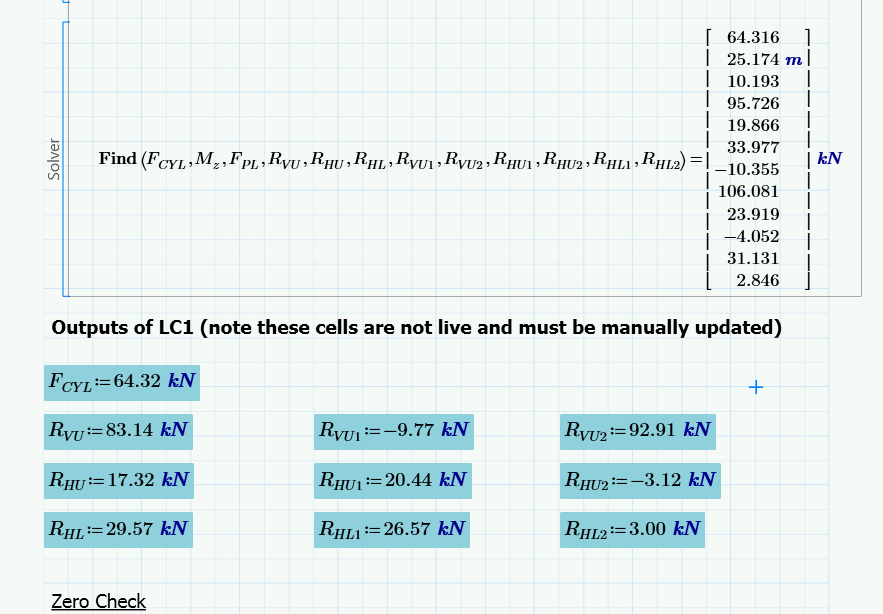
I'm working on a sheet which has a number of solver blocks. For clarity of work and for a concise summary, I want to pull the answers from the 'FIND' function out of the solver block. Currently I have to do this manually as I can't find a way of automatically outputting the values into the main body of the sheet. Does anybody know how to achieve this automatically?

Solver block issue.png

Thanks

Best answer by StuartBruff

Phil Pennington wrote:

Thanks Stuart

This appears to provide the same outcome as the original formula however, as below. If I type Fcyl= outside of the solver block, although it does pull out the value automatically, it pulls out the complete matrix including the other 11 outputs, which isn't particularly helpful. I'm really looking to isolate each output in the same manner as I am currently manually typing in the image below
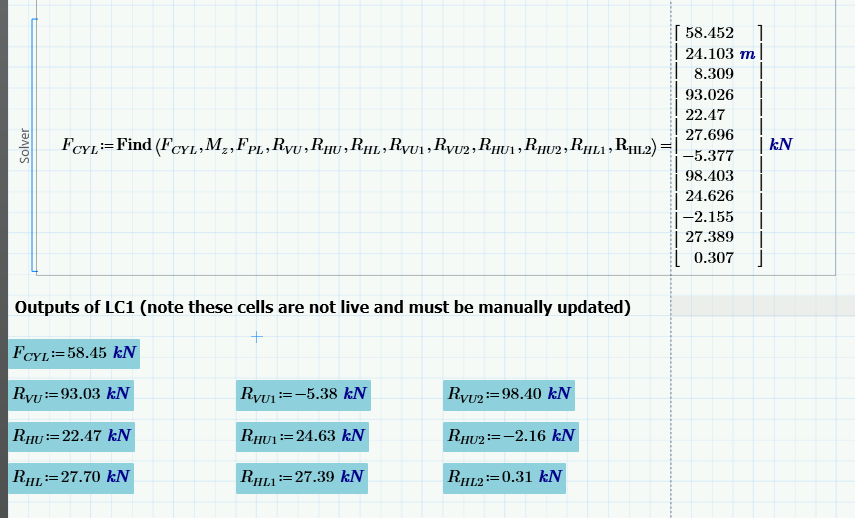
mcd export.png

OK.  You've got a few choices for dealing with this, I think. (I've only got the Prime Express, which doesn't allow access to solve blocks or programs).

Your Find statement will return all of the parameters you've asked it to do.  I assume you want all of them.

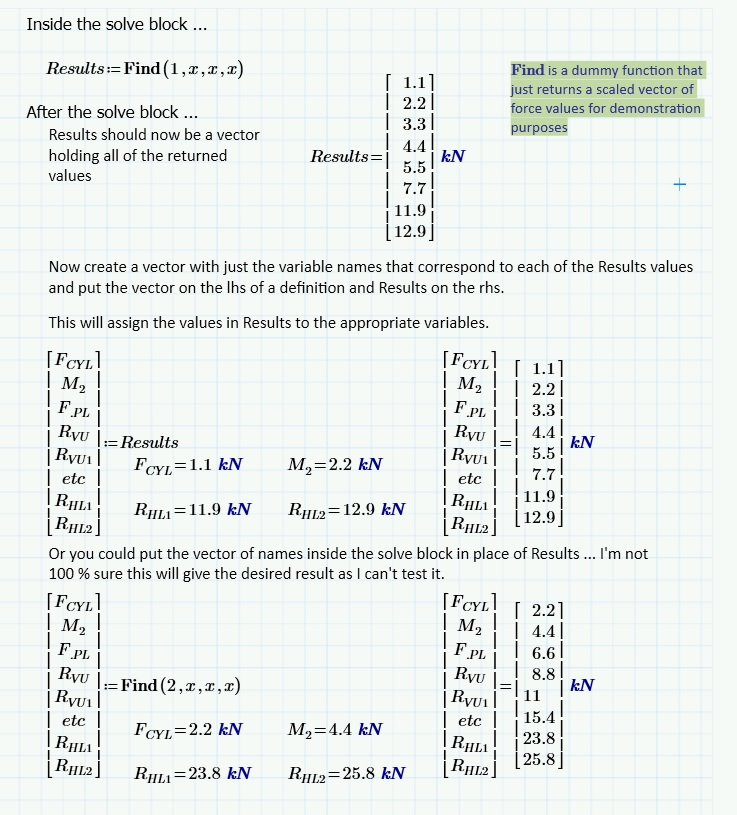
Either way, you need to define a (column) vector containing all of the names of parameters and in the order that you've put them.   You can then replace FCYL in the Solve Block with some arbitrary but meaningful name, such as Results, and then assign Results to the vector of names.  Alternatively, you could try just replacing FCYL with the vector of names inside the Solve Block.

Stuart
4 replies

23-Emerald V
May 27, 2015

Instead of writing "Find(x,y,z)=", write "Results:=Find(x,y,z)" , or whatever variable name you want in place of "Result".

You can even write "f(a):=Find(x,y,z)" where a is a parameter that you use within your solve block.   I think this should be covered in the Help somewhere.

Stuart

1-Visitor
May 27, 2015

Thanks Stuart

This appears to provide the same outcome as the original formula however, as below. If I type Fcyl= outside of the solver block, although it does pull out the value automatically, it pulls out the complete matrix including the other 11 outputs, which isn't particularly helpful. I'm really looking to isolate each output in the same manner as I am currently manually typing in the image below

mcd export.png

Thanks

Phil

23-Emerald V
May 28, 2015

Phil Pennington wrote:

Thanks Stuart

This appears to provide the same outcome as the original formula however, as below. If I type Fcyl= outside of the solver block, although it does pull out the value automatically, it pulls out the complete matrix including the other 11 outputs, which isn't particularly helpful. I'm really looking to isolate each output in the same manner as I am currently manually typing in the image below

mcd export.png

OK.  You've got a few choices for dealing with this, I think. (I've only got the Prime Express, which doesn't allow access to solve blocks or programs).

Your Find statement will return all of the parameters you've asked it to do.  I assume you want all of them.

Either way, you need to define a (column) vector containing all of the names of parameters and in the order that you've put them.   You can then replace FCYL in the Solve Block with some arbitrary but meaningful name, such as Results, and then assign Results to the vector of names.  Alternatively, you could try just replacing FCYL with the vector of names inside the Solve Block.

Stuart