Perfect thank you I have a question @terryhendicott you did it by command promp or by the visual studio program, I comment that I still do not understand how it would be to try to compile it by the visual studio program, by command it works well but I think that by program I do not add well the references etc if or I start from 0 can you indicate how it would be without the command promp thank you greetings
I compile by Borland C++ Builder 12 - paid for or Visual Studio Community 2022 - free. Both use an IDE to make compilation easier. I have used these so much have forgotten how to use the command line. Using a "*c" file forces c compilation not c++.
Four things to set are:
1) Directory for include of C:\Program Files\PTC\Mathcad Prime 10.0.0.0\Custom Functions
2) #include "MCADINCL.H" in the source file *.c for the dll
3) Directory for library C:\Program Files\PTC\Mathcad Prime 10.0.0.0\Custom Functions
4) Inclusiion of the library mcaduser.lib
5) I turn off wide character strings (optional)
1,3,4,5 are set by options in Project Properties in the IDE (Integrated Development Environment)

 1
1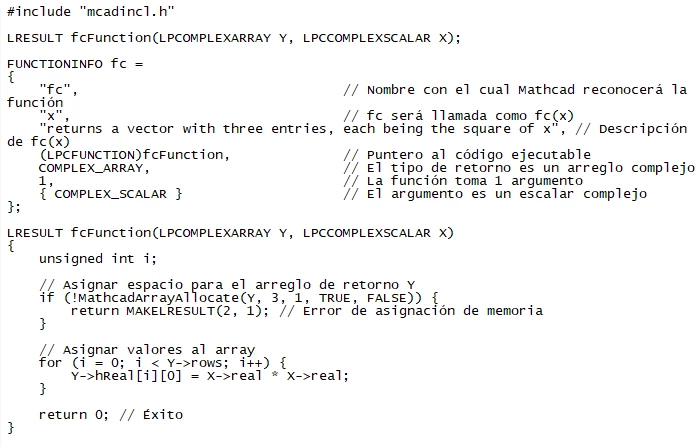 2
2 3
3 4
4