1-Visitor
May 17, 2022
Solved

Calculating a value using normal equations

  • May 17, 2022
  • 3 replies
  • 5123 views

Dear All,


I hope you are doing well.


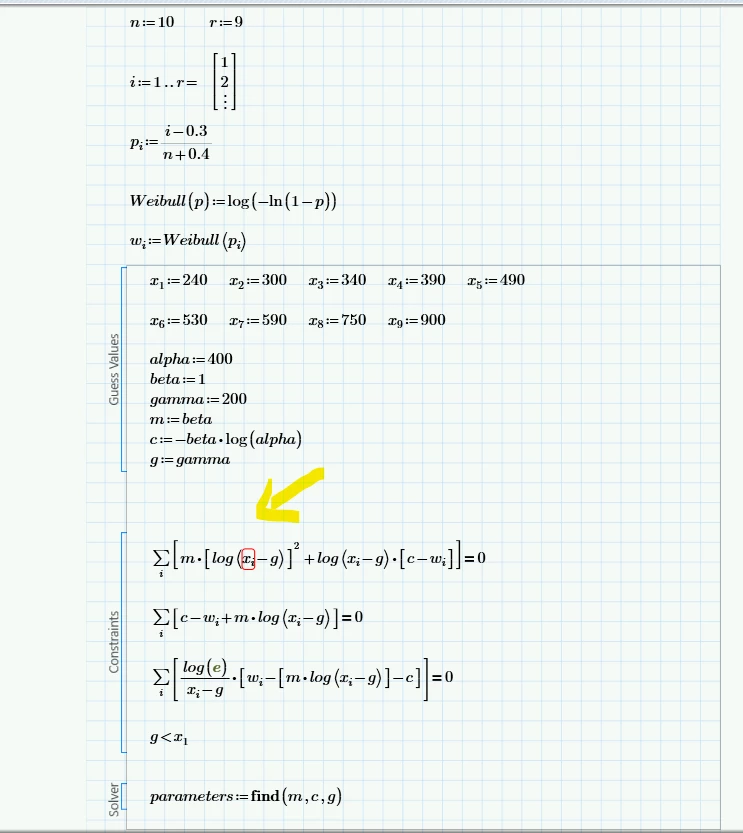
I am new to MathCAD and am trying to solve simultaneous equations using the least-squares method, however, every time I input the equations the variable is not recognised, even when I state the values one by one. 


I am attaching my work. If you help me it would be much appreciated. 
 

Screenshot 2022-05-17 195519.png

Best answer by terryhendicott

Hi,

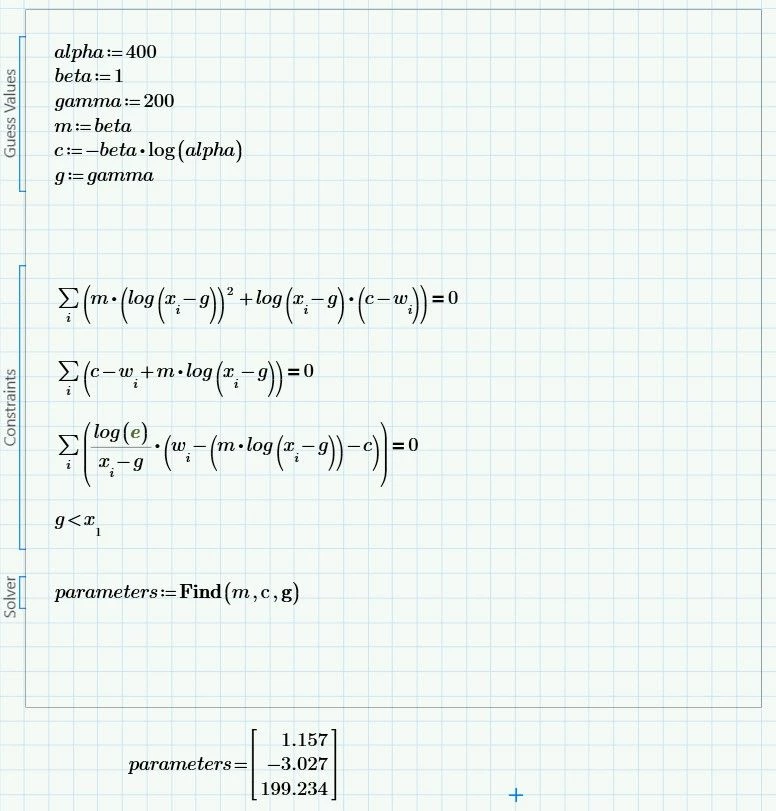
If you choose the guess values in the supplied pdf you get a solution just as in the example.

Capture3.JPG

3 replies

23-Emerald IV
May 17, 2022

You should attach your Prime worksheet (.mcdx file). Not just a picture.


Success!
Luc

1-Visitor
May 17, 2022

Luc, Thanks a lot for the heads up, I am attaching the file

1-Visitor
May 17, 2022

Here I attach the worksheet

23-Emerald IV
May 17, 2022

There's a couple of issues with your sheet. No worries, that is to be expected for a beginner.

Prime complains that xi is unknown. You did not define it. Well you say: But I defined x1, x2, etc...!

In (Mathcad and) Prime there is a BIG difference between an index and a subscript.

You get an index to x if you type "x" followed by a "[" then an integer (number). This will allow you to index (point to) individual elements of the array x.

A subscript is just an extension of the name of a variable, you get vs by typing "v" then [CTRL _] then "s".

You should also know that indexes start at 0 by default, governed by the built-in variable ORIGIN

Type

ORIGIN=

somewhere on the sheet, and you'll see what it is.


You're trying to index x with i, which you defined at the top of the page from 1 to 9. However you've put and = at the end of the definition, to evaluate the range, and see what it has become.

Learn that you should NEVER evaluate a definition. It works, many times, but it causes lots of problems ever so often.

In this case (evaluation of a range) it causes the range to become an array. That's an undocumented feature (NO: nuisance) of Prime.


I will not correct your sheet (I've got other things to do, and you want/need to learn). Go ahead and make necessary changes yourself, and come back here if you run into new problems. You will get help here.


Success!
Luc

1-Visitor
May 17, 2022

Luc, thanks a lot for your reply, it was much appreciated. I have corrected my mistake, however, I still have some issues.


What I did is to change the subscripts by indexes in every variable, and also changed my x into an array, mainly because when I tried to input x1, x2, and x3, etc with indexes it says I was overwriting an existing value. Nevertheless, I proved and it says no solution has been found. I do not know whether it has to do with my x as an array or anything else. I know I must have an answer because I am debugging the worksheet using an example from a book. 


3-parameter.png

23-Emerald IV
May 17, 2022

Great correction! You're a quick learner.


Find() tries to find the values of its parameters such that the equations are (perfectly) fulfilled. I suppose you did not expect find c, g and m values would exactly model your curve.

Check out the function minerr() instead of find()....


Success!

Luc