1-Visitor
April 11, 2017
Solved

Change width of header and add grid lines in Mathcad 15

  • April 11, 2017
  • 1 reply
  • 5297 views

Dear All,

Could you please help me to solve or answer whether it is to possible to:

1. make a different width for each part of the header, pls see picture
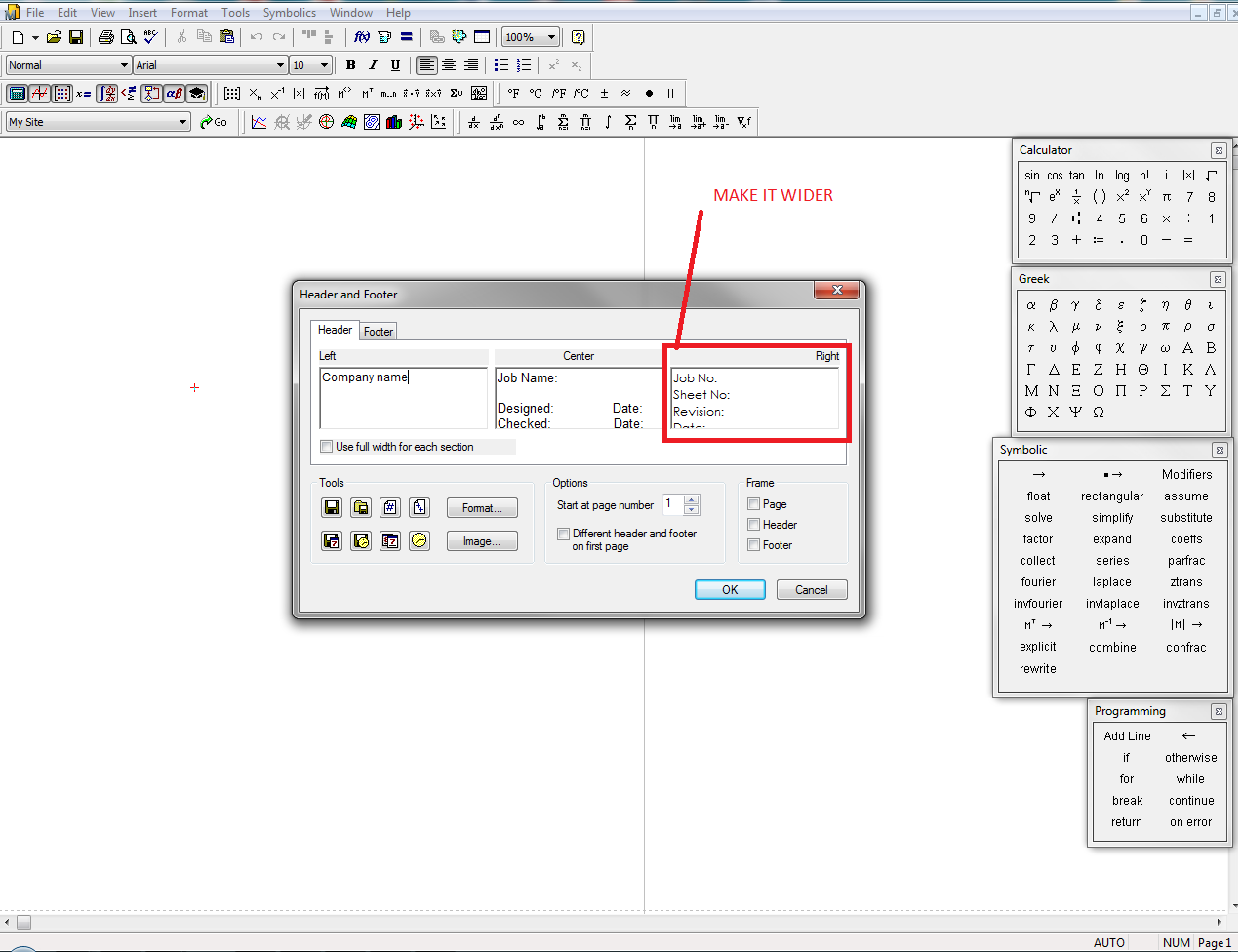
1.png

2. Make a grid lines for the work sheet like in Mathcad Prime.

Thank you in advance for all your comments.

Kind regards,

Jan
Best answer by MJG

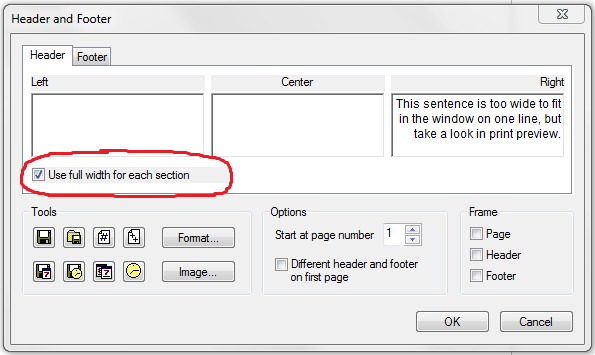
1.) Click the checkbox that says "Use full width for each section".  It doesn't make the window show the field any wider, but it changes how the information is displayed on the actual page (use print preview).

Snip1.png

Print Preview:

Snip2.PNG

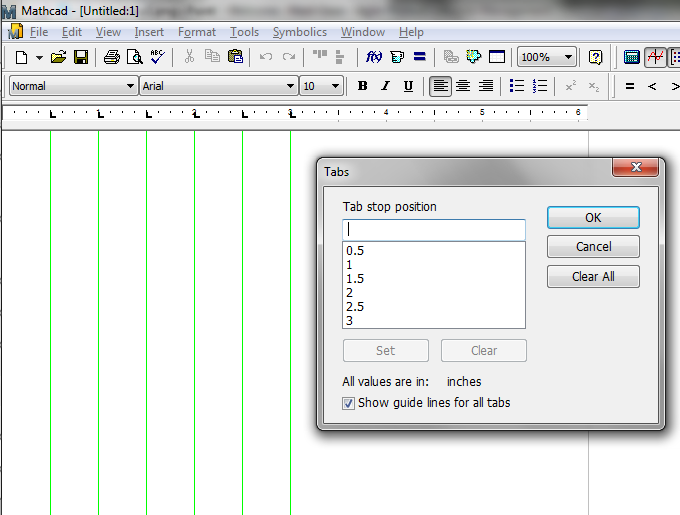
2.) I don't think that's possible.  If you just want the grid lines for editing purposes (not for printing), you can get vertical guide lines by setting up tabs and clicking the "show guide lines for all tabs" checkbox in Format -> Tabs.  I don't know of a way to get horizontal guide lines.

Snip3.PNG

1 reply

MJG1-VisitorAnswer
1-Visitor
April 11, 2017

1.) Click the checkbox that says "Use full width for each section".  It doesn't make the window show the field any wider, but it changes how the information is displayed on the actual page (use print preview).

Snip1.png

Print Preview:

Snip2.PNG

2.) I don't think that's possible.  If you just want the grid lines for editing purposes (not for printing), you can get vertical guide lines by setting up tabs and clicking the "show guide lines for all tabs" checkbox in Format -> Tabs.  I don't know of a way to get horizontal guide lines.

Snip3.PNG

jkrulak-21-VisitorAuthor
1-Visitor
April 12, 2017

Many thanks for your help.

Jan