
3-Newcomer
May 28, 2025
Solved

Chart Component Secondary Axis Missing : Prime 9.0

  • May 28, 2025
  • 1 reply
  • 1190 views

Hi,

I can plot Magnitude and phase separately , but not in the same chart as primary and secondary axis

Please help

Jacob

Best answer by Werner_E

That way?

Werner_E_0-1748408657804.png

Explanation how to move a trace to the secondary y-axis can be found here: To Move a Trace to Second Y-Axis

Prime 9 file attached


1 reply

Werner_E25-Diamond IAnswer
25-Diamond I
May 28, 2025

That way?

Werner_E_0-1748408657804.png

Explanation how to move a trace to the secondary y-axis can be found here: To Move a Trace to Second Y-Axis

Prime 9 file attached


3-Newcomer
May 28, 2025

Hi,

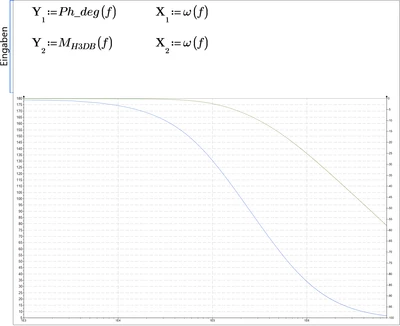
Thanks for the help. i understood the mistake that I didn't added second Xaxis data (assuming that since data is same for x axis , one is enough).

Will please also help me the formatting of chart. Please refer to the enclosed picture.

Jacob

25-Diamond I
May 28, 2025

To manually set the axis limits you choose the "axis" menu, select the axis you want to work with, i.g. the "X" and check the box "user defined area". Here you can set the minimum and the maximum value as you need. The steps can't be set for the x-axis because of the logarithm scaling.

BTW, I think a range from 10 to 10^8 would be more appropriate in your case.

The same you can do with the "Y" and the "Y2" axis.

Werner_E_1-1748438667920.png