4-Participant
June 2, 2026
Solved

Defining the value of a variable based on a second variable within specified ranges

  • June 2, 2026
  • 2 replies
  • 50 views

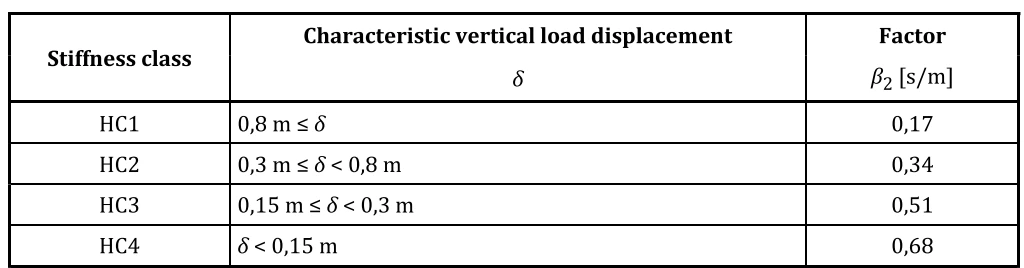
I am trying to specify the value of a variable based on the value of a second variable. The attached table shows what I am attempting to achieve is setting the value of B2 based on the value of d in-line with the data attached. 

Any help will be appreciated. Thanks
 

Best answer by Werner_E

You may use nested “if” functions similar to Excel’s ‘if’, which would look quiet unclear.

You may write a small program using cascaded “if” & “else if” statements.

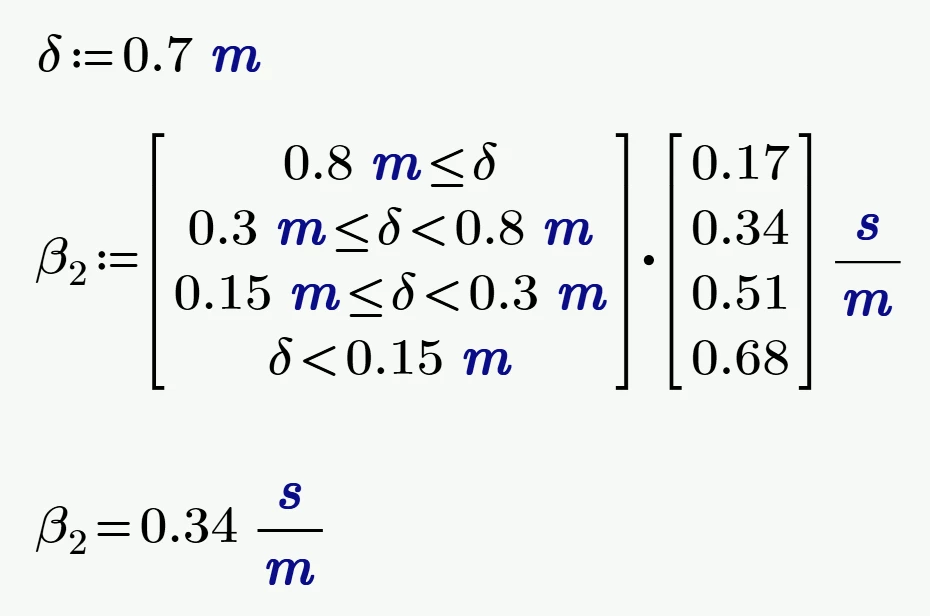
Or you may use a vector of Booleans - In Mathcad ‘true’ is 1 and ‘false’ is 0 - that’s the reason it works that way.

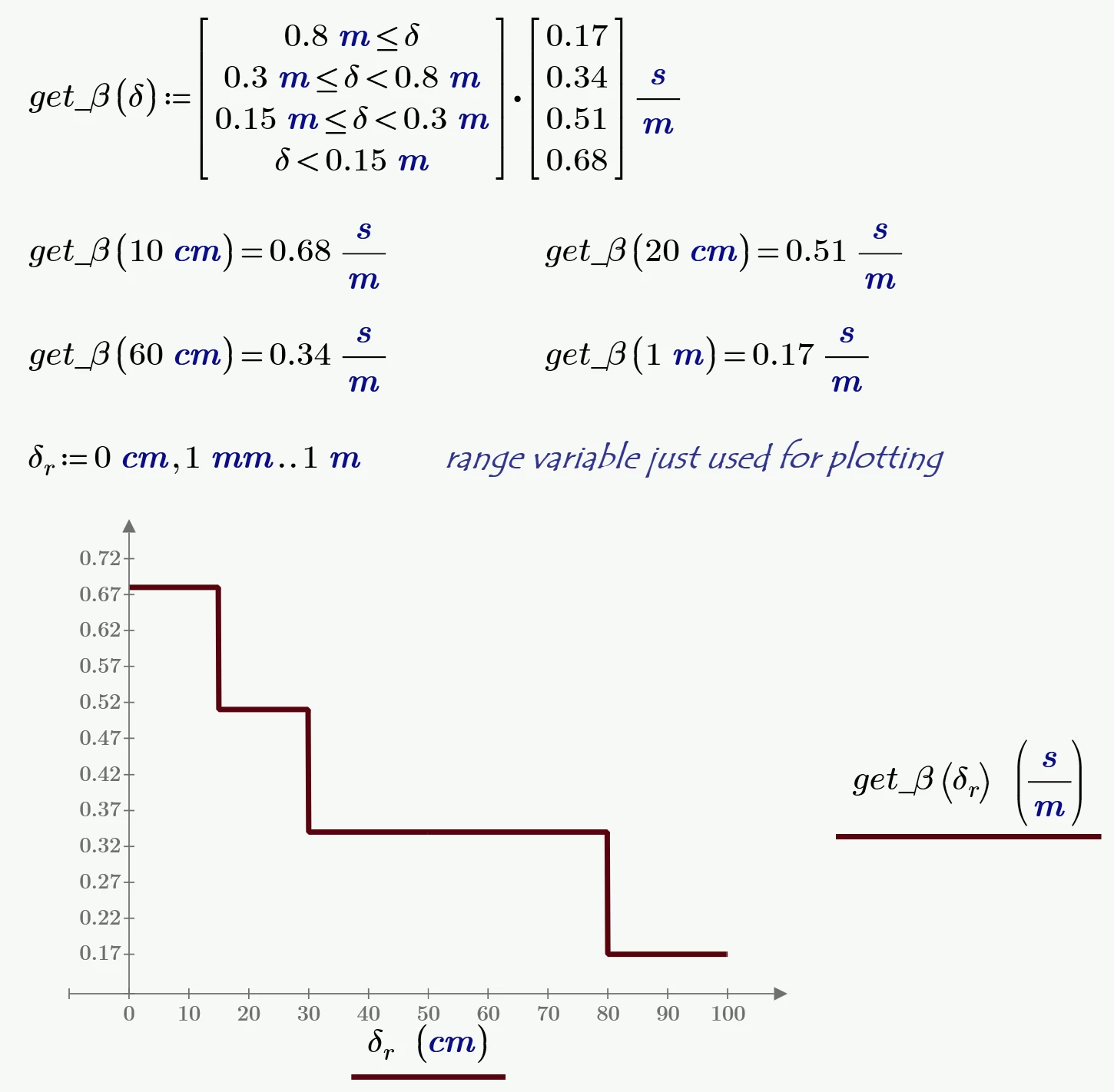
You may also turn that calculation in a function dependent on delta (write once - use many)


2 replies

Werner_E25-Diamond IAnswer
25-Diamond I
June 2, 2026

You may use nested “if” functions similar to Excel’s ‘if’, which would look quiet unclear.

You may write a small program using cascaded “if” & “else if” statements.

Or you may use a vector of Booleans - In Mathcad ‘true’ is 1 and ‘false’ is 0 - that’s the reason it works that way.

You may also turn that calculation in a function dependent on delta (write once - use many)


4-Participant
June 2, 2026

The vector of Booleans is an ideal way to do it thanks! I did not know about the true/false effect - that will be very useful!!