
1-Visitor
November 29, 2016
Question

Error when open mathcad file

  • November 29, 2016
  • 2 replies
  • 4901 views

Hi,

I have mathcad 15. When I open Mathcad file by double click I obtain an error message:

How can I solve this problem?
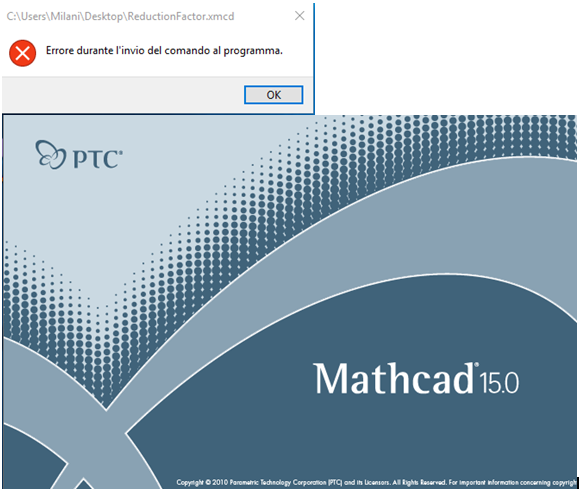
Cattura.PNG

2 replies

24-Ruby III
November 30, 2016

Try the following. Right-click on the file and then select "Open With" -> "Select Program" -> "Browse" and point to the application "mathcad.exe" from this folder - "C:\Program Files\Mathcad\Mathcad 15".

smilani1-VisitorAuthor
1-Visitor
November 30, 2016

Hi vladimir,

I already try to set it but the result is the same.

I think that is not an associativity problem but an internal software program.

I read that other user have the same problem, but I don't find the fix.

Regards

S

24-Ruby III
December 1, 2016

What version of Mathcad 15 and Windows OS are you using? Install the latest Mathcad 15 M045 service release:

http://www.ptc.com/product/mathcad/free-trial

http://www.ptc.com/product/mathcad/free-trial/thank-you

To run Mathcad 15, the following Microsoft components are required:

  • Microsoft .NET Framework® 3.5 or later;
  • MSXML 4.0 SP2 Pareser and SDK (this exact version of MSXML is required);
  • Microsoft Data Access Components (MDAC) 2.8 or later.


MC15_system_requirements.png

25-Diamond I
November 30, 2016

Does the error occur whenever you start Mathcad or only when you try to open this specific file?

smilani1-VisitorAuthor
1-Visitor
November 30, 2016

Not when open mathcad but when I open a mathcad file by double click on the single file.

When I select mathcad shortcut I don't have any problem.

24-Ruby III
December 1, 2016

Hi,

can you open problematic file from running mathcad ?

MH
