
1-Visitor
November 12, 2015
Question

Exporting from Mathcad to Word problem

  • November 12, 2015
  • 6 replies
  • 5351 views

Hi,

Recently I finished my project in mathcad 15 but for the perpuse  of print editing, I need to copy text and equations to word. I dont have any problem with text but when i copy equation the result of equation is gone:
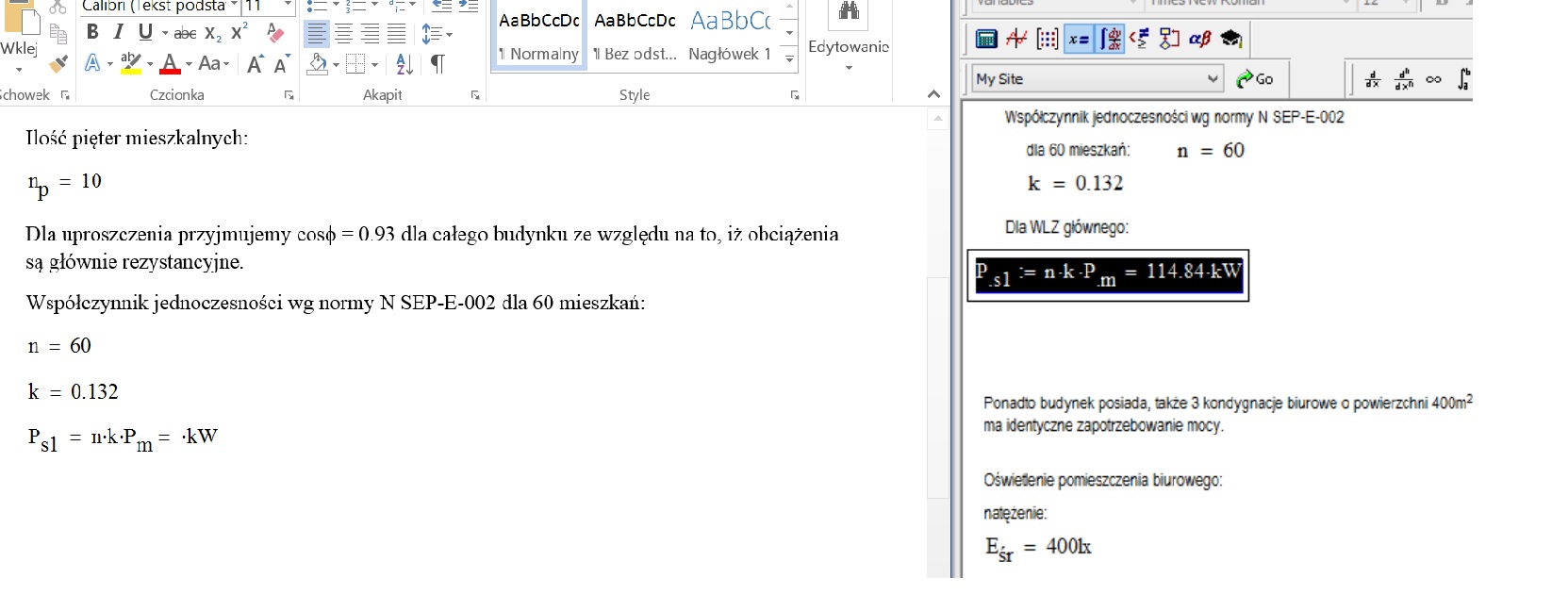
rys1.jpg

If I double click on the equation in word the extra mathcad window will open. Thanks to that I will get the result of equation but  font will be changed permanently:
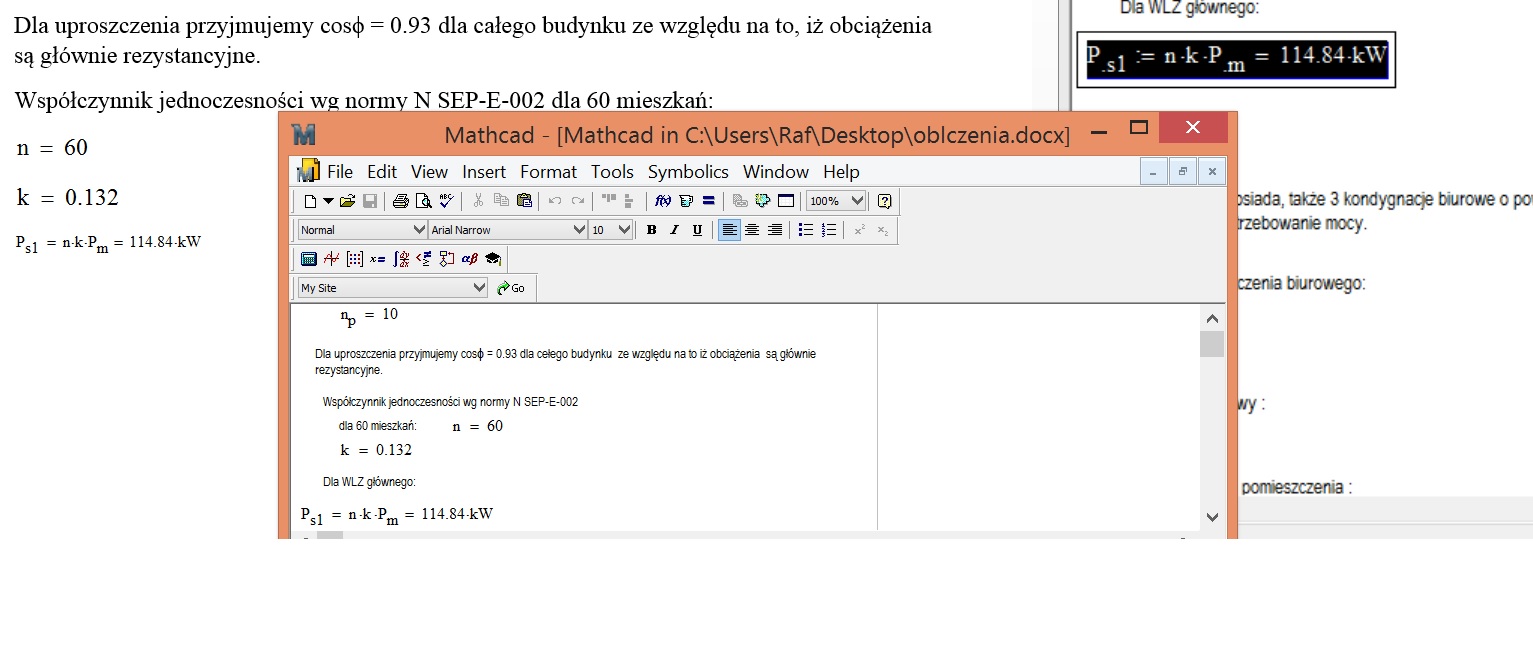
rys2.jpg

I am able to copy equations as a photo but then spaces beetwen lines are messed up.

So what can i do to copy equations with result and to keep the same font?

6 replies

17-Peridot
November 12, 2015

Hello Rafal,

it is better to use the "save as..." feature in the file menu. There you can choose to save the mathcad document in rich-test-format. This can easily be imported in MS word.

Raiko

1-Visitor
November 12, 2015

Hi Raiko,

That is a valid option, but very time consuming if you are pasting multiple equations into separate parts of a Word document.

Mike

17-Peridot
November 12, 2015

Hello Mike,

you're right but I found this method to have the highest fidelity. Haven't tried your method though.

Raiko

p.S.

Just tried it. Works like a charm!

1-Visitor
November 12, 2015

Instead of highlighting the equation and copying, try selecting the equation using the mouse and then pasting into Word. The equation and result will be inserted into word as an image.

Mike