
1-Visitor
July 5, 2022
Solved

Exporting output Mathcad Prime 7.0.0 to Excel

  • July 5, 2022
  • 1 reply
  • 1892 views

Dear all,

I would like to extract the results from my Mathcad Prime run into Excel, but I’m not able to do so. I looked at the PTC community page but all suggestions given there do not work for me. I think it has to do with the way I run my calculations: I integrate in steps of 200 iterations and store intermediate result in a matrix and run the whole thing 'pmax' times (thus total number of iterations is 200 x pmax).

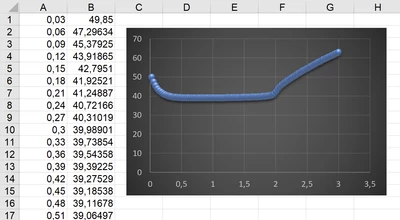
I would like to extract the output from a certain row and column of matrix for different data points (1..pmax) and export this to Excel. For example, I would like to extract (Yt_ii)1,3 with ii := 1..pmax. Hope anyone can advise.


Best answer by Werner_E

What you create using the range ii are NOT vectors, even if they look that way. Thats the reason you can't use them for anything further.

Here is a way to properly create the vectors and use WRITEEXCEL to export the data:

Werner_E_0-1657037742226.png

You have to divide by the correct units otherwise the values in Excel would represent the standard Mathcad units which would be seconds and Kelvin. Getting rid of the Celsius unit is a bit tricky as you can see (you can't just divide by °C),

Werner_E_1-1657037900183.png

In case you don't want the data to start at cell A1 you may use the optional range argument of WRITEEXCEL.


1 reply

23-Emerald IV
July 5, 2022

Please attach your Prime7 worksheet.


Success!

Luc

Werner_E25-Diamond IAnswer
25-Diamond I
July 5, 2022

What you create using the range ii are NOT vectors, even if they look that way. Thats the reason you can't use them for anything further.

Here is a way to properly create the vectors and use WRITEEXCEL to export the data:

Werner_E_0-1657037742226.png

You have to divide by the correct units otherwise the values in Excel would represent the standard Mathcad units which would be seconds and Kelvin. Getting rid of the Celsius unit is a bit tricky as you can see (you can't just divide by °C),

Werner_E_1-1657037900183.png

In case you don't want the data to start at cell A1 you may use the optional range argument of WRITEEXCEL.


1-Visitor
July 5, 2022

You're a lifesaver! Thanks a lot, it works smoothly now.