Hi,
No example exists in Help for Visual Basic For Applications VBA using the Prime API to input and output matrices.
Here it is. This is a long post.
Enclosed are two files an Excel 2019 spreadsheet and a Prime 7 worksheet.
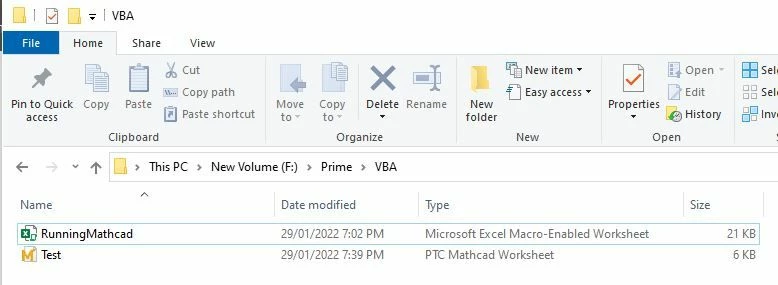
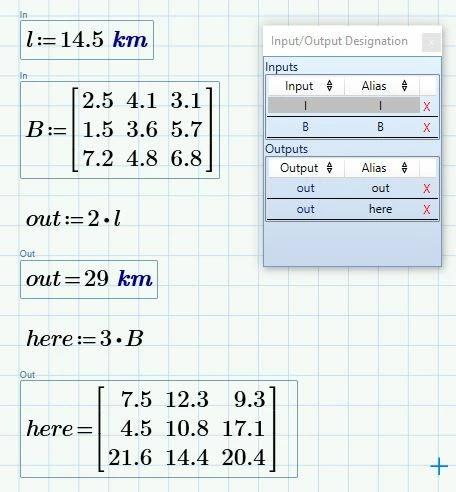
Prime 7 worksheet has two inputs and two outputs declared.
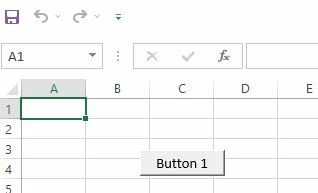
Excel worksheet has nothing but a command button that runs Macro1 when clicked
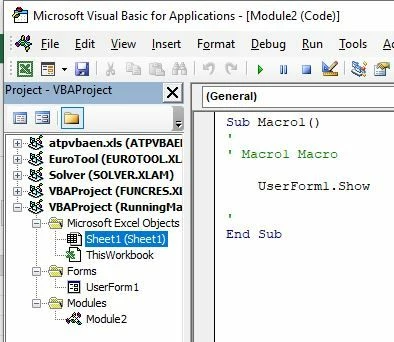
Macro1 only shows a VBA form.
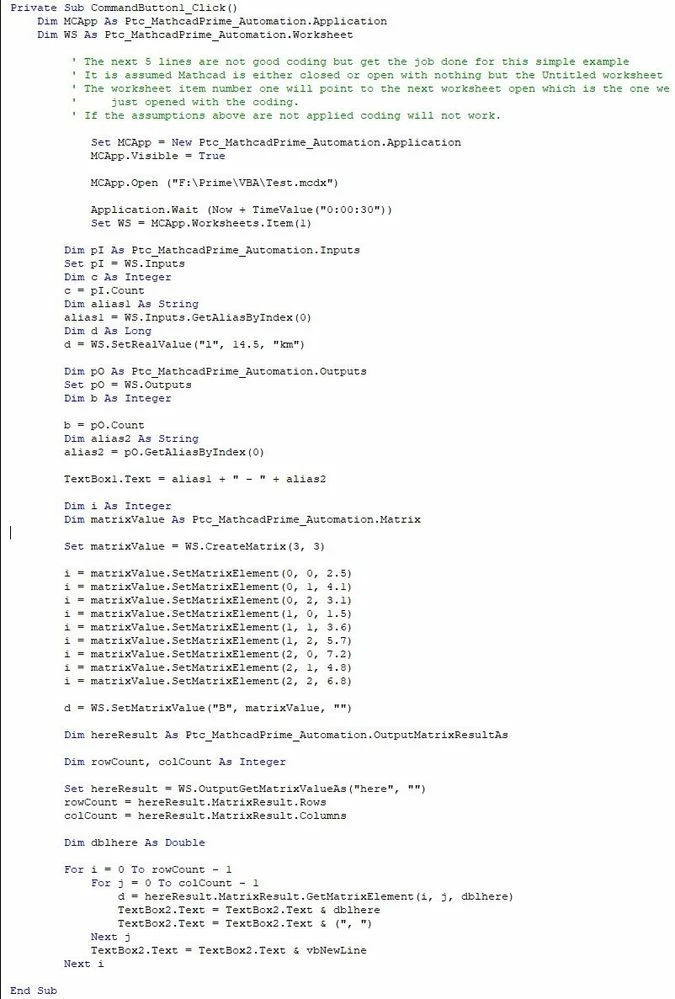
The VBA Form has a Go button. Press the Go button and the excel subroutine associated with the click of the button does a few things
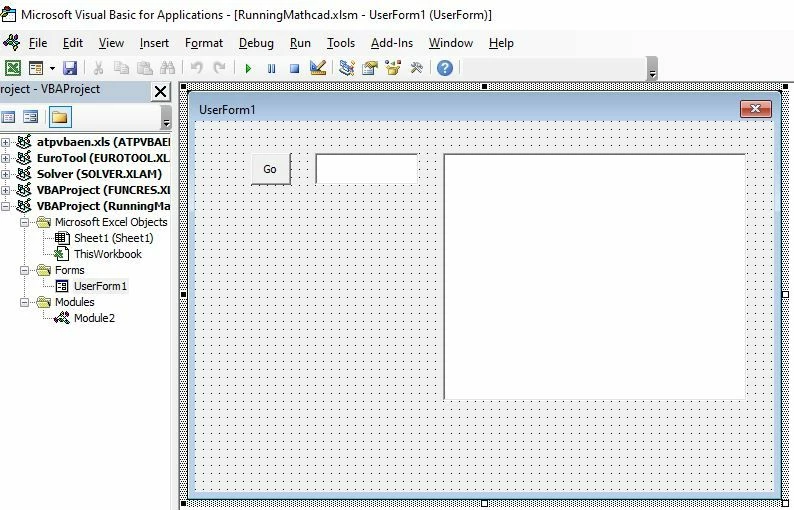
a) It Runs Prime and opens the worksheet. The location is simply coded in VBA so Path and Filename will need to be adjusted for where you save the two files.
b) It Inputs into Prime a value with units and a matrix. The values are coded in VBA.
The example does not show how values can be extracted from Excel to VBA as this is covered by VBA Help.
The example does not cover how values in VBA are sent to Excel as this is covered in VBA Help.
c) It Outputs from Prime the names of the first Inputs and Outputs the output matrix.
d) It shows the Output matrix from Prime into a VBA text box.
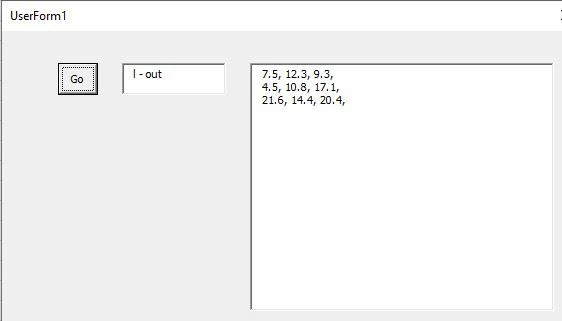
The VBA IDE needs to be set up so the PTC Automation is available to the VBA coding.
Once this is done you get code completion highlights in the VBA IDE
Use Tools | References to check mark against the PTC Automation option.
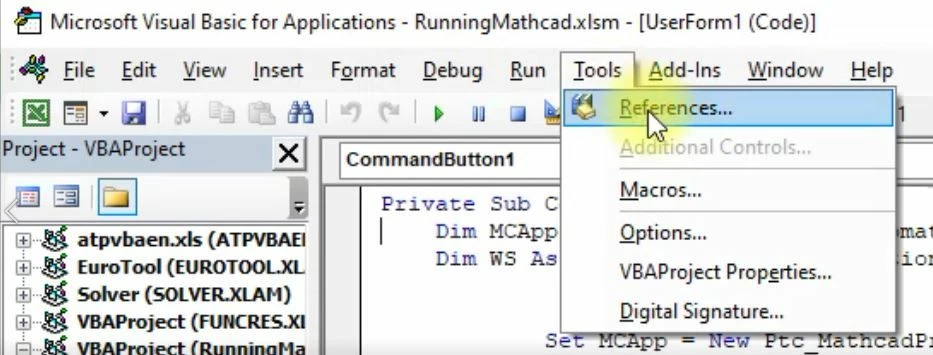
This brings up a dialog box where you can search for and check the PTC Automation Information.
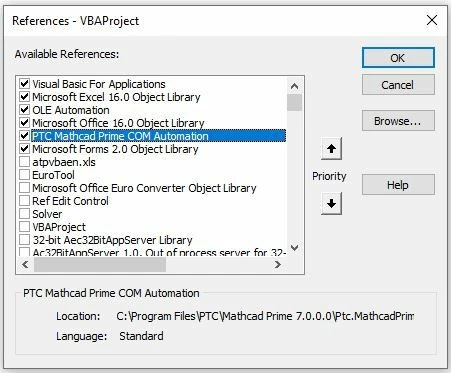
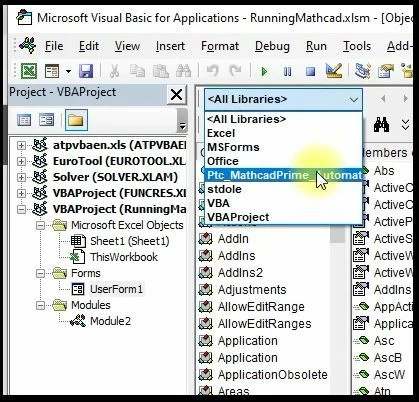
Once this is done you can use the object browser of the VBA IDE to inspect the objects, properties, and methods of the PTC Automation
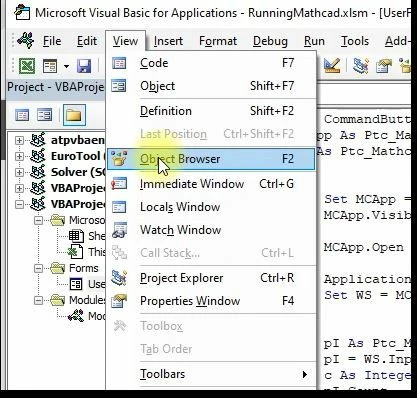
The PTC Automation is available in the drop down list of the object inspector.
From here you can inspect all the properties, methods of PTC Automation
VBA Coding is wholly enclosed in the subroutine "Private Sub CommandButton1_Click()"
I will leave it for others to explore.
The two files are included in enclosed zip file.
Cheers
Terry

