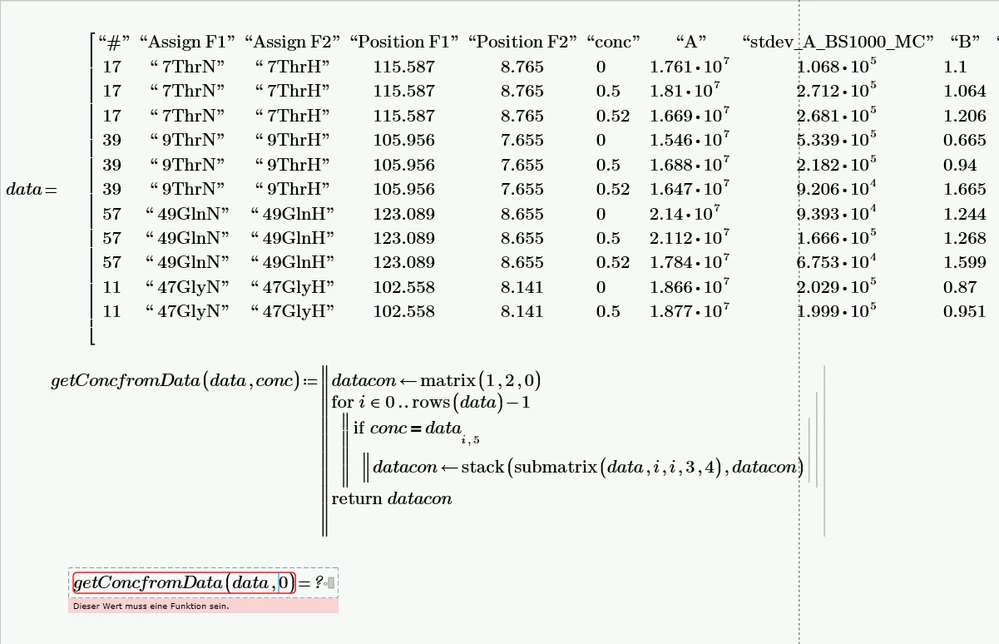
It always would be better to attach the worksheet itself rather than just a picture.
The error you get is because of wrong usage of the function "matrix". The third argument of "matrix" must be a function in two arguments.
If your intention was to create a 1 x 2 row vector with two zeros, you could write

of you could use the built-in "min" function

("min" must be labelled as "function")
but the most easiest and natural approach is
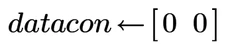
or maybe even better

After fixing this first line in your program either way, it looks to me that the rest should work OK.
The way you used the argument order in the "stack" function, the 'header' (?) line with all zeros would be the last line in the matrix returned.
Instead of a user-written program you may use the built-in "lookup" function:

On contrary to your function, this one-liner would fail if the value "Con" is not found in the "conc" data column. You could deal with this problem by using the "try ... on error ..." statement.

Of course the return value in the error branch could be anything - an all zero matrix as in your function, or a text string or ...