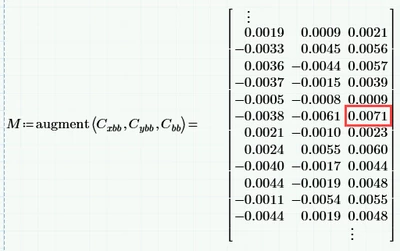
I am missing your worksheet with some demo data to play with!
As i understand it from your description you want ignore all rows where at least one of the two values in the first two columns are not negative and then choose the maximum value in third column of the remaining ones, correct?
Sure could be achieved in many ways, here is one of them - a one-liner 😉
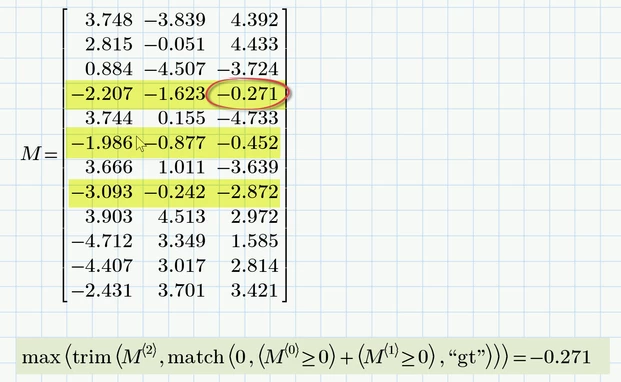
The method will fail on two occasions:
1) if there is not a single line containing two negative values in the first two columns
in this case the trim command will fail because it would be forced to delete all rows and create an empty matrix (which unfortunately does not exsist.
2) if ALL rows contain only negative numbers in the first two columns.
In this case the match command would fail because it would have to return an empty vector (which again unfortunately does not exist in Prime).
I suspect that the first case would not be likely in your application and its also not clear what you would expect as a result in this case. An error may make sense anyway in this case.
Both cases may be trapped if necessary, e.g. by providing user-defined replacement functions for trim and match or other means.
For example you could use these functions to replace the built-ins:
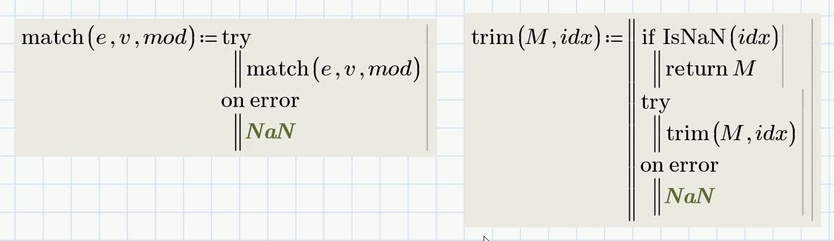
Now the expression given above will return NaN in case not a single row with two negative values in the first two columns could be found and in case all values in the first two columns are negative the correct value is returned.
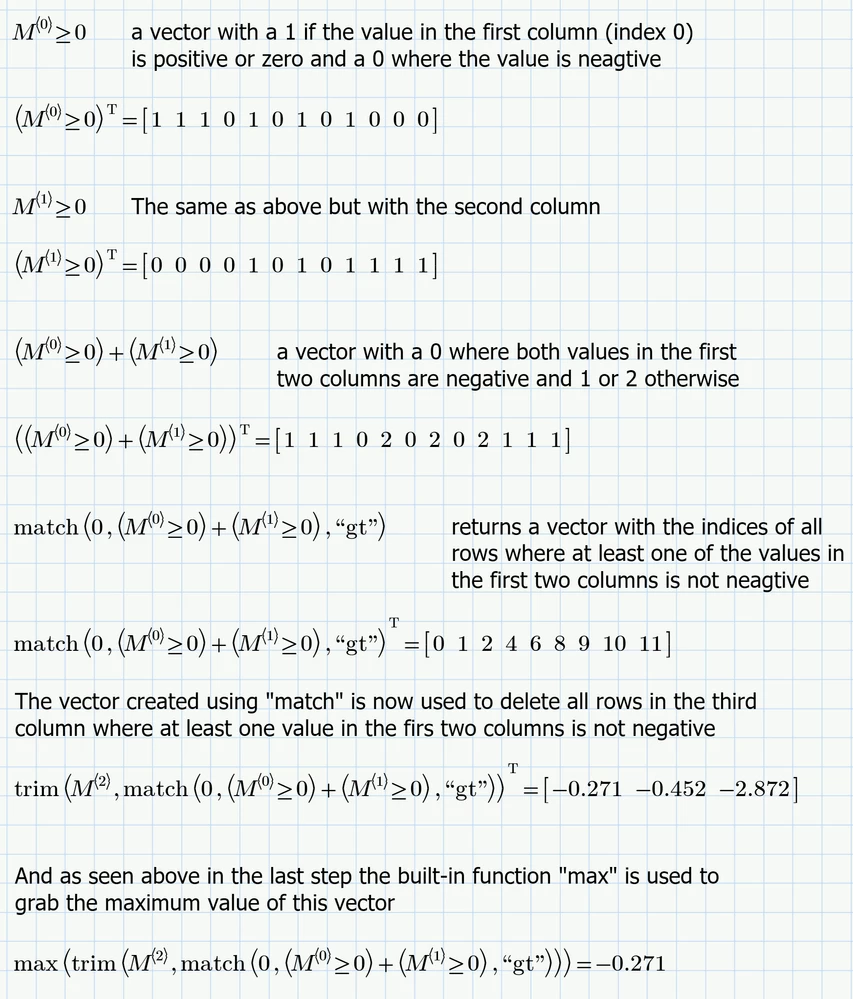
Here a detailed explanation (I am assuming that ORIGIN=0 as per default)
Attached file is in Prime 10 format