Mathcad started as a pure number cruncher and the symbolics was added via a third party software only later. This still applies to Prime.
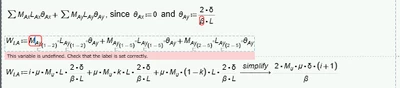
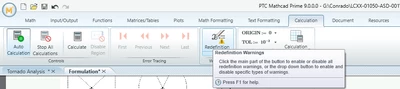
What you see are not warnings but rather error messages from Prime's native numeric engine. Error message can't be suppressed even though they don't affect symbolic calculations.
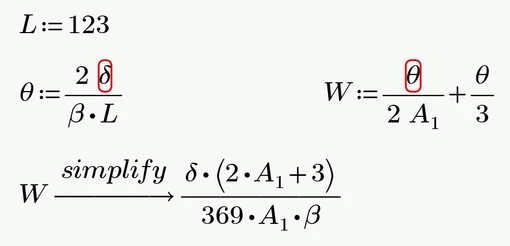
I can only see two way to avoid these errors and both may not be entirely desirable for you.
1) Follow each assignment which may throw a numerical error by a symbolic evaluation. Drawback is that the assigned expression now is shown twice
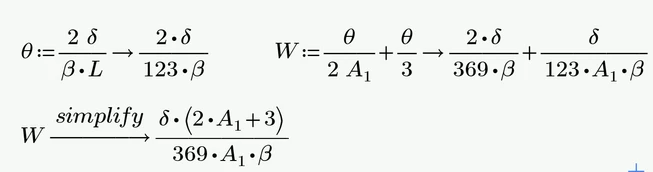
Already defined variables are replaced by their actual values unless you use the modifier "explicit" like
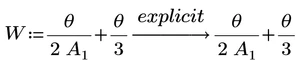
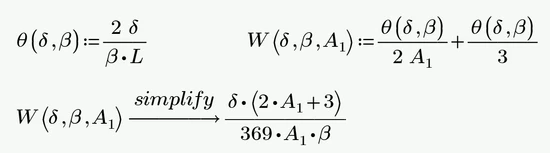
2) Define functions instead of variables using unknowns. Even if this may be the correct approach from a mathematical point of view, things can quickly become very confusing when there are many unknowns involved.
A third approach would be using sort of cheating and is not recommended as its quite failure prone.
You could use the Boolean equal for documentation and the actual assignments which throw the errors may be hidden in a collapsed area or to the right of the right margin where they are not printed.
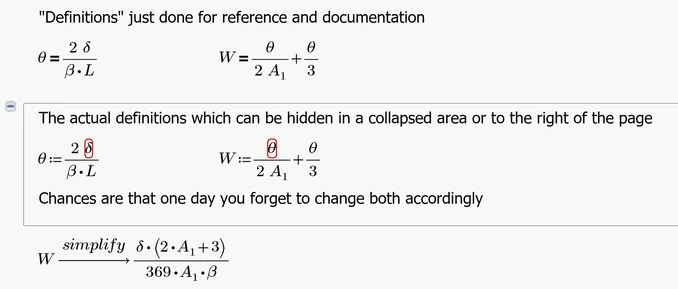
EDIT: Here is fourth approach coming to my mind. It works if you never intend to numerically evaluate the variables in use (which you can't do anyway as the variables used are not defined).
You define all variables with dummy values and then clear them, but just for symbolic use. You can again hide the variable definitions in a collapsed region or to the far right.
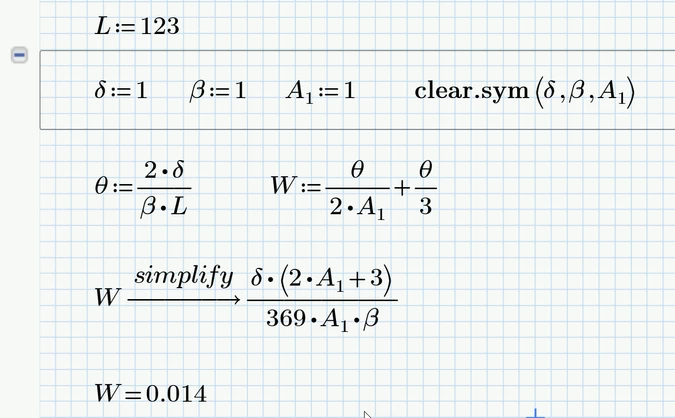
The numeric evaluation in the last line shows that the variables have kept their numeric value for numeric calculations which is the reason why the numeric engine isn't throwing any errors.