-MFra-
21-Topaz II
Solved

How do I do to draw a box or a rectangular section pipe of length l?

Hello everyone!
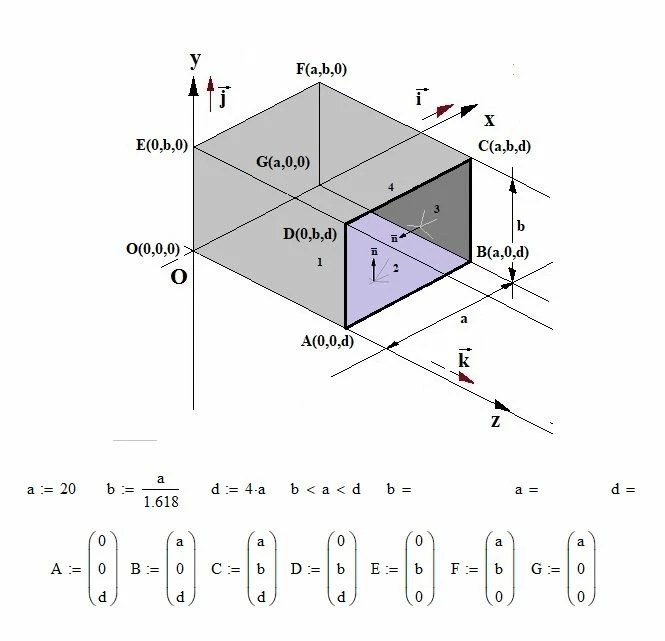
I would like to draw the attached graph in 3D with Mathcad 15. It seems to me that this problem has already been addressed in the community but I cannot find it. In fact, it is a rather arduous job although from the geometric point of view it is a question of tracing flat surfaces orthogonal two by two. To do this, I downloaded and installed "images14.exe" and also the list of the functions contained, but I don't know how to use it. How can I avoid using these functions? Could anyone help me? I thank him infinitely.

Pipe & box.jpg

Werner_E
Werner_EAnswer
25-Diamond I

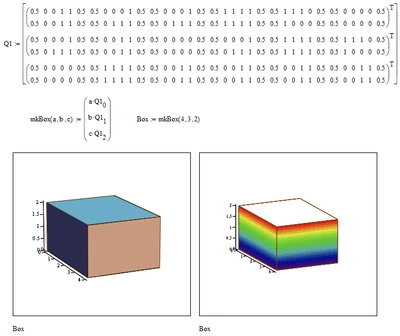
If you just need a single box with one corner at the origin, the routine in the above mentioned thread simplifies to

Werner_E_0-1636922408106.png

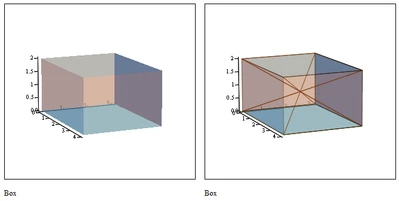
One drawback is if you need transparency. If you do, you should turn off plotting the wireframe as otherwise some nasty extra lines become visible (thats the result of Mathcad 15's 3D plot not accepting NaN's).

Werner_E_1-1636922521303.png


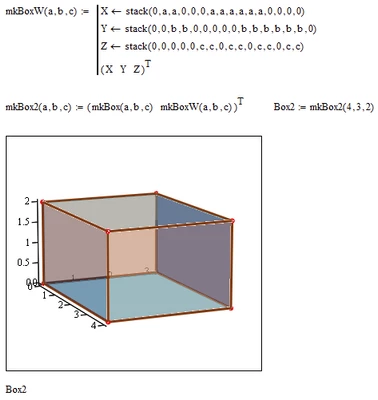
If you need to have transparency AND wireframe, one option could be to write a second function for the wireframe only and combine the two plots.

Werner_E_2-1636923878277.png


MC15 sheet attached

4 replies

24-Ruby IV

One symple way

Box1.png


Translate
Werner_E
25-Diamond I
Werner_E
Werner_E25-Diamond IAnswer
25-Diamond I

If you just need a single box with one corner at the origin, the routine in the above mentioned thread simplifies to

Werner_E_0-1636922408106.png

One drawback is if you need transparency. If you do, you should turn off plotting the wireframe as otherwise some nasty extra lines become visible (thats the result of Mathcad 15's 3D plot not accepting NaN's).

Werner_E_1-1636922521303.png


If you need to have transparency AND wireframe, one option could be to write a second function for the wireframe only and combine the two plots.

Werner_E_2-1636923878277.png


MC15 sheet attached

Translate
23-Emerald V

@-MFra- wrote:

Hello everyone!
I would like to draw the attached graph in 3D with Mathcad 15. It seems to me that this problem has already been addressed in the community but I cannot find it. In fact, it is a rather arduous job although from the geometric point of view it is a question of tracing flat surfaces orthogonal two by two. To do this, I downloaded and installed "images14.exe" and also the list of the functions contained, but I don't know how to use it. How can I avoid using these functions? Could anyone help me? I thank him infinitely.


You might also like to look at https://community.ptc.com/t5/PTC-Mathcad/How-to-plot-a-3D-vector-as-an-array-attempts-and-problems/m-p/288421


Stuart

Translate