
Solved
How to assemble data (matrices) for presentation
I need to add a summary at thr bottom of my calculation to shoe results as shown below.
I am not able to do.
I request shed me with some lights to get around this.
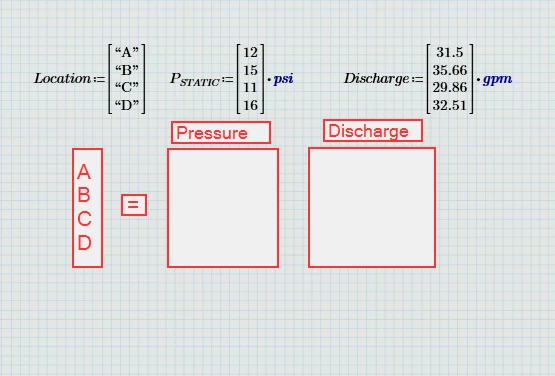

I need to add a summary at thr bottom of my calculation to shoe results as shown below.
I am not able to do.
I request shed me with some lights to get around this.
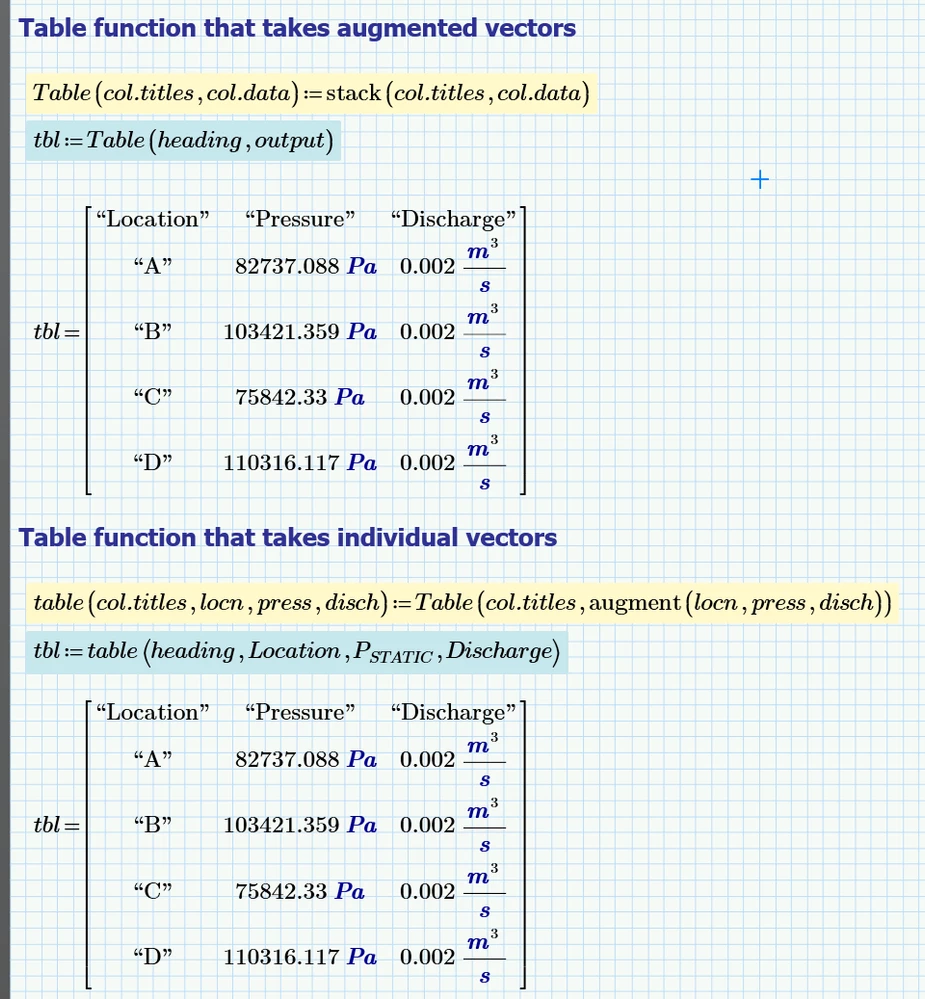
Terry's solution is ideal for your particular case.
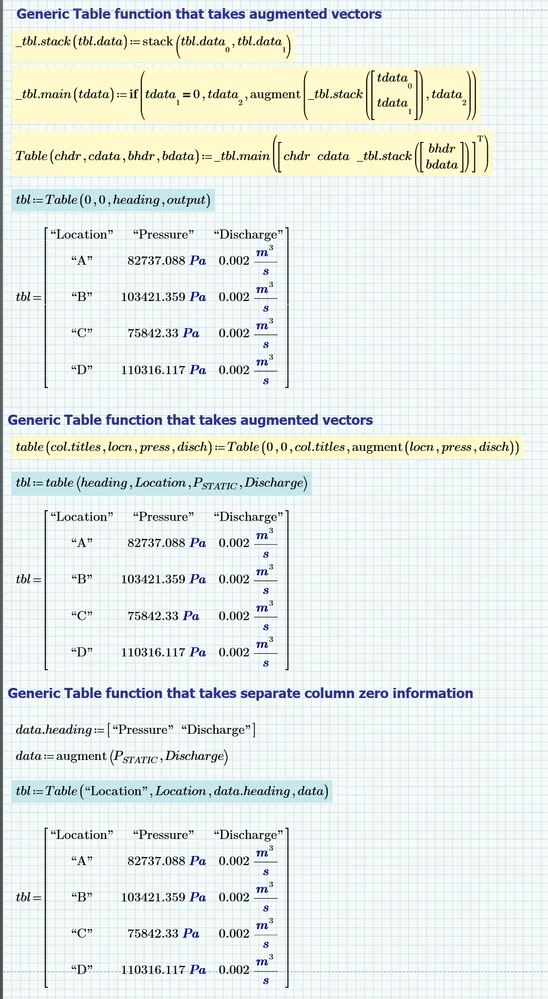
However, sometimes it is useful to have a generic function to create tables.
The last table example in the image below separates the Location from the pressure and discharge data.
Stuart
(Mathcad 10 worksheet attached)
Enter your E-mail address. We'll send you an e-mail with instructions to reset your password.