1-Visitor
September 30, 2016
Solved

How to Display Image with If Function

  • September 30, 2016
  • 3 replies
  • 4420 views

Hi,

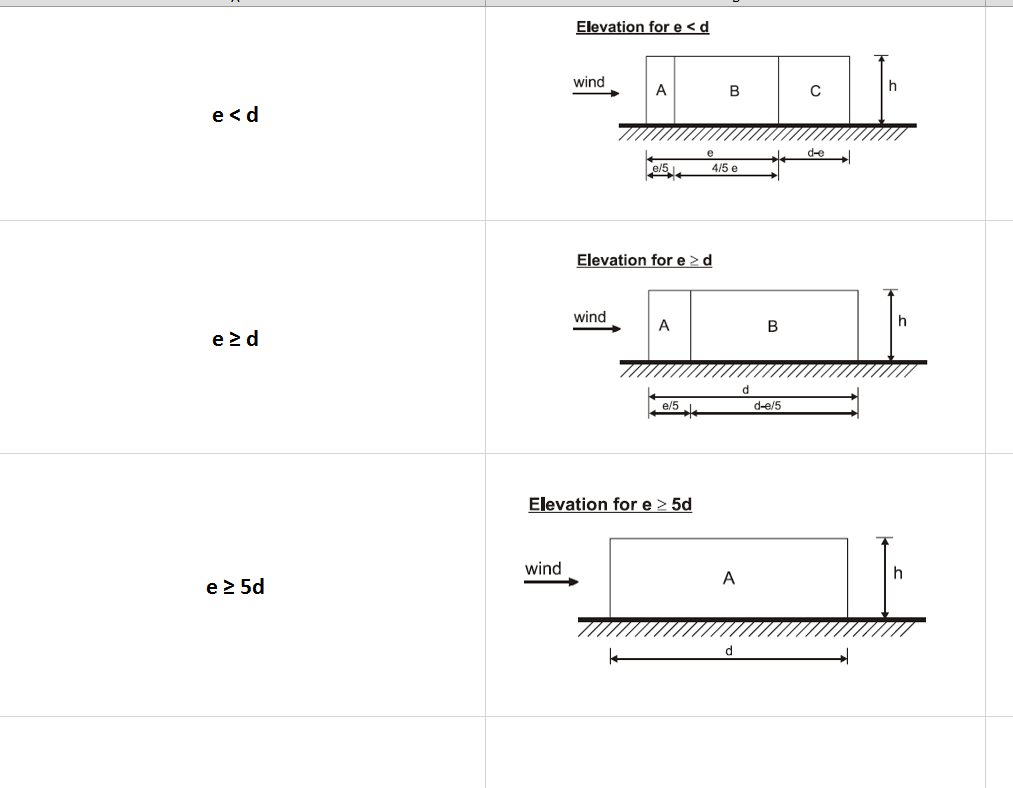
Is it possible to display image with if condition
If Condition Image.PNG

I would like to display the right side image if the left side condition is satisfied.

Could you please advise.

BR,

J.Randeep

Best answer by StuartBruff

Randeep Jaison wrote:

Hi,

Is it possible to display image with if condition

I would like to display the right side image if the left side condition is satisfied.

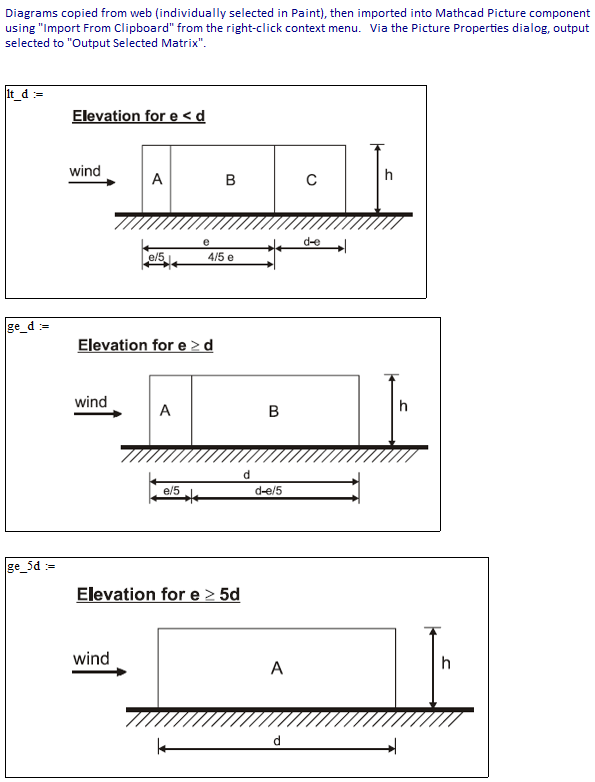
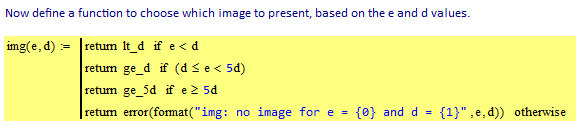
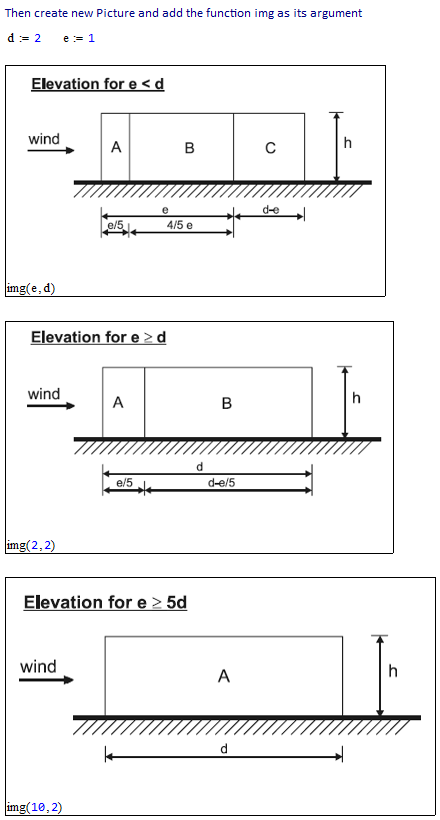
Something like this?

Mathcad 15 only ... You're out of luck if you want to work with images in Prime.

Stuart

3 replies

24-Ruby IV
September 30, 2016

Mathcad 11-15

1_47_Picture.png

One Mathcad-Web-Sheet with this trick - pictures - formulas for calculation

http://twt.mpei.ac.ru/MCS/Worksheets/Chem/CRC.xmcd

23-Emerald V
September 30, 2016

Randeep Jaison wrote:

Hi,

Is it possible to display image with if condition

I would like to display the right side image if the left side condition is satisfied.

Something like this?

Mathcad 15 only ... You're out of luck if you want to work with images in Prime.

Stuart

10-Marble
July 21, 2022

Since this conversation had taken place in 2016, I wanted to raise the question. Has PTC implemented the Image addition like the one we see here in Prime yet or not? It will be very disappointing if they have not yet included the feature to go through images select based on If statement.
Thanks;
Kadhir

25-Diamond I
July 21, 2022

No, nothing comparable is implemented in Prime.

ttokoro
21-Topaz I
21-Topaz I
April 7, 2024

image.png

Edit: Add notes to EXCEL component.

t.t.
ttokoro
21-Topaz I
21-Topaz I
April 8, 2024

Not image but graph of EXCEL that selected by ComboBox of Prime 9 and show it Prime sheet by EXCEL compoment.

Now no need to use chart component if you can use EXCEL to plot the graph.

image.pngimage.pngimage.png

t.t.