19-Tanzanite
September 24, 2024
Solved

How to label a family of curves?

  • September 24, 2024
  • 2 replies
  • 2022 views

Hi,

Cornel_0-1727171979240.png

Cornel_7-1727173976247.png


Cornel_6-1727173949218.png


Cornel_2-1727172018756.png


Cornel_3-1727173783135.png


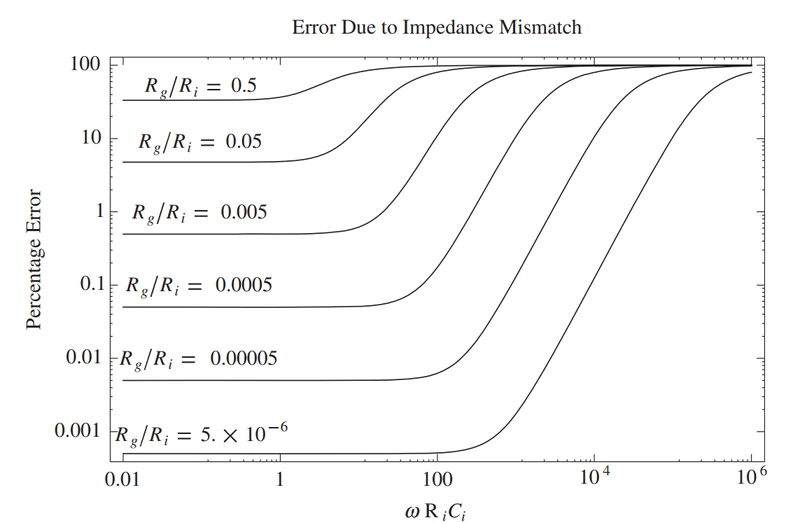
These curves are displayed best by using logarithmic axes.


The plot result should look like below: I am interested how to put that Rg/Ri on each graph.
 

Cornel_4-1727173818771.png


Best answer by ttokoro

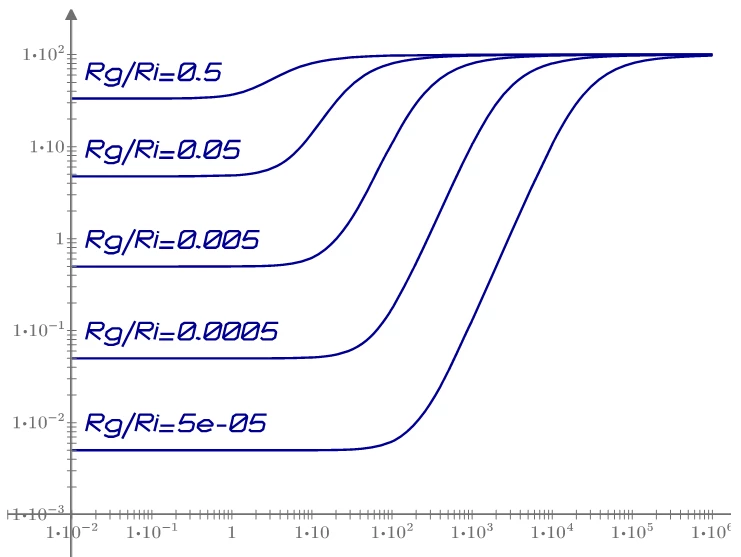
Using Luc's stroke data sets. Linear plot of stroke data is overrayed.


image.png

image.png

2 replies

25-Diamond I
September 24, 2024

@Cornel wrote:


The plot result should look like below: I am interested how to put that Rg/Ri on each graph.



Prime does not  support any labels in its native 2D plots. You would have to create text regions and place them manually. Given the coarse grid used by Prime even if you chose the "fine" grid this sure can be demanding.

Not sure about the Chart component which supports labels because I can't use it. I guess here you could use different colors and line styles and provide the names in the legend. Of course this means that you can't use the waterfall plot to plot all curves  in one go but rather have to plot each of the curves individually to be able to give it a unique color/line style.


Cornel19-TanzaniteAuthor
19-Tanzanite
September 24, 2024

How to define a function like this? As I do not see slash button when defining a function. Right now its a text. But if you press slash button on keyboard in a math region you will get the division line.

Cornel_0-1727187314987.png

25-Diamond I
September 24, 2024

maybe that way 😉

Werner_E_0-1727190709163.png


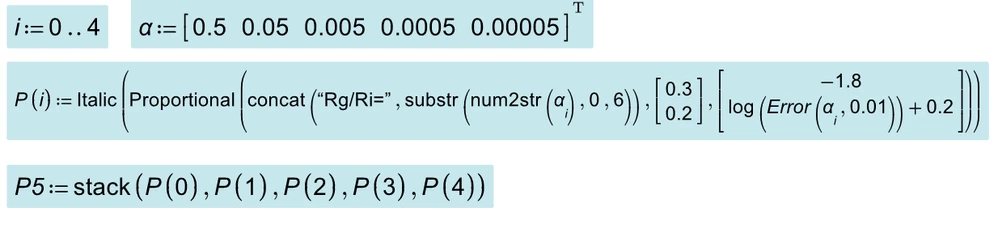
Start with a string by typing " and then delete the quotes. subscripts must be done after deleting the quotes.

You can create a lot of funny variable names that way, but some characters can't still be used. E.g. you can't create a variable name with a space in it or a variable name which starts with a number.


ttokoro
21-Topaz I
ttokoro21-Topaz IAnswer
21-Topaz I
September 27, 2024

Using Luc's stroke data sets. Linear plot of stroke data is overrayed.


image.png

image.png

t.t.
ttokoro
21-Topaz I
21-Topaz I
September 27, 2024

Only 1 x-y plot to show all data.

image.pngimage.pngimage.png

image.pngChange y-position a bit.image.pngimage.png

t.t.