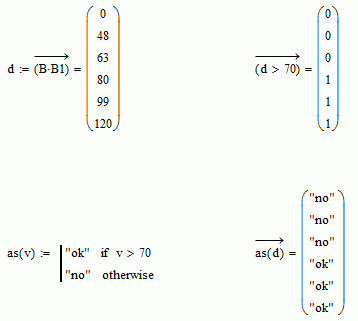
There are two things you need to do. First, create functions, and carry them through the worksheet, In Excel, calculations are typically done the way you are trying to do them: create a new set of numbers at every step. This is highly inefficient, and while it might be good for accounting it's not so good for science and engineering. Unless you are really interested in looking at those intermediate results, why calculate them? It's typically done that way in Excel because the only way to create user defined functions is to program them in VBA. In Mathcad creating user defined functions is trivial, and you should always try to solve a problem using this approach. The second thing you need is to then use the vectorize operator, which forces Mathcad to execute the function in an implicit loop, for each element of the input vector.