1-Visitor
September 20, 2020
Solved

How to minimize this error: The symbolic result returned is too large to display, but it can be used

  • September 20, 2020
  • 2 replies
  • 3042 views

Hi


How can you minimize this kind of error:

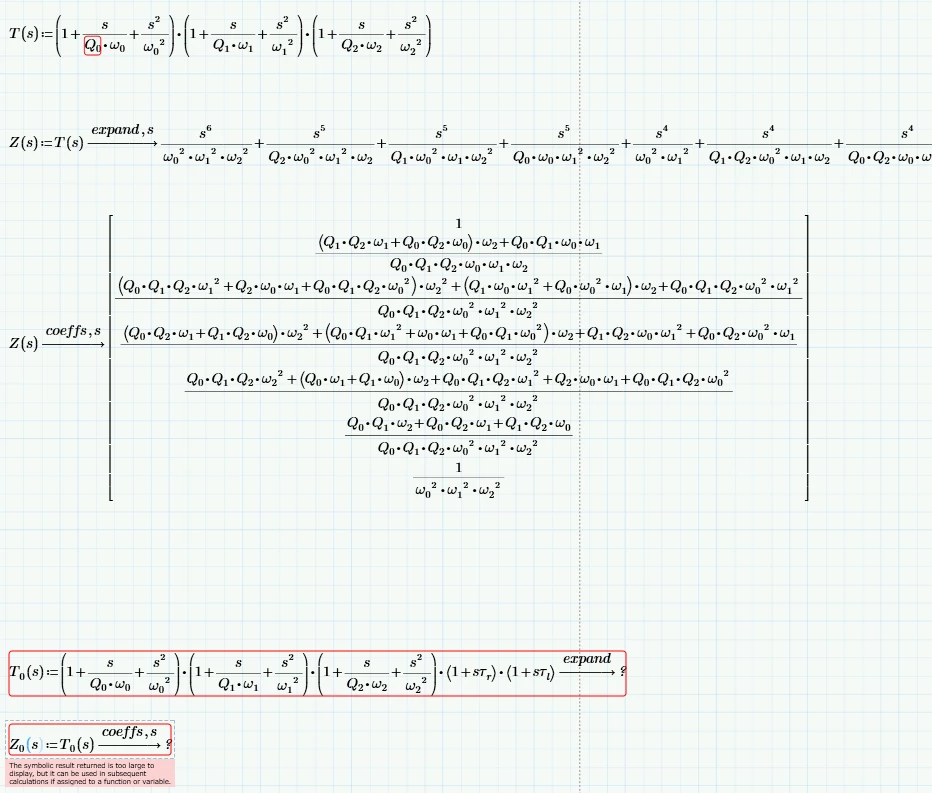
The symbolic result returned is too large to display, but it can be used in subsequent calculation if assigned to a function or variable


I looked at the knowledge base questions and there are a lot of this kind of issue reported unfortunately they are quite hard for me to follow.


I see this error because the limitation of my computer or limitation of Mathcad Prime 6.0?

Can you provide and example of how to assign to a function or variable?

Below is what I am trying to do and it seems to work for T(s) and Z(s) but does not work for T0(s) and Z0(s) after I increase the complexity of T(s) a little more

 

Symbolic_expansion.PNG


Best answer by Werner_E

And finally here is what I was talking about when I wrote about evaluating the elements of the result vector one by one:

Werner_E_0-1600619521690.png


2 replies

25-Diamond I
September 20, 2020

Yes, that message is annoying and there is not much you can do.


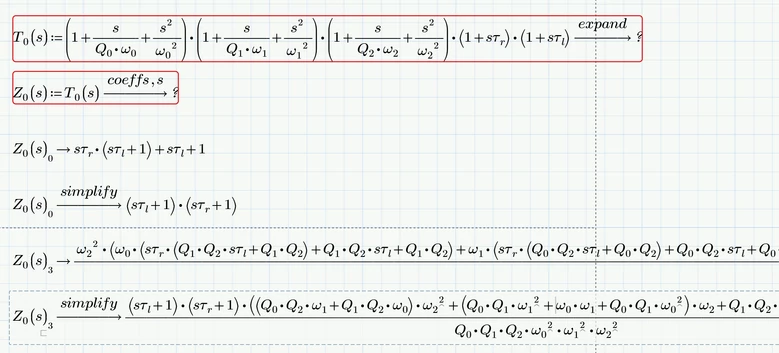
1)  Sometimes, when the result is a vector or matrix, it may work if you assign the result to a variable (or function, as you did) and evaluate the elements of the vector/matrix one by one


2) sometimes adding "simplify" or even "simplify,max" to the symbolic evaluation makes the expression small enough so that its allowed to be displayed.


Mathcad 15 has the same limitation, Mathcad 11 (the version LucMeekes is using) could be set up to evaluate expressions 20 pages wide and more, if necessary. Of course one might argue about the usefulness of expressions that large.


25-Diamond I
September 20, 2020

Here is a way to achieve the desired result. Note that it was necessary to turn T.0 from a function into a static variable.

Werner_E_0-1600618530826.png

You may also use "collect,s" instead of "expand".


25-Diamond I
September 20, 2020

OK, T.0 can also be a function of s if you put the "expand" keyword on top of the second evaluation

Werner_E_0-1600619055546.png


21-Topaz II
September 20, 2020

In addition to using the "simplify" command, you can define separately in a single constant every single compound constant as in the figure, moreover it should be "s ∙ τ" and not "sτ" which is considered as the name of a variable and not a product .

answer to rdliquid 1.jpg