Solved
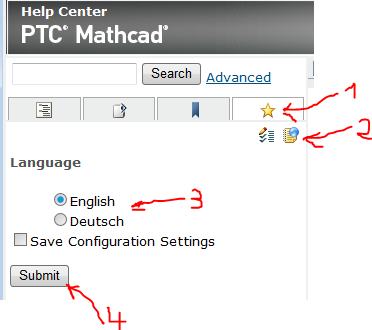
How to switch MathCAD Prime 4.0 help from one lang to another?
hello,
I installed MathCAD Prime 4.0, and my help file is English. I want to display another language help files.
It is better that display the help files of English and another language at the same time.
Tips:
- 1.MathCAD Prime 4.0 help files are based on the technology of Tomcat, it means when you open the MathCAD Prime 4.0 help, you can paste the web address "http://127.0.0.1:64871/index.jspx" to web broswer application, it will display the local language help automatically.
- 2.The installed help file pack is in "C:\Program Files\PTC\Mathcad Prime 4.0\Help\project\WEB-INF\volume", you can see what kind of lang pack installed.
- 3.The reason i want to different help files is i want to learn more.
How to change the web address parameters in address bar of web browser application, that i can read different help files at same time?