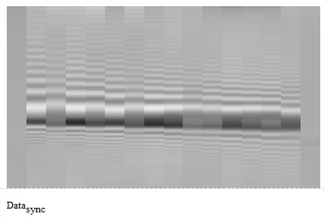
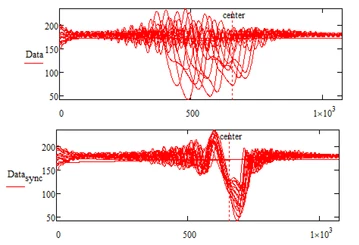
The term "synchronize" only creates confusion and is not really appropriate since it is used for temporal events such as synchronizing clocks. Here, it is a question of intervening on an image and modifying it. You could use the Mathcad's "warp" operator to deform the image, otherwise I wouldn't know what to do.
Please keep in mind that the method I use is very bold and has no technical meaning.
I define as "center" of each data column the position between the highest and lowest value.
Then I align all those 16 "centers" at a position you can chose (the second argument of the function I provided) and then deal with the upper and the lower part of the data in completely different ways - stretching and compressing the data as needed. Its not a uniform transformation for the whole data column.
Best seen in the plot below which shows the transformation for the second data column (index 1). Notice the bend at the "center" position in the blue curve. The left part is stretched and the right part compressed which means that there is a significant frequency change at the new "center" position which might be undesirable.
Not sure what this means for your application but I guess there sure should be a better method to achieve the desired result.
Translate
Windchill Satisfaction Survey
Help shape the future of Windchill. Take our 5-minute survey and share your feedback.