8-Gravel
September 19, 2024
Solved

Import data from excel to mathcad

  • September 19, 2024
  • 1 reply
  • 1999 views

Hi all, is there any ways to import the data from excel into the Mathcad table?
 

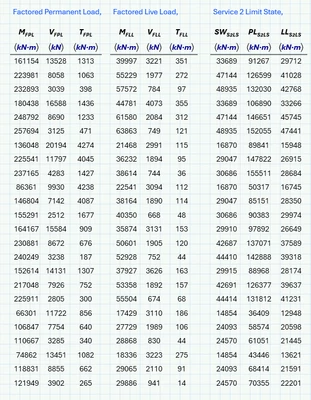
NA_11204287_1-1726735266163.png

Data in excel table


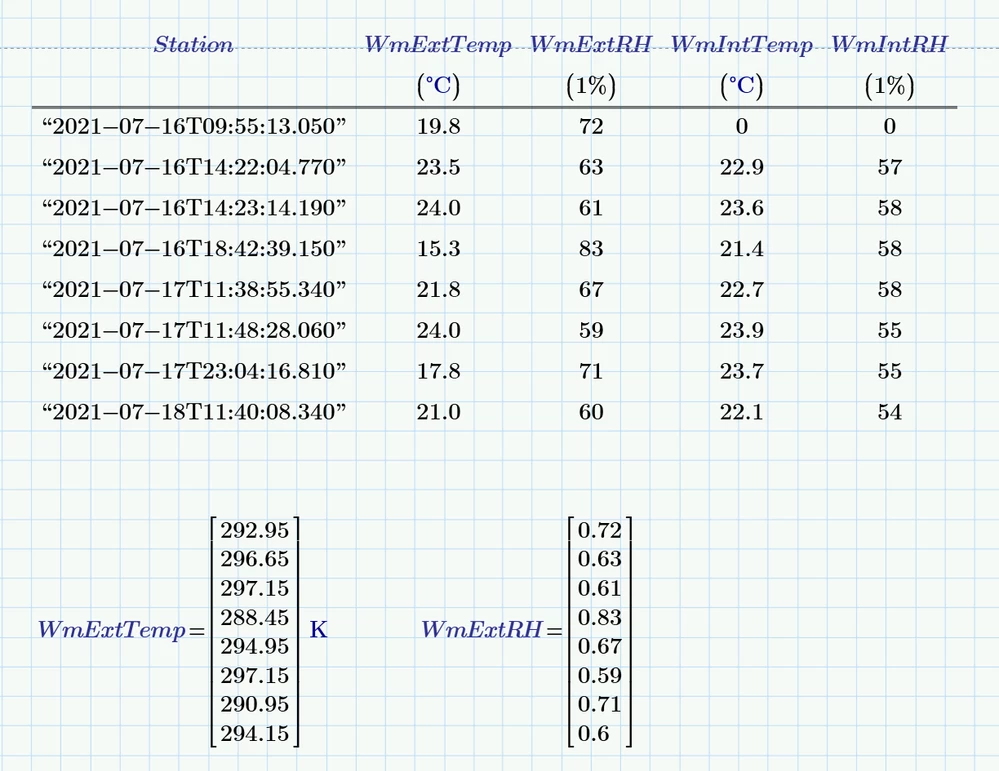
NA_11204287_0-1726735196873.png

Data in Mathcad Table 


Thank you for your help! *i'm using MathCad Prime 10.0.0.0

Best answer by StuartBruff

@Werner_E wrote:

A Prime table can only be typed in manually.


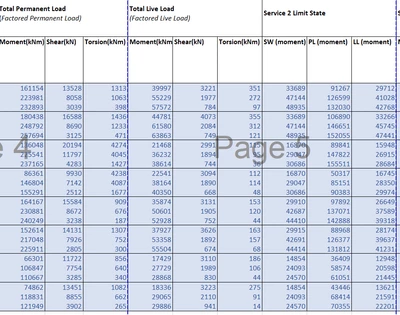
Not quite.  I played and found that you can paste Excel data directly into a worksheet, and Mathcad inserts it as a Table.  Here's an example that I just created ...


2024 09 19 A.png


To Import Data from Excel


Of course, I would have saved myself some time and effort if I'd watched your link first, as this method is explained therein! ðŸ™‚


Still, nice to know that it worked as I intuitively hoped it would.


Stuart


Edit to add: I couldn't find a way to link a table to Excel, though.  Still, as you say, there is little need to do so.


1 reply

25-Diamond I
September 19, 2024

A Prime table can only be typed in manually. Its just for input, not for display of already existing data.

But a Prime table is simply a collection of vectors.

You could use the function READEXCEL to read in the data from the Excel sheet

To Import Data from Excel

23-Emerald V
September 19, 2024

@Werner_E wrote:

A Prime table can only be typed in manually.


Not quite.  I played and found that you can paste Excel data directly into a worksheet, and Mathcad inserts it as a Table.  Here's an example that I just created ...


2024 09 19 A.png


To Import Data from Excel


Of course, I would have saved myself some time and effort if I'd watched your link first, as this method is explained therein! ðŸ™‚


Still, nice to know that it worked as I intuitively hoped it would.


Stuart


Edit to add: I couldn't find a way to link a table to Excel, though.  Still, as you say, there is little need to do so.


8-Gravel
September 19, 2024

wonderful! this solution works on me. many thanks!