Improvement Proposal1: To make MP10 faster and Nicer
Hello Mathcadeers,
Been using MP10 for the last few days/weeks, and these are the thing that I hope Mathcad can improve to make prime faster. Hopefully MATHCAD designer/project lead/project manager is in this PTC Community.
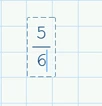
1. Let say I want to add + in the equation below. In M15, I just need to hit SPACEbar once, and I can add +. In MP10, I have to hit SPACEbar twice. I could use RIGHT arrow button in MP10, but it is not quite ergonomic and RIGHT arrow button is far away.
2. Zoom in and Zoom out is laggy. There is about 1s delay. If the delay can be set to 0s, that would be awesome.
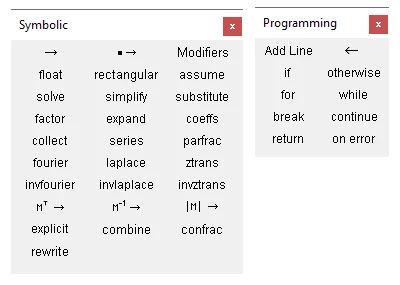
3. There is no option to UNDOCK the menu in MP10. In M15, you can undock the function so that it is always open. In M15, say I do Programming, I can Add Line, do if, assign value <-, do for, with just 4 mouse click. With MP10, it will take 8 mouse clicks. Would be good if Mathcad Prime can have the option to UNDOCK menu.
4. Not many options with Right Click. For example, when plotting, in M15, with right click, it will bring up lots of menu. You can configure the plot a lot, simply by right click. Another example, in M15, I can highlight the equation below, through RIGHT clik. In MP10, nothing comes up, when I right click.
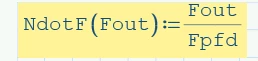
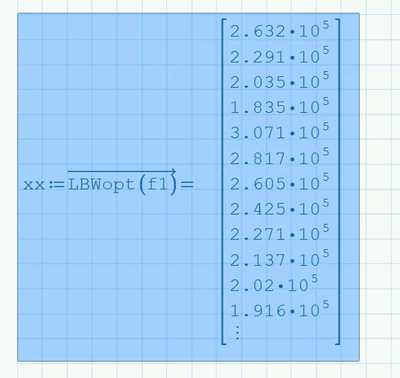
5. To move selected item, you have to place the mouse cursor slightly outside the selected item, and the region is narrow. This is for MP10. It is slow, since you have to move your mouse, and then place it accurately. In M15, you can place the mouse cursor anywhere on the selected items, and drag it. In MP10, if I place my cursor on the BLUE selected region, then I could not drag the block.
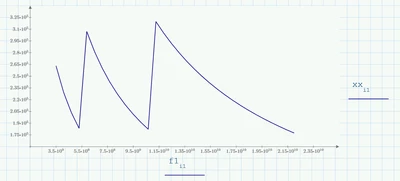
5. Not sure if can add vertical lines and horizontal lines on the plots, and add box around the plot. Let me know if can.
Regards,
Ak