Ah, I realize that I had misunderstood what you actually are looking for.
Unfortunately the answer is "no", as far as I am aware you can't hide the reference to included worksheets.
PTC has violated the whiteboard principle of Mathcad (being able to freely place elements) in various ways (another example is the look of the solve blocks). Either because it was easier for them to do so or maybe they did not fully understand that this principle is essential.
Guess you will have to wait for a future version of Prime with improved editing for collapsed areas, hoping they will allow to hide an area completely (or with just a small reference to it in the non-printable margin.
I experimented and succeeded to overlay the offending reference by a text field (of course the high light color should be chosen to be white)
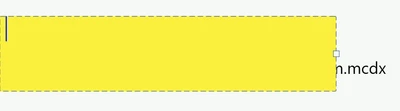
but as soon as the text field loses the focus, the reference shines through 😞
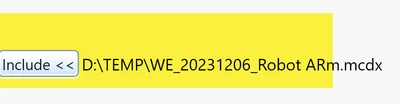
Another idea which failed was to put the include reference inside a solve block (the method could be used to provide he guess values from another file). This worked and the solve block could be moved into the non-printed area, but the definitions in the included file only are valid within the solve block - so no solution again:-(
At least its not a general purpose solution. If the included worksheet is only used to return a few values, maybe base on values in the main sheet, this method can be made to work.
In the following example the referenced worksheet defines a:=123 and b:=a+c and it works as expected, using the value of c defined in the main sheet. The solve block could be moved to the right, out of the way, but there will be a gap between the definition of c and the evaluation of a.
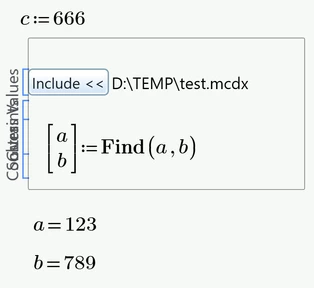
But this method won't work if the referenced worksheet is supposed to provide a function, for example.
So I can't think of any all purpose workaround.
If possible you could collect all includes on the first page and start printing at the second but this may not be an option in many cases.


