1-Visitor
April 20, 2023
Solved

M20 blank calculated values

  • April 20, 2023
  • 2 replies
  • 3256 views

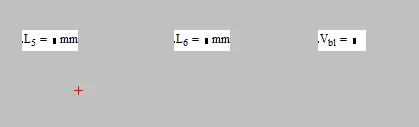
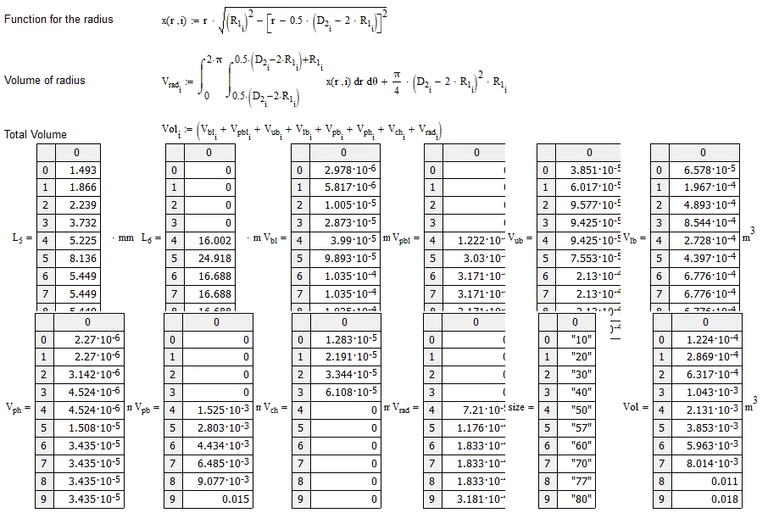
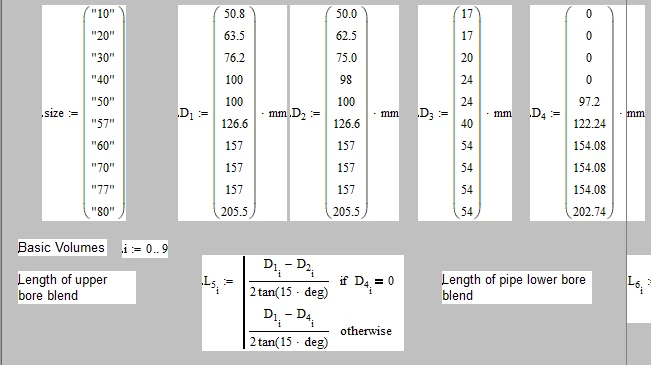
Hi, I'm having an issue where the vectors in the image below con't calculate into a result. The second image is the one where the results should be. I'm using Mathcad 20, so it's pretty old, and the original author of the workbook isn't around anymore. I can't see anything glaring and there was definitely a result from the workbook at some point.


If anyyone can help it'd be greatly appreciated!


Thanks,


Tom


Capture.PNG

Capture1.PNG


Best answer by Werner_E

I opened your sheet with Mathcad 15 M050 and I can't duplicate the effect you experience.

When you open a worksheet in Mathcad and auto-calculation is turned on, the visible part of the sheet is automatically recalculated.

So when I scroll down to the end of your sheet, I see this:

Werner_E_0-1681998369238.png


What do you see/experience when you press F9 or Ctrl-F9 ?


When you type 2+3= in that very sheet, do you get the answer 5?


2 replies

25-Diamond I
April 20, 2023

You are not using Mathcad 20 but rather Mathacad 15 M20 (M20 ... maintenance release number) I guess, maybe even  MC14 M20


If possible you should attach your worksheet for examination.


My first guess would be that auto calculation may be turned off.

Werner_E_0-1681997401100.png


If thats the case, you may either turn it on or press Ctrl-F9 to force the sheet to recalculate.

1-Visitor
April 20, 2023

Thanks for the speedy reply! Automatic calculation is turned on. I have attached the sheet below for examination.


Thanks,


Tom

Werner_E25-Diamond IAnswer
25-Diamond I
April 20, 2023

I opened your sheet with Mathcad 15 M050 and I can't duplicate the effect you experience.

When you open a worksheet in Mathcad and auto-calculation is turned on, the visible part of the sheet is automatically recalculated.

So when I scroll down to the end of your sheet, I see this:

Werner_E_0-1681998369238.png


What do you see/experience when you press F9 or Ctrl-F9 ?


When you type 2+3= in that very sheet, do you get the answer 5?


25-Diamond I
April 20, 2023

Just found this:

https://www.eng-tips.com/viewthread.cfm?qid=245194


Looks like you are experiencing a bug in Mathcad 14 which was fixed later. There were releases M030 and M035. As far as I remember M040 was planned, but then released as Mathcad 15 F000, so people with a perpetual MC14 license would have to pay again for the software.


Unfortunately no solution is provided in that thread mentioned above. Continuously pressing Ctrl-F9 seems to work for the guy who answered there but it does not for you as you wrote.

So it looks that your only options are upgrading or downgrading your Mathcad release if ever possible.

Your license file should be valid for any release of MC14 (but not for MC15) but I can't say where to get the installation files for releases after (or before) M020.

PTC has proclaimed end of sale for real Mathcad, cancelled support and is not providing the installation files anymore.

But maybe contacting PTC support could help - may be worth a try. But be prepared that they sure will try to talk you into upgrading (its rather a downgrade IMHO) to Prime 😉


EDIT: Just to show you that you are not the only one  with the problem, two older threads in this forum. None of them with a solution. As a workaround it is suggested that you should edit the worksheet, change variable names, to force a recalculation. Can't say if this would work for you. The tipp in the last thread not to use inline evaluations is generally a good one, but does not apply here as your sheet does not contain any inline evaluations.

https://community.ptc.com/t5/Mathcad/Mathcad-14-does-not-solve-matrix/td-p/50137

https://community.ptc.com/t5/Mathcad/Auto-Calculate-Doesn-t/td-p/389005