Addendum:
Guess I found the true problem. Its a limitation in Prime.
The sheet uses an undocumented trick to turn a range into a vector.
This works the same in Prime, too, but in Prime you are not allowed to change the units of the displayed result.
Thats the reason for the error here

Solution is to delete the "mm" at the end - Prime will display the vector using the default unit meter. Don't try to change that - you can't.
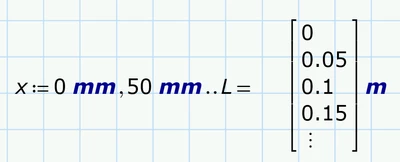
But of course you can change the displayed unit when you evaluate x in a separate region (but there is no reason why you should do that)
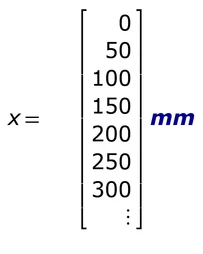
Now x is a valid vector and can be used for the plots.
What I wrote before about units at the scaling values still applies.
Furthermore its necessary to vectorize (the arrow over the expressions) the function calls y(x) and M(x) and I would suggest doing so with V(x) as well. Its good habit to use vectorization explicitly when feeding a whole vector into a scalar function and don't rely on Primes automatic implicit vectorization.
After doing so you should see your plots. Maybe you have to tweak the scaling here and there
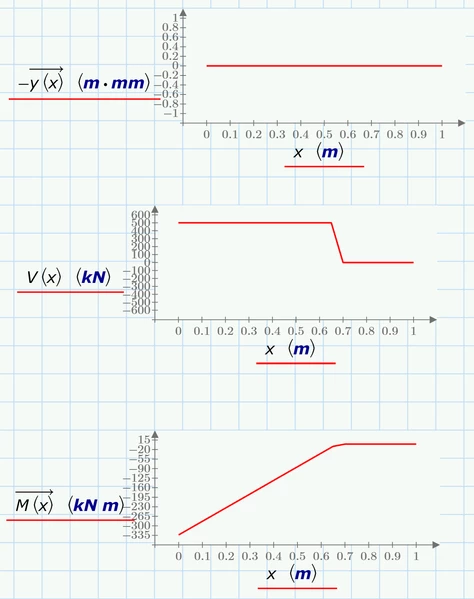
I attach the modified sheet, but its in Prime 9 format so you will not be able to open it with Prime 7 😞


