
1-Visitor
October 29, 2015
Solved

Mathcad 15 M030 Excel Component Not Working

  • October 29, 2015
  • 8 replies
  • 4294 views

Dear All,

Good day! I encountered a problem regarding Mathcad Excel Components.

As a background, in the office, we use Mathcad 15 M030 and the latest MS Excel.

At home, I am using Mathcad 15 M030 also, but MS Excel 2013.

It seems that the Excel components I make and use at the office cannot be made operable at home. What could possibly be the problem?

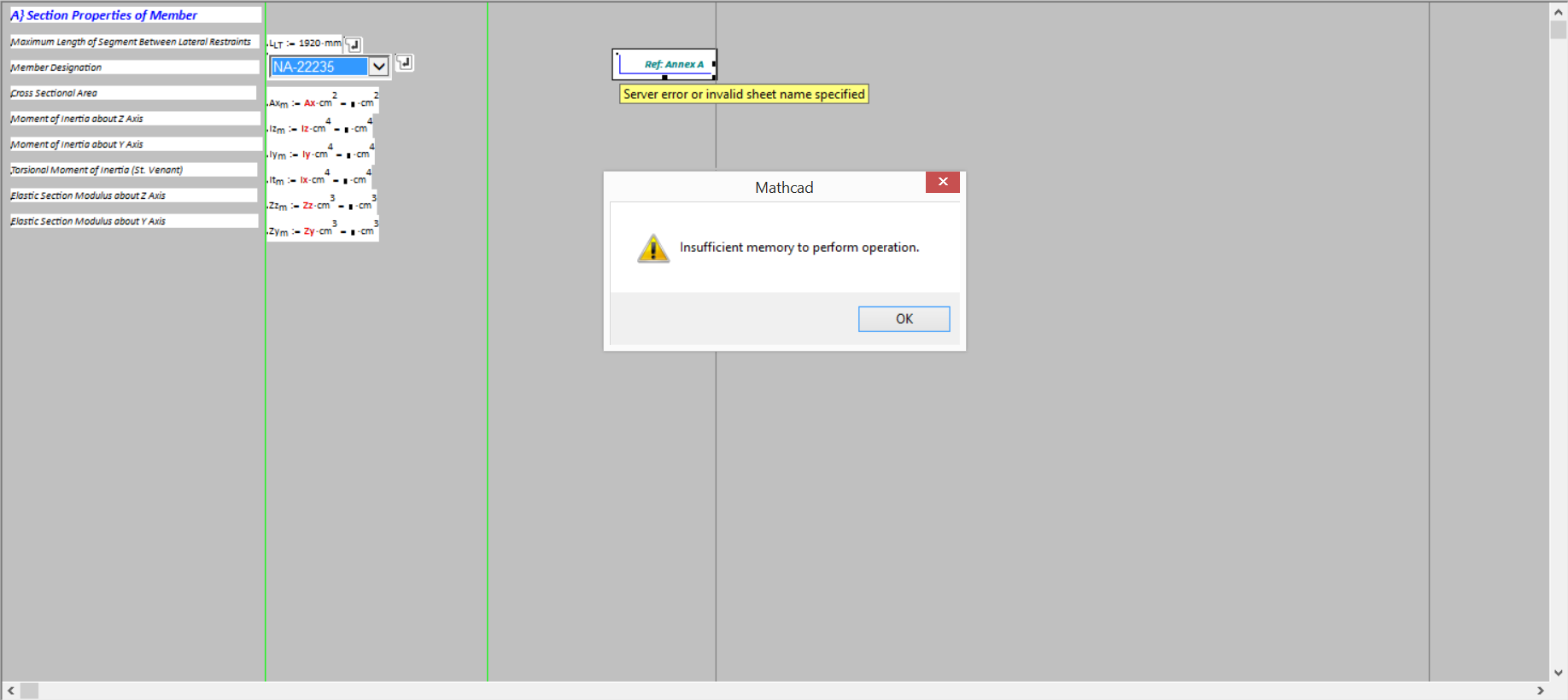
I am attaching the worksheet and a snapshot of what it appears at home. It says "Insufficient memory to perform operation" when I try to open the Excel component.

Am I missing something? Could you please tell me if it looks okay on your side and how I could possibly address this?

Thank you very much!Problem.png
Best answer by RichardJ

It works fine for me, but I have the latest version of Excel.

8 replies

RichardJ19-TanzaniteAnswer
19-Tanzanite
October 29, 2015

It works fine for me, but I have the latest version of Excel.

1-Visitor
October 29, 2015

Appears to work fine for me.  I'm running MC15 M010 and Office Professional Plus 2010

If you have any programs other than MC & Excel running, try closing them to open up more memory.

ddumapit1-VisitorAuthor
1-Visitor
October 30, 2015

It's funny because I downloaded some worksheets in the PTC User Community with Excel Components, and they work.

Mathcad and Excel are the only programs running. As to the memory, I am quite perplexed as to how an i7 16 GB RAM laptop can't have enough memory for this operation.

Anyway, I'll try to install the latest version of MS Office and see how it works. Thanks!

ddumapit1-VisitorAuthor
1-Visitor
October 30, 2015

Update: Installed MS Excel 2013. Works perfectly. Thanks, Richard!

24-Ruby IV
October 30, 2015

It works fine with Mathcad 15 M040 and MS Office 2010.

1-Visitor
December 2, 2015

I'm using Mathcad 15.0 (M010 [MC15_M010_20110622]) and Excel 2010 (14.0.7147.5000) SP2 MSO (14.0.7153.5000). I'm trying to read only a small subset of a 22 MB Excel file using the code below.

Capture.JPG

I'm only trying to read ~1000 rows from one particular column. Why am I getting a memory error?

19-Tanzanite
December 2, 2015

I don't know what the structure of an Excel file is, but to get 1000 rows from 1 column I'm sure Mathcad has to read a lot more than 1000 numbers. I doubt that's the issue though, because arrays in Mathcad can have millions of elements. I suspect, as with the original poster, it's because of your older version of Excel.

1-Visitor
December 2, 2015

I converted the file to CSV and used READFILE and it reads fine including all 75,000 rows of data that I really wanted to read. My company controls apps and versions so looks like I'm stuck with converting files to CSV.