
10-Marble
February 10, 2026
Solved

Mathcad - Excel Component

  • February 10, 2026
  • 1 reply
  • 214 views

Hi all, 


Currently experiencing an issue with an Excel component on a colleagues computer. 

The Mathcad file, attached, works on my computer fine but not my colleagues. States his "excel is busy". 

Any ideas why it works on my computer but not my colleagues?  


Many thanks,

Iain 


FYI, I am using Mathcad Prime 10.0.0.0 (and is my colleague). 
Best answer by terryhendicott

Hi Iain,

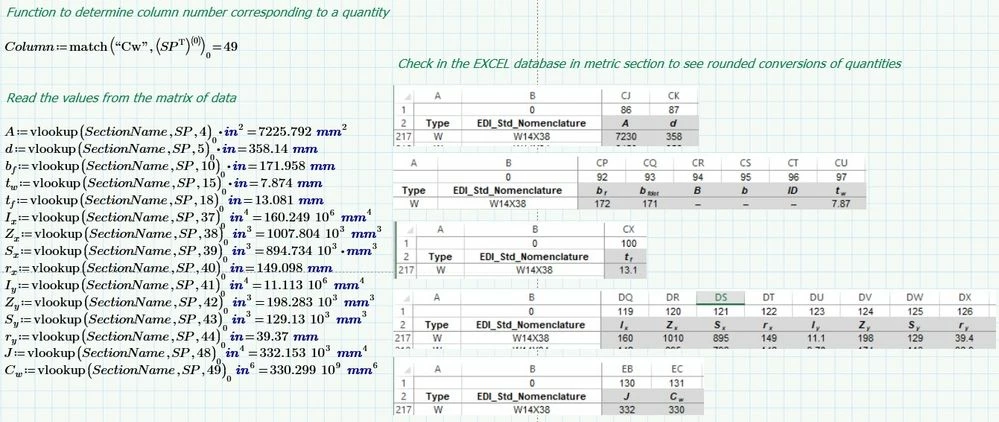
Here is answer to your question.  Got sidetracked?

Capture.JPG

Cheers

Terry

1 reply

23-Emerald IV
February 10, 2026
10-Marble
February 10, 2026

Thanks Luc, 


I am trying to do it via READEXCEL but struggling to use Vector & Matrix functions to look for corresponding section property data. 

See attached, any ideas? 


Kind regards,

Iain 

23-Emerald IV
February 10, 2026

Hi Iain,


The hlookup function (from help):

hlookup(z, A, r, [modifier | f])—Looks in the first row of matrix A for a given value z, subject to the conditions of the optionalmodifier, and returns the value(s) in the same column(s) in the row specified by r. When the value(s) are returned, they appear in a vector, starting from the left.


In your case for

LucMeekes_0-1770730581833.png


the parameters to hlookup are:

z=SectionName = the string "W14X38"

A= The matrix SP read via ReadExcel (you didn't provide the Excel file, so I cannot run the sheet)

r= SP<3>The full fourth column of SP, so a vector, where it requires a scalar, pointing to a specific column. Hence the error. Maybe just use '3' here?

[modifier|f] = in you provide a unit instead of a modifier string or function.


The string doesn't appear to be present in the first (top) row of matrrix SP, so a 'not found' error is issued once you correct the Area error...


Study the help to find out how to use the functions.

Success!
Luc