1-Visitor
December 4, 2018
Solved

Mathcad Prime 4.0 Plotting failed. Replace complex values and NaNs by real numbers. need help- asap

  • December 4, 2018
  • 3 replies
  • 4777 views

Hello,


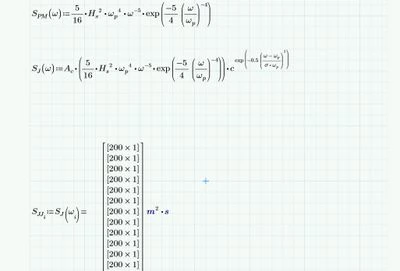
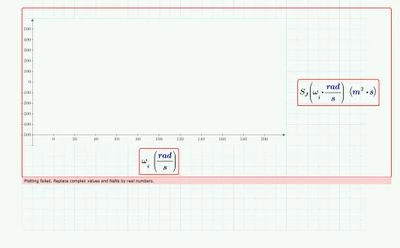
I have this problem which says Plotting failed. Replace complex values and NaNs by real numbers. Although I identified the units and the parameters. Need help ASAP please.
1.jpg


2.jpg


Thanks in advance.

Best answer by Fred_Kohlhepp

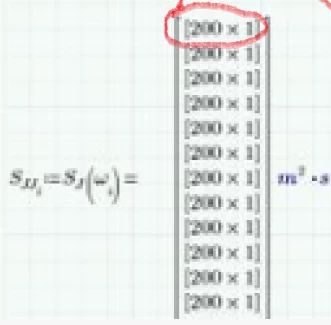
Your calculation resulted in an array of arrays, that's what the square brackets around each element means.

Capture.PNG

That won't plot.

3 replies

23-Emerald IV
December 4, 2018

Attach your Prime worksheet, not just a picture.


Luc

1-Visitor
December 4, 2018

Okay, here it is.

23-Emerald I
December 4, 2018

Your calculation resulted in an array of arrays, that's what the square brackets around each element means.

Capture.PNG

That won't plot.

1-Visitor
December 4, 2018

can you solve it and send me the file ? 'cause I didn't make double arrays in equations :S

23-Emerald I
December 4, 2018

I've got Express 4.0.  I was able to open your file, but I cannot program, so where you were programming values I had to pick just one (two pink highlighted expressions.


Attached as mathcad and pdf

25-Diamond I
December 4, 2018

1) Your definition of function S.J uses sigma and sigma is not a single value but a vector of values. Thats the rerason S.J returns a nested  matrix which can't be plotted.

One way round is to define S.J as a function of two arguments omega and sigma

B1.PNG


2) In your plot you added extra units rad/s for omega when calling S.J. This is wrong as omega already has the correct units. Furthermore the axis limits you had chosen are far too big

B2.PNG

unless you want the plot be displayed in different units

B3.PNG

Worksheet in P5 format attached