

Solved

Werner_EAnswer
25-Diamond I
July 28, 2018
- There is no need to vectorize the output of the Excel component - it will be a vector anyway.
- There is no need to use Excel juts to create a vector with equally spaced values.
Guess that the help files and other docs still have a lot of information ready for you to find out 😉
I am surprised that the yellow result in your screenshot is a single scalar and not a vector!?
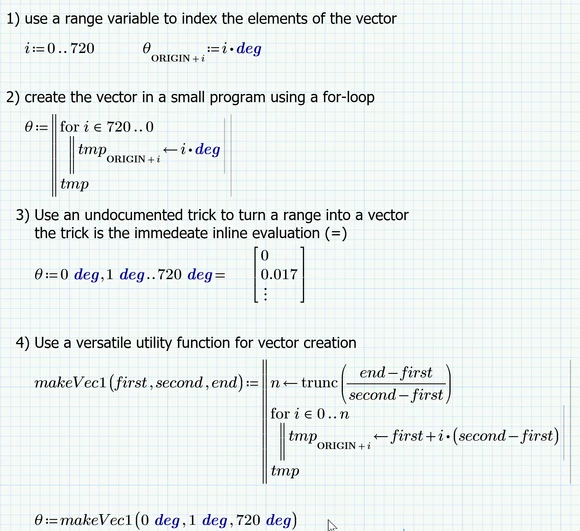
Here are four possible ways to create the vector you need in Mathcad without typing in every value manually:
BTW - if the question is answered you should close the thread