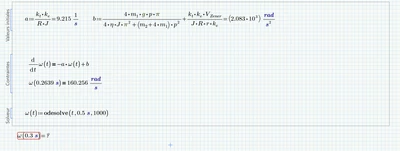
I had a quick look at your first sheet now. In contrast to the second sheet, the units are correct here, but you used a wrong syntax for "odesolve" (look it up in the help).
If we fix this we still get a very strange error message as of Odesolve having less than 2 arguments, which definitely is not true.
Looks like a bad bug in Prime. Reason are the inline evaluations of a an b in the solve block!
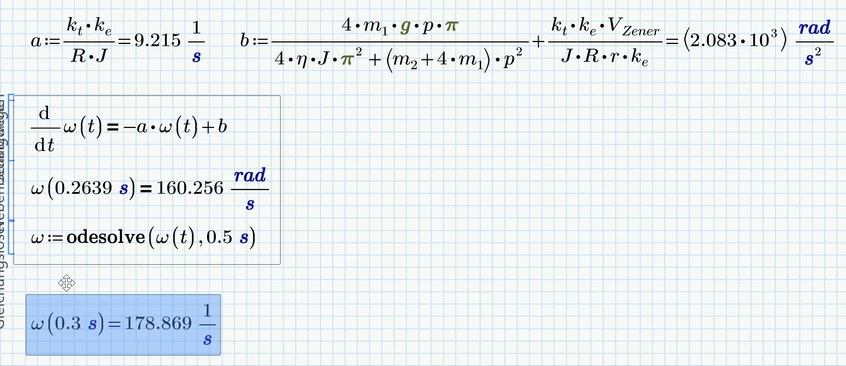
There are two workarounds:
1) (preferred solution) define the constants outside and in front of the solve block. They have no direct relation to the Solve block, so they don't belong there anyway:
2) Omit the inline assignment to avoid running into the Prime bug. You may evaluate a and b for reference in separate regions
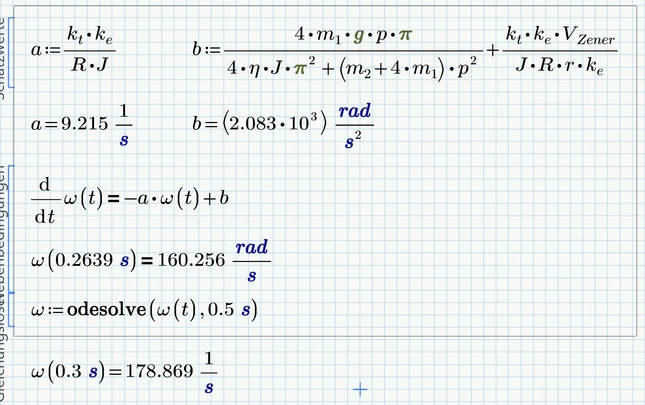
Incidentally, it has always been a good idea to avoid inline evaluations in Mathcad and to display the result of a calculation in a separate region. It usually works well, but it can also cause unexpected problems (especially in connection with matrices or, as is now the case here in the Solve Block).