12-Amethyst
February 8, 2025
Solved

plot locus of phasor in MCAD 15

  • February 8, 2025
  • 1 reply
  • 685 views

Hi all,

I am plotting a phasor (magnitude @ angle) on a polar plot in MCAD 15.  I'm doing it in 15 because I want to make an animation as the phasor changes.    Here is the output: https://relayman.org/temp/e/output.mp4


The red dot you see moving around in the video is the endpoint of the phasor. 


What I would like is for MCAD to leave a red dot at each location along the way - so in the end I would have a plot of the locus of those endpoints.  Something like the attached image.


thanks



Best answer by Werner_E

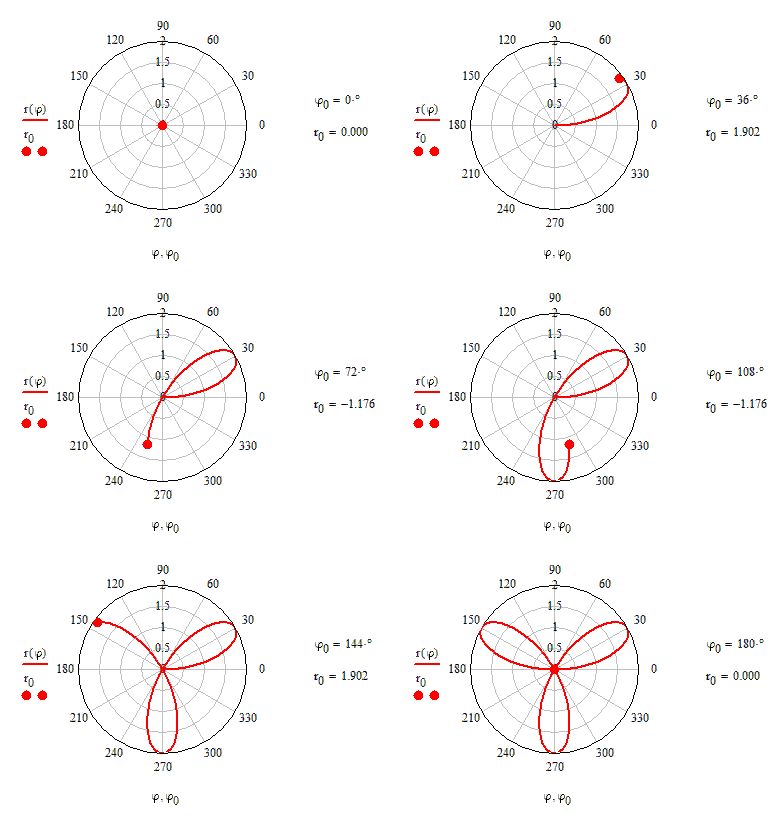
Simply precalculate the various positions in certain steps and collect the results in vectors.

For the animation you only plot part of the vectors so that only the path so far is shown.

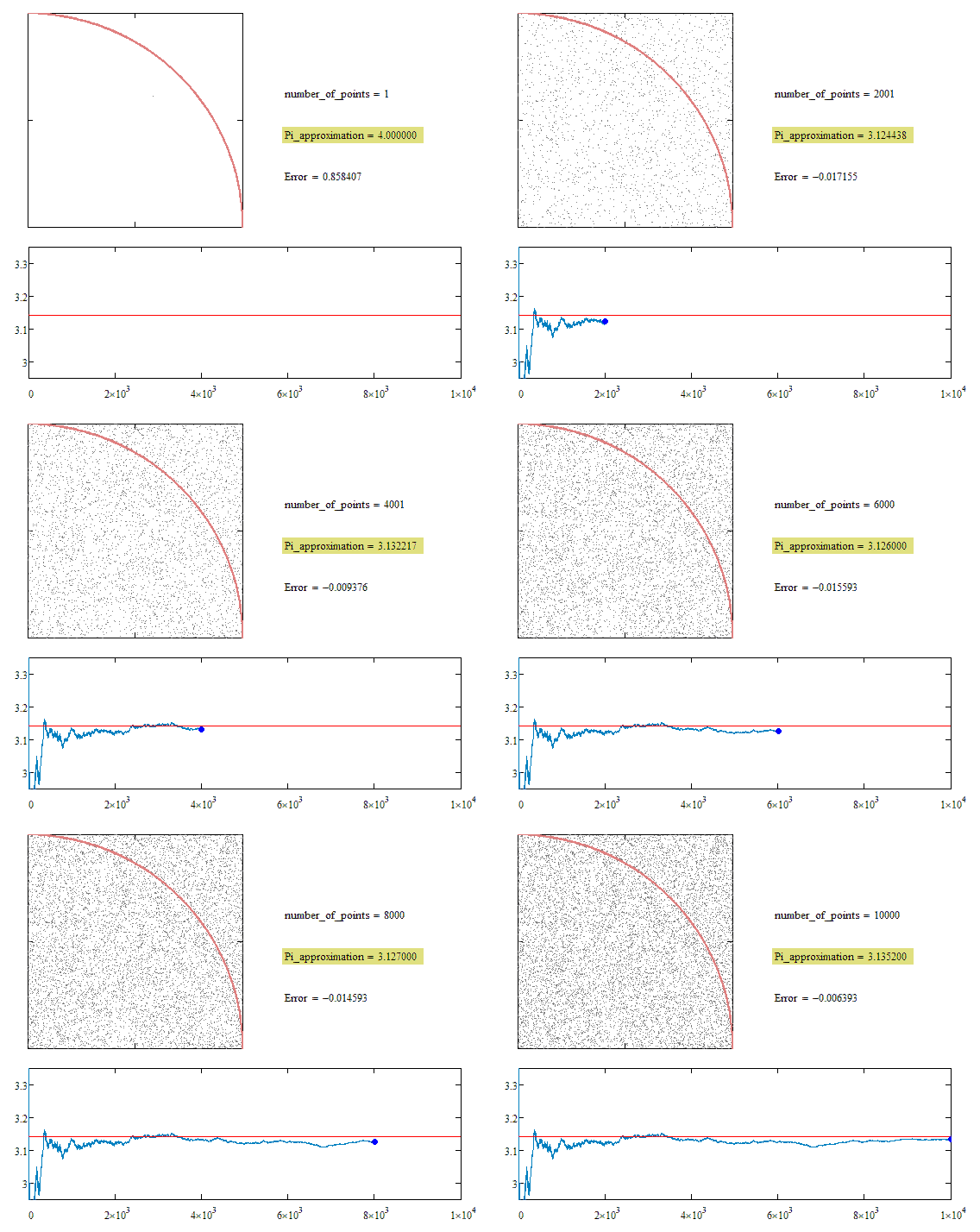
If your graph is derived by a simple equation you may also just use a range variable with an end value depending on FRAME to plot just the part of the path taken so far.

Find attached examples demonstrating these methods

ani1.gif

ani3.gif


For more help you would have to attach your worksheet.

1 reply

Werner_E25-Diamond IAnswer
25-Diamond I
February 8, 2025

Simply precalculate the various positions in certain steps and collect the results in vectors.

For the animation you only plot part of the vectors so that only the path so far is shown.

If your graph is derived by a simple equation you may also just use a range variable with an end value depending on FRAME to plot just the part of the path taken so far.

Find attached examples demonstrating these methods

ani1.gif

ani3.gif


For more help you would have to attach your worksheet.