23-Emerald V
April 4, 2022

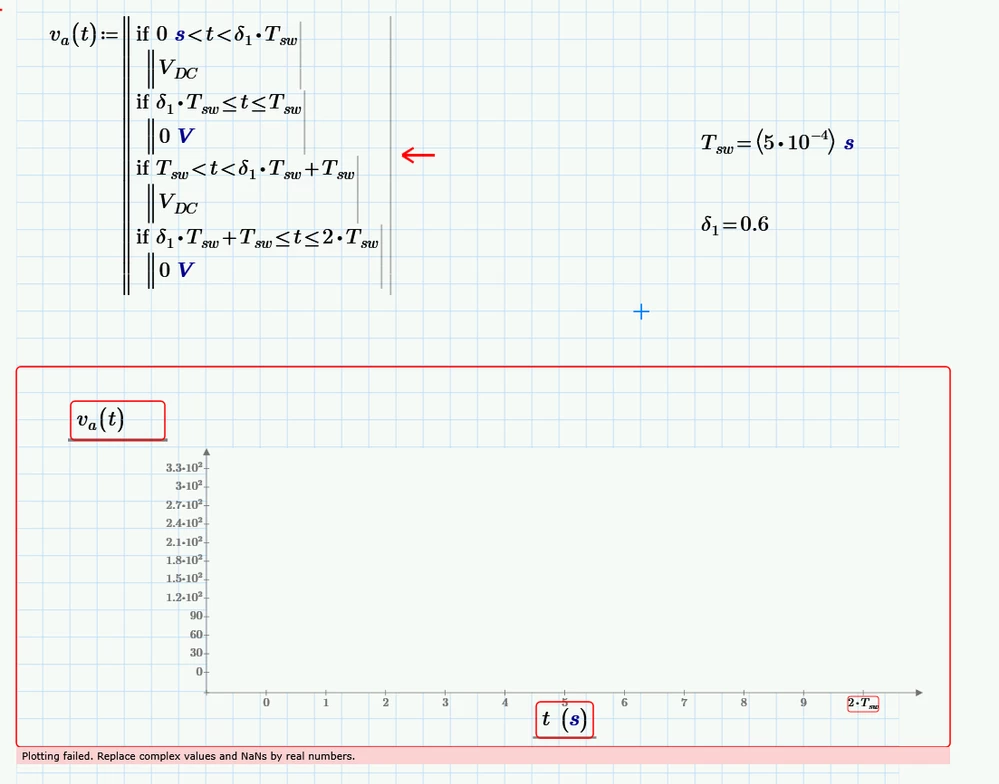
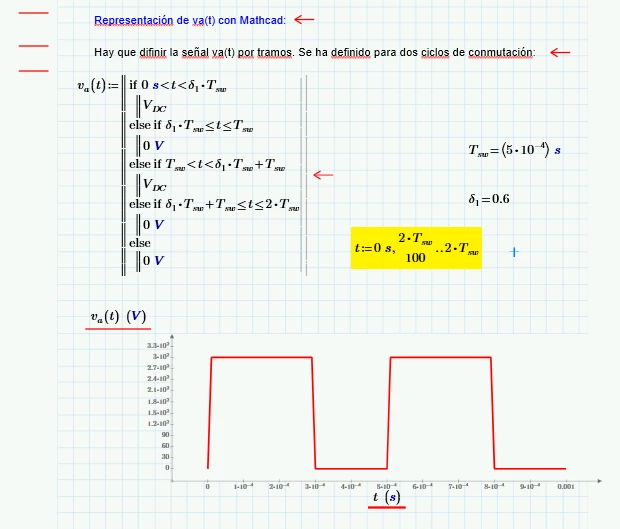
One cause of the problem is that not all cases are covered (eg, 0 s).  I'd have used an elseif statement rather than evaluating each condition.   In addition, I'd have also used an explicit range variable to handle t.


2022 04 04 a.png


Stuarr


8 replies

23-Emerald V
April 4, 2022

One cause of the problem is that not all cases are covered (eg, 0 s).  I'd have used an elseif statement rather than evaluating each condition.   In addition, I'd have also used an explicit range variable to handle t.


2022 04 04 a.png


Stuarr


Translate
1-Visitor
April 5, 2022

Exellent. This worked out for me. I was trying something similar, it seams I was missing 2Tsw/100 when defining t.

Many thanks Stuart

Translate
Werner_E
25-Diamond I
April 4, 2022

Actually Prime isn't as good in dealing with units as we often would like it to be - especially when it comes to plotting.

Primes quickplot feature only works unitless.

One way (not preferred) is to make the values unitless:

Werner_E_0-1649077051273.png

The preferred way is, as Stuart already had shown, to define a range variable for plotting. You can delete the end values on the axis as Prime will chose them appropriately itself. This also enables you to chose different units like the "ms"  for the abscissa values in the following screenshot

Werner_E_1-1649077207156.png


Translate
Werner_E
25-Diamond I
April 4, 2022

Afterthought

Here is a simpler way of dealing with the periodicity of the signal

Werner_E_0-1649078148866.png


It might also make sense making delta, V.max and T arguments of the function

Werner_E_0-1649085725008.png


Translate
23-Emerald V
April 5, 2022

And if all you have is Express 7, or want to try for the daily obfuscation prize, ...


2022 04 05 b.png


Stuart

Translate