1-Visitor
March 3, 2017
Solved

Points' description

  • March 3, 2017
  • 3 replies
  • 3813 views

Hi

I am new to the forum so please excuse my lack of knowledge of manners typical of this forum.

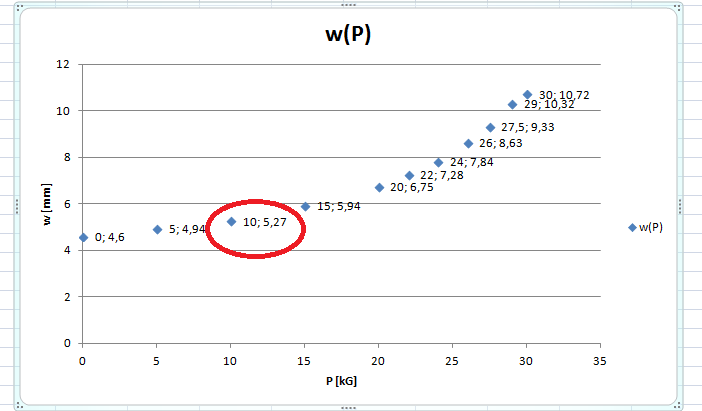
I would like to get points on my plot described, so that next to the point on a plot there is x and y value showed somehow like it is done in, for example, excel:

ex.png

Is there a possibility to do something similar in MathCad?

I attach my MathCad example.

Than you

Best answer by LucMeekes

Apart from inserting an Excel component, you could do it the hard way: more than 10 years ago Birge Birkelund (?) created a mathcad document showing what amazing images,  and text , you could create in mathcad plots.  But that was before PTC took over mathcad and decided that everything had to look and behave differently in a new development called mathcad Prime, which you appear to be using. Up to today, plotting facilities (as well as much of the other functionality) of Prime aren't up to (the old, original) mathcad standards.

As it happens, a new release of Prime (4.0) is scheduled for the very first next monday (2017-03-06), and one of the announced improvements in there is plotting facilities.....I do not remember this specific feature being on the list though.

Luc

3 replies

24-Ruby IV
March 3, 2017

You can insert Excel component into Mathcad-sheet.

LucMeekes23-Emerald IVAnswer
23-Emerald IV
March 3, 2017

Apart from inserting an Excel component, you could do it the hard way: more than 10 years ago Birge Birkelund (?) created a mathcad document showing what amazing images,  and text , you could create in mathcad plots.  But that was before PTC took over mathcad and decided that everything had to look and behave differently in a new development called mathcad Prime, which you appear to be using. Up to today, plotting facilities (as well as much of the other functionality) of Prime aren't up to (the old, original) mathcad standards.

As it happens, a new release of Prime (4.0) is scheduled for the very first next monday (2017-03-06), and one of the announced improvements in there is plotting facilities.....I do not remember this specific feature being on the list though.

Luc

24-Ruby III
March 3, 2017

Here is a link for E-book "Сreating Amazing Images with Mathcad 14" by Byrge Birkeland: Creating Amazing Images with Mathcad 14

Pic_1.png

agęśla1-VisitorAuthor
1-Visitor
March 3, 2017

Funny thing is I need fit function other that linear using my data and also need points described. As far as I know Excel offers only linear fit ;(

25-Diamond I
March 3, 2017

Artur Gęśla wrote:

Funny thing is I need fit function other that linear using my data and also need points described. As far as I know Excel offers only linear fit ;(

You may find this interesting: http://www.jkp-ads.com/articles/leastsquares.asp

As was already said, Prime does not offer this feature. In fact, Prime does not even offer a way to name the axis or apply a plot title.

All you could do in Prime is to create a text region for every point you want to apply a description to, type the discription your self and drag the region near the point.

Sure prohibiting.