
1-Visitor
November 19, 2015
Solved

Prime 2.0 won't run

  • November 19, 2015
  • 3 replies
  • 1589 views

I have a academic license of MathCad Prime 2.0, and I had it install on this HP EliteBook 8740w laptop in question.

Few days ago I did a clean install of win 8 64-bit on the same laptop, and installed Prime 2.0 again from DVD. However now the program wons start, it just flashes an error window, of which I managed to take a screen capture.
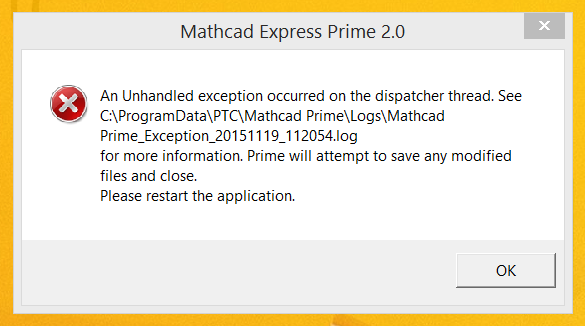
Mathcad Prime 2.0 error.png

Now I tried repairing the istallation without any luck. The setup.exe always offers new installation.
I also tried repairing with PrimeWixInstaller_64bit.exe, which tells me it's repairing the installation, but the results are the same - the Prime won't start after this.

I tried both 32-bit and 64-bit versions, no luck.

I tried another laptop, and it works ok.

The error log is attached.

Any ideas, how to get my prime working again?

Best answer by StuartBruff

It might be worth checking that you have the right versions of .NET installed and that you have your virus checker turned off during installation (taking any other due security precautions).

3 replies

24-Ruby IV
November 20, 2015

Hi,

Please submit an academic support request here "Academic Case Logger": Academic Case Logger

23-Emerald V
November 20, 2015

It might be worth checking that you have the right versions of .NET installed and that you have your virus checker turned off during installation (taking any other due security precautions).

isaramies1-VisitorAuthor
1-Visitor
November 26, 2015

I installed quite a lot of windows updates, including one .NET update, and suddenly the Prime was working perfectly. So I'm pretty sure it was the .NET that was causing this.
I tried installing with my virus protection turned off before, but it did not make any difference. Thanks!