3-Newcomer
May 15, 2023
Solved

PTC Mathcad 15 equation solving problem.

  • May 15, 2023
  • 2 replies
  • 2351 views

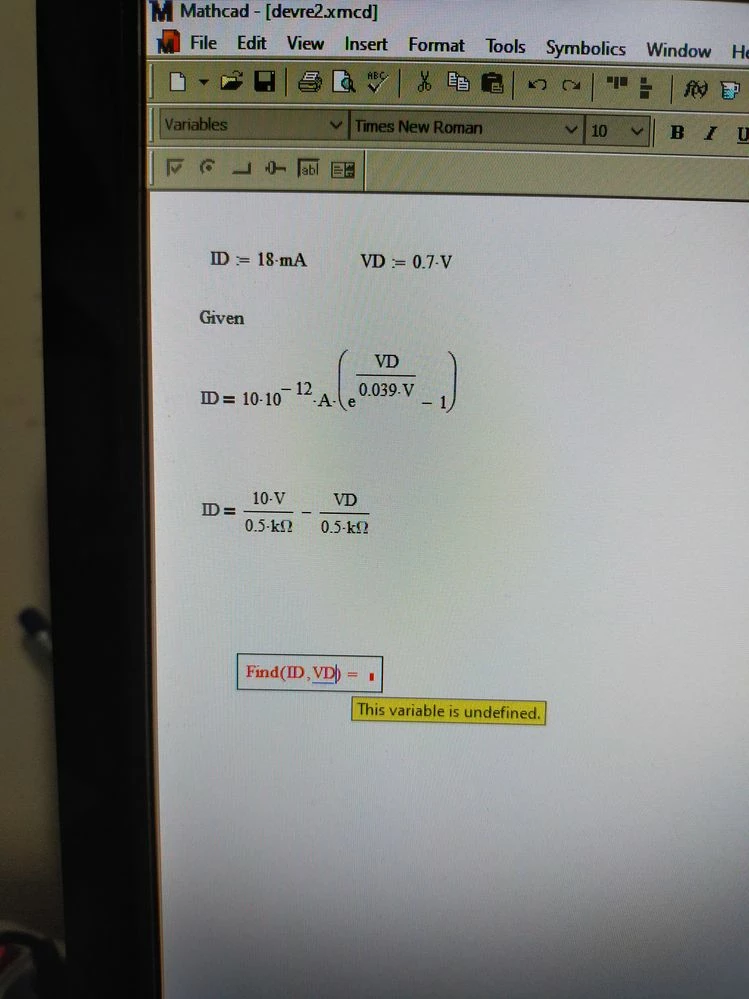
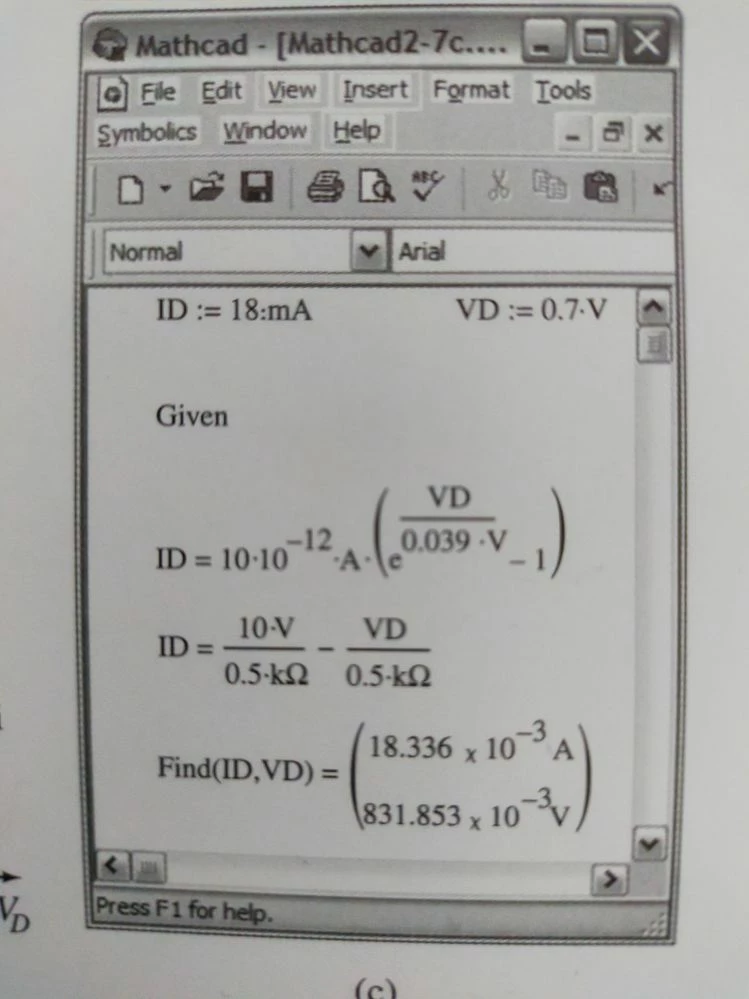
Dear Friends, I am using Mathcad 15. I use electronic books. The book has the solution of the system of equations related to Mathcad 15. However, I cannot solve the formula system even though I do the same. I'm getting an error.
I'm posting screenshots from the book and my own implementation.
I am also attaching the Mathcad file. I'm waiting for youExample in the bookExample in the bookScreenshot and error that I implementedScreenshot and error that I implementedr help.

Best answer by Werner_E

Mathcad will always display results in the base units of the unit system chosen.

Werner_E_0-1684235375593.png

But  if you click in that region you will notice a black placeholder to the right of the unit where you can write the unit you would like to see.

Werner_E_1-1684235441627.png

Werner_E_2-1684235464715.png

And when you leave that region you see the desired display

Werner_E_3-1684235506003.png

Mathcad will also take care of additional changes which might be necessary

Here is what you see if you accidentally type in V (volt) in that placeholder

Werner_E_4-1684235624905.png


2 replies

23-Emerald IV
May 15, 2023

Your VD in the second equation, above the 0.5 kOhm, is labelled as a constant, instead of as a variable.


Success!
Luc

25-Diamond I
May 15, 2023

The problem is SUC (static unit check) in Mathcad 15


Delete the evaluation after the Find command and assign the result to a vector with two variables to get the desired result

Werner_E_0-1684188745795.png

The E-Book was written for a very old version of Mathcad which did not use SUC. This old version allowed the display of a vector/matrix which contains quantities of different dimensions (voltage and amperage in your case). Mathcad 15 does not allow for this and the error message unfortunately is misleading.


See attached sheet


3-Newcomer
May 16, 2023

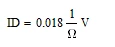
Thank you very much. Your Problem Has Been Solved. I'm also having trouble with Unit conversion. For example, I get Ampere. How can I change it to MilliAmps. Please forgive my inexperience. Thanks again

Werner_E25-Diamond IAnswer
25-Diamond I
May 16, 2023

Mathcad will always display results in the base units of the unit system chosen.

Werner_E_0-1684235375593.png

But  if you click in that region you will notice a black placeholder to the right of the unit where you can write the unit you would like to see.

Werner_E_1-1684235441627.png

Werner_E_2-1684235464715.png

And when you leave that region you see the desired display

Werner_E_3-1684235506003.png

Mathcad will also take care of additional changes which might be necessary

Here is what you see if you accidentally type in V (volt) in that placeholder

Werner_E_4-1684235624905.png