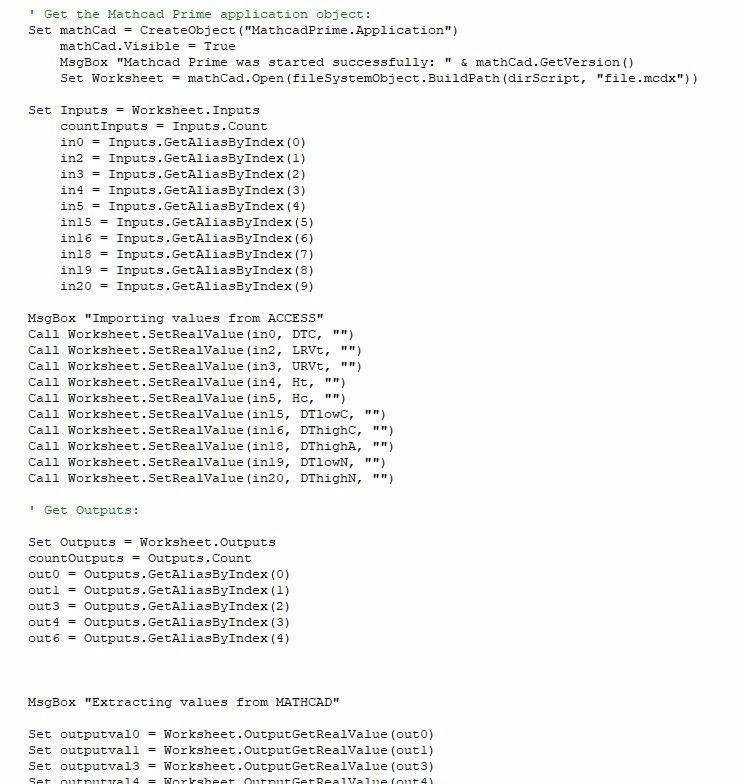
Hi Terry,
Thank U so much for your answerd.
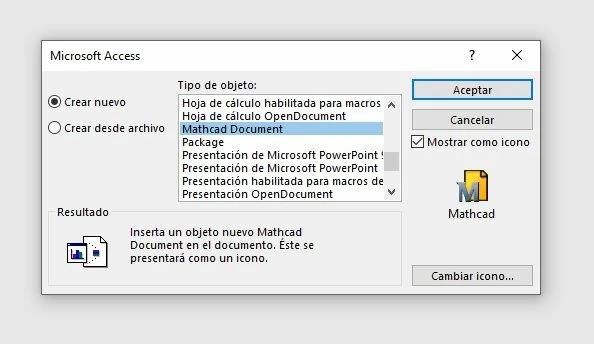
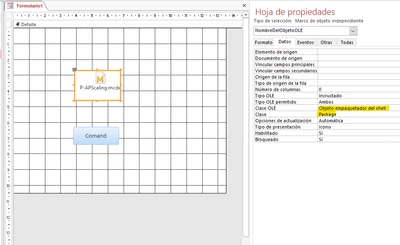
Finally I got it. I inserted the Prime file as a package shell and then i create an objet as a Mathcad.Aplication and use the expresion of the active workbook to write in the MAthcad Primer package Shell. See the following code with the solution (I mark in bold the important line code):
Private Sub Comando1_Click()
Dim frm As Form
Dim oleObj As Object
Dim Worksheet As Object
Dim mathCad As Object
Dim Inputs As Object
Dim Outputs As Object
Dim countInputs As Integer
Dim countOutputs As Integer
Dim in0 As String, in1 As String, in2 As String, in3 As String, in4 As String
' Referenciar el formulario actual
Set frm = Forms("Form1") 'This is the Form where the MathCad prime is embed
' Referenciar el objeto OLE embebido
Set oleObj = frm.Controls("PlantillaOBJ") 'This is the name of the MathCad Prime object embedded in the "Form1".
' Verificar si el objeto OLE está disponible
If Not oleObj Is Nothing Then
oleObj.Action = acOLEActivate ' Activate the MathCad Prime embedded object
Set mathCad = CreateObject("MathcadPrime.Application") ' Create a MathcadPrime.Apllication object
mathCad.Visible = True ' View the MAthcad Prime app
'////////////////////////////////////////////////////////////////////////////////////////////////
'ESPERAR UNOS SEGUNDOS PARA QUE SE TERMINE DE ABRIR ' Wait a seconds until the mathcad prime will be opened
'////////////////////////////////////////////////////////////////////////////////////////////////
Dim inicio As Double
Dim espera As Double
' Marcar el tiempo de inicio
inicio = Timer
' Definir el tiempo de espera en segundos (3 segundos en este caso)
espera = 3 'this is the time you want to wait.
' Loop hasta que se cumpla el tiempo de espera
Do While Timer < inicio + espera
DoEvents ' Permite que otros eventos ocurran durante la espera
Loop
'///////////////////////////////////////////////////////////////////////////////////////////////
'////////////////////////////////////////////////////////////////////////////////////////////////
Set Worksheet = mathCad.ActiveWorksheet ' Define the Worksheet as the one which is active ( our embedded Mathcad Prime document)
Set Inputs = Worksheet.Inputs ' Now you can use all the expresion of the Mathcad Prime as the inputs, outputs, etc
in0 = Inputs.GetAliasByIndex(0)
in2 = Inputs.GetAliasByIndex(1)
MsgBox "Importing values from Access"
'Esto es para el caos de que tengamos que mandar una variable de texto en lugar de numerica.
'Call Worksheet.SetRealValue(in0, 13232, "")
Call Worksheet.SetRealValue(in0, 244343, "")
Call Worksheet.SetRealValue(in2, 32322, "")
Else
MsgBox "El objeto OLE no se encontró en el formulario.", vbExclamation
End If
End Sub