Best answer by StuartBruff

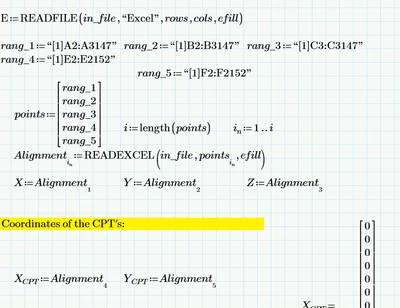
Is the Excel worksheet up to date?  You call Sheet 2 in your Mathcad worksheet, but in addition to the lack of Column D, there is no Sheet 2 in "Total Original Location.xlsx".   


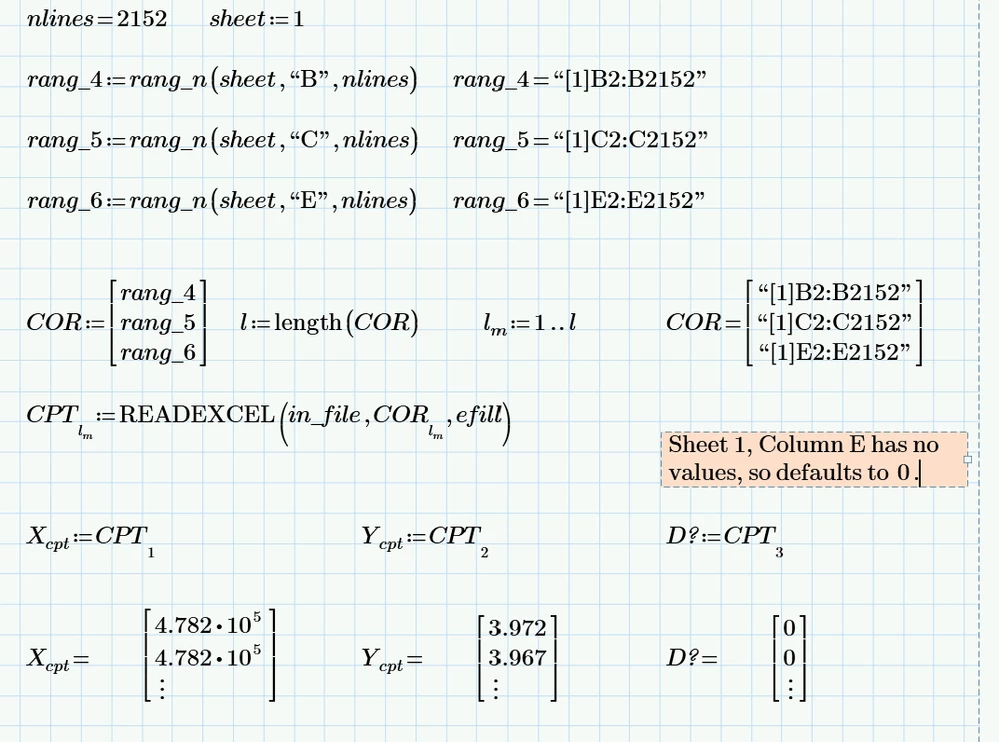
I modified your Mathcad worksheet to construct the range from the sheet number, column letter and number of lines; I also modified Sheet 1 to include a Column D (scaled copy of Column C).  I didn't see any errors when using Sheet 1 for all valid ranges.  I then changed rang_6 to point to the empty Column E and got a vector of zeros (as expected from an empty column).


2024 10 20 D.png


Stuart

2 replies

25-Diamond I
October 20, 2024

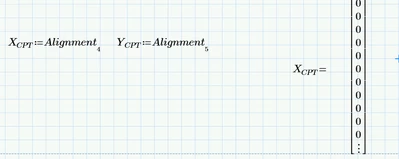
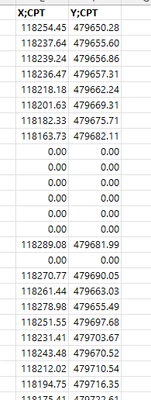
Missing your Prime file. Hopefully stripped down just showing the reading of the data and the display of the unexpected zeros

Not sure how the pdf you posted should be of any help here.


P.S.: Your Excel sheet only contains three columns of data (A,B,C). Hope you did not try to read columns D and E !??

14-Alexandrite
October 20, 2024

Sorry I attached the wrong sheet 

25-Diamond I
October 20, 2024

There is no sheet2 in the Excel file you posted!

As already written before it contains just one sheet with three columns of data (X,Y,Z values) - nothing more.

So trying to read from the second sheet obviously must fail

Werner_E_0-1729443042068.png


23-Emerald V
October 20, 2024

Is the Excel worksheet up to date?  You call Sheet 2 in your Mathcad worksheet, but in addition to the lack of Column D, there is no Sheet 2 in "Total Original Location.xlsx".   


I modified your Mathcad worksheet to construct the range from the sheet number, column letter and number of lines; I also modified Sheet 1 to include a Column D (scaled copy of Column C).  I didn't see any errors when using Sheet 1 for all valid ranges.  I then changed rang_6 to point to the empty Column E and got a vector of zeros (as expected from an empty column).


2024 10 20 D.png


Stuart

14-Alexandrite
October 20, 2024

Thank you Stuart