18-Opal
December 17, 2018
Solved

Reading Excel CSV in Mathcad Prime 5.

  • December 17, 2018
  • 3 replies
  • 2704 views

I have a set of data that I am importing from excel.


I am reading data from the file. It is in the format. "[79.34029,63.57957]" (There is a column of data)


I want to convert this to 79.34029,63 at an angle of 63.57957 degrees.


I tried reading it and used str2num but it did not "like" my approach.


Thanks for your help.

 

Best answer by Werner_E

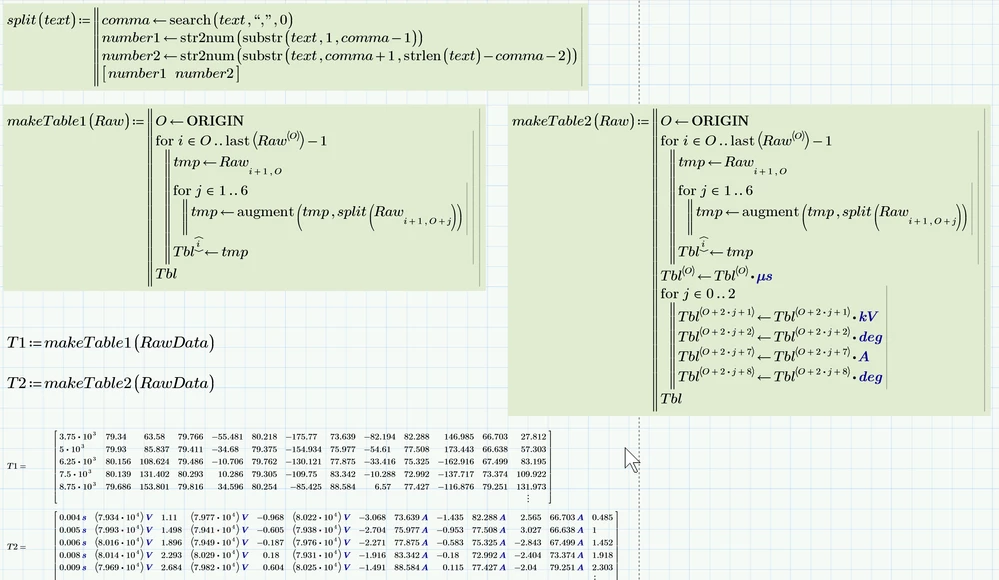
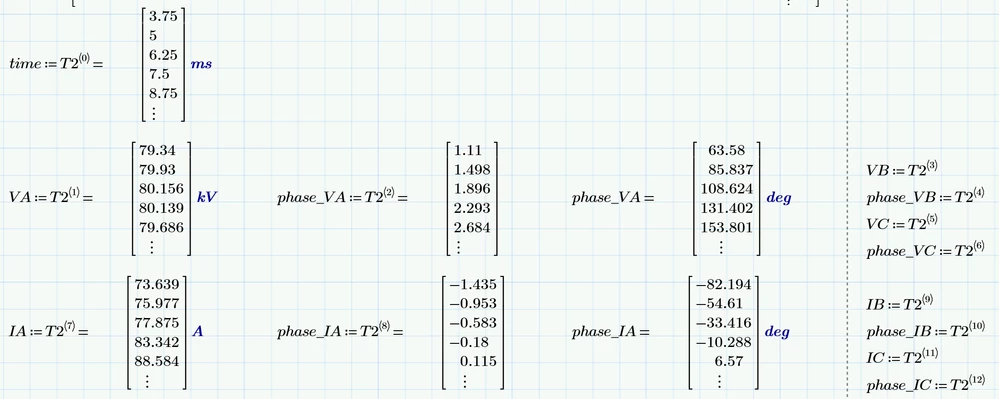
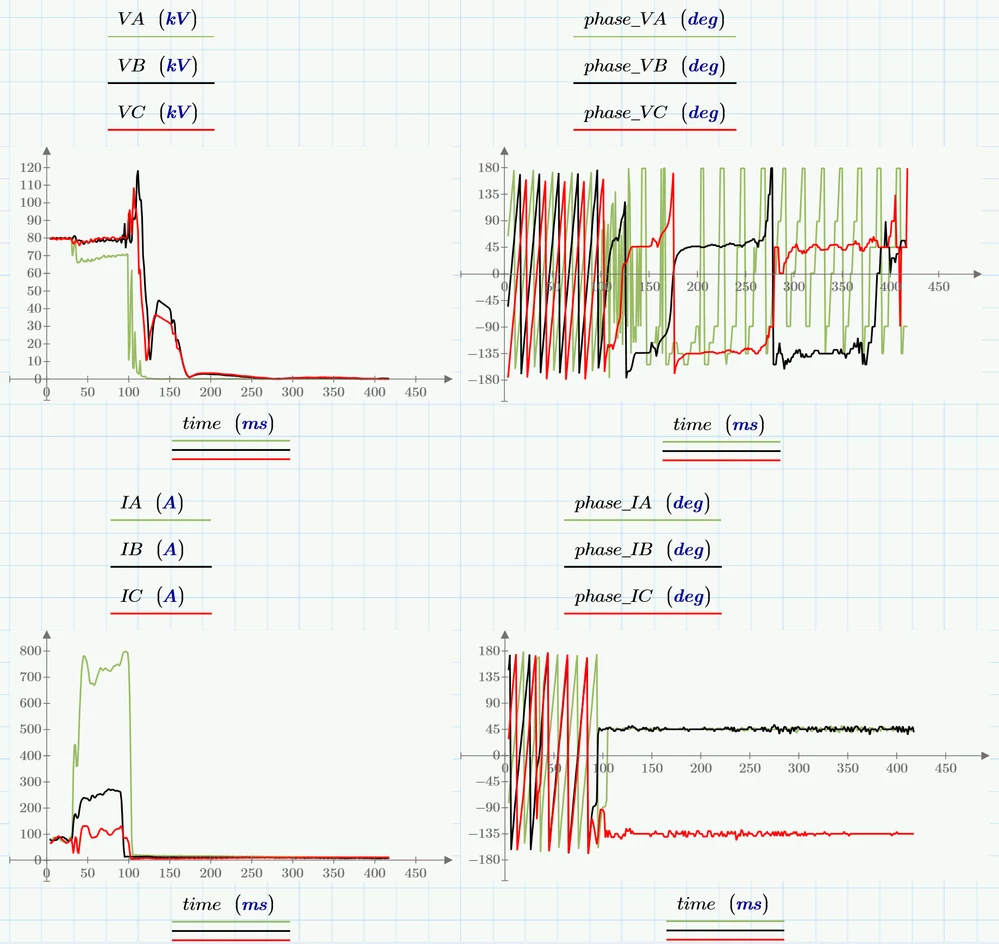
Here are two functions which build the whole table. One without and the other with units applied. You can't demand for specific units for each column when displaying the full table but you may display every column with the unit you'd like to see (degree e.g.)

B1.pngB2.png

B3.png

3 replies

23-Emerald IV
December 17, 2018

Ideally built-in function READFILE should be doing this, but I'm afraid your datafile is too complicated for READFILE.

Consider using the funcion Vec2vec() on each of your "[....]" elements.

See attached Prime 4 file.


If you want you can multiply the second element of the Vec2vec result array with deg, to get them look like angles.


Success!
Luc

25-Diamond I
December 17, 2018

Here is a utility function which might come handy

B.PNGB2.PNG

Werner_E25-Diamond IAnswer
25-Diamond I
December 17, 2018

Here are two functions which build the whole table. One without and the other with units applied. You can't demand for specific units for each column when displaying the full table but you may display every column with the unit you'd like to see (degree e.g.)

B1.pngB2.png

B3.png