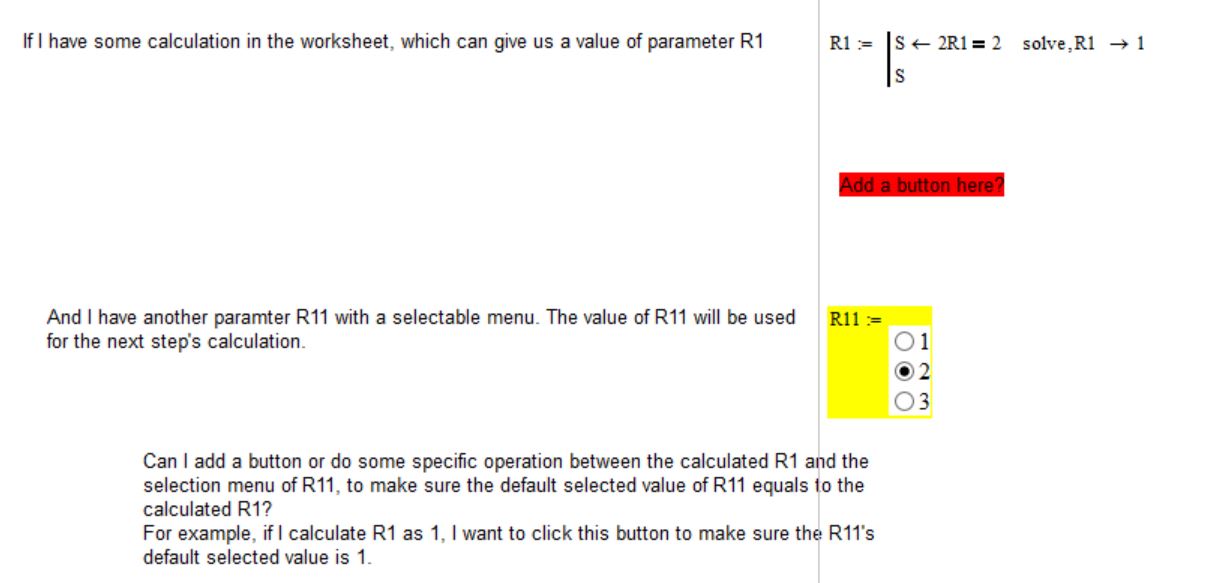
> (1) If I have several options of R11, how can I edit the script? Right now I see (options default setdef), but am not sure how to modify this code when I have more than 3 values in the list box.
You mean if there are more options to chose from? You don't have to change anything in the script. The vector "Options" simply would have more entries. I had chosen this convenient way to provide the captions for the options rather than hardcode them in the script (the code to do so is from Richards collection).
The three input parameters for the list box are
1) "options"; This is a vector of stringvalues representing the captions of the various entries of the list box. Being a Mathcad vector they can easily be editited and you may hide the definition of that vector in a collapsed region if you want. If you have more than three options you would have to resize the component and maybe its a good idea to turn on scrolling if you have a large list. (Right click -> Mathsoft Listbox Control Object -> Properties -> Vertical Scroll) see attached file
2) "default" This variable is the number of the item which should be the default entry and depends upon previous calculations (I simply assigned a value). Counting begins with 1 (which is the reason a had to subtract 1 in the script because VB begins numbering with 0).
If this variable has an invalid value (too large or too low; decimals values are rounded) the last selection remains in place. Exception is when default=0. Then the list box return the (invalid) value 0.
The script ensures that whenever the value of the input variable "default" changes a new default is selected.
3) "setdef" This variable is the output value of the "Reset to default" button (which simply counts it up by every click). Similar to "deafult" - whenever this value changes the listbox selects its default. Thats the reason the button works (as long as it changes its output value by every click).
So you see the three input variables do NOT correspond to the number of values you may select from.
> (2) If I can several listbox, say R11, R22, R33..., and I can calculate R1, R2, R3...., is it possible to use one button to set all the values in the listbox to its default values?
Yes, as long as all the listboxes share the same third parameter (the output value of the button. See attached file.