You should have stated that you were talking about good old real Mathcad and not about the current (Mathcad) Prime! Tables in Prime are something completely different than tables in real Mathcad.
EDIT: Just saw that you added this information while I wrote this reply, but in the meanwhile I could tell that from your attachment in your second posting that you are using real Mathcad and not Prime (good choice).
To format the number of decimals shown in a Mathcad table, you right click the table,
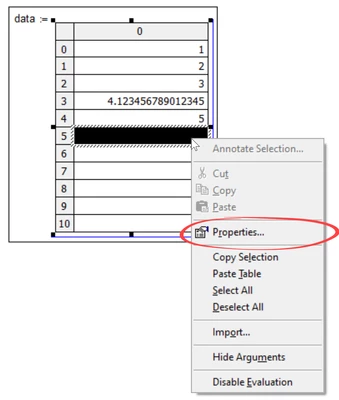
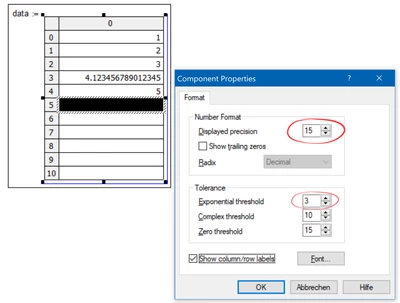
select "Properties" and now you can format how the numbers should be displayed
According the (from my experience lame and instable) Excel component, the number of decimals has to be set in Excel (when you double click the table an Excel window opens).
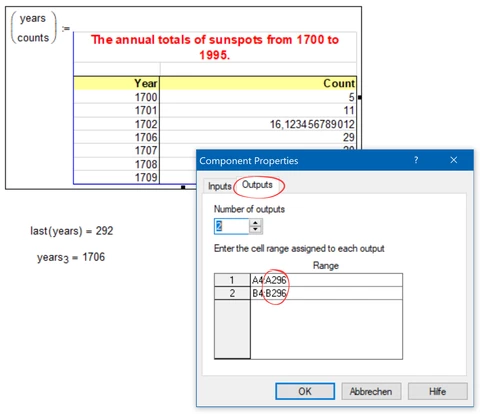
Deleting rows in Excel does not change the number of rows which are transferred to Mathcad. You set the range to be transferred by right clicking the table in Mathcad, select "Properties" and in the "Outputs" tab you can change the range to be transferred to Mathcad. For the picture I deleted three rows (1703-1705) in Excel and so I changed the number of the last row to be used from 299 to 296. Now the number of rows of the Mathcad vector changes accordingly.